50 Horror AI Video Prompts
Atmospheric, psychological, and creature horror prompts crafted for maximum dread. Ready to paste into Kling AI, Runway, or Sora.
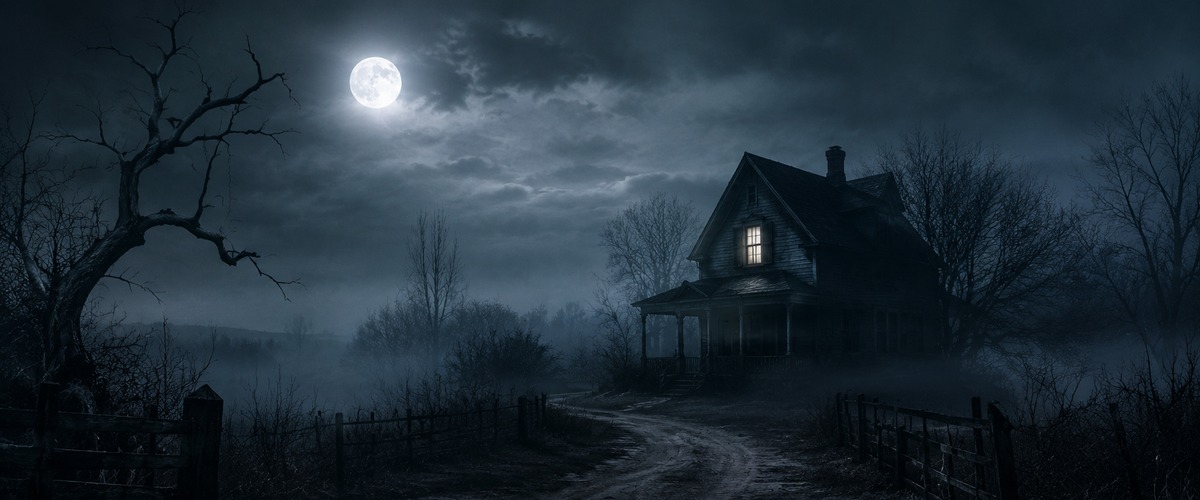
- Locked-off static frame makes every tiny change catastrophic — stillness is the technique, movement is the event
- Flickering fluorescent triggers biological unease — interrupted light signals threat before the brain processes the scene
- An empty space designed for gathering communicates absence more powerfully than any presence — the potential energy without its release
- A haunted location's signature corridor sequence — the architecture creating dread without showing anything
- A slow-burn psychological horror where the environment is the antagonist
- A ghost story or home invasion thriller's most effective single-location sequence
- Slow dolly push-in makes the approach the drama — each centimetre closer increases the emotional pressure
- Dusk light encodes ending — the colour temperature of last light makes loss legible without a word
- The combination of camera position and atmospheric elements creates the maximum dread-to-technique ratio — maximum effect from minimal means
- A supernatural horror's forest location establishing shot — dead world, living threat
- A folk horror where the forest is the primary antagonist
- A slow-burn horror film's most dread-filled atmospheric sequence
- Locked-off static frame makes every tiny change catastrophic — stillness is the technique, movement is the event
- Overcast sky acts as an infinite-area softbox — perfectly even, directionless, deeply flattering and endlessly consistent
- The combination of camera position and atmospheric elements creates the maximum dread-to-technique ratio — maximum effect from minimal means
- A haunted house film's opening establishing shot — every element confirms something is wrong
- A rural horror where isolation is the first threat and the building is the second
- A ghost story's most classically composed exterior reveal
- Tracking shot creates active accompaniment — the camera lives in the scene rather than observing from outside it
- Moonlight creates a cold blue world with hard shadows — recognisable but drained of warmth and safety
- Shallow depth of field makes focus an editorial choice — the sharp element is declared the only thing that matters in the frame
- A period horror's most atmospherically effective cursed-object sequence
- A haunted house film establishing that something in the house has independent agency
- A ghost story's most emotionally layered practical scare — the object connected to loss
- First-person POV eliminates the observer entirely — the viewer becomes the character, experiencing not watching
- The light quality and direction encode the emotional register of this scene before a single narrative element is read
- The combination of camera position and atmospheric elements creates the maximum dread-to-technique ratio — maximum effect from minimal means
- A haunted house horror's most effective use of the below-ground location
- A thriller discovering that something has been living beneath the house
- A supernatural horror where the entity's origin or prison is below the domestic space
- Locked-off static frame makes every tiny change catastrophic — stillness is the technique, movement is the event
- Fog separates subjects at different distances into distinct tonal layers — atmospheric perspective without equipment
- The combination of camera position and atmospheric elements creates the maximum dread-to-technique ratio — maximum effect from minimal means
- A maritime thriller or drama's most atmospheric and isolated establishing sequence
- A film using the lighthouse as a metaphor for the character's role — lone warning signal
- A ghost story or thriller set at the coast's most dramatically composed night exterior
- The dolly creates smooth parallax — foreground and background shift in relation, creating real three-dimensional depth
- Fluorescent institutional light is the visual language of systems and confinement — clinical, cold, and indifferent to the human beneath
- The combination of camera position and atmospheric elements creates the maximum dread-to-technique ratio — maximum effect from minimal means
- A medical horror film's most frightening institutional corridor sequence
- A supernatural horror in a hospital establishing the entity's preferred environment
- A thriller establishing a character trapped in a medical facility after hours
- Locked-off static frame makes every tiny change catastrophic — stillness is the technique, movement is the event
- The light quality and direction encode the emotional register of this scene before a single narrative element is read
- The combination of camera position and atmospheric elements creates the maximum dread-to-technique ratio — maximum effect from minimal means
- A slow-burn horror film's most dread-building environmental sequence
- A scene where the location creates the threat before anything is shown
- A ghost story's most atmospherically complete and budget-conscious establishing shot
- Close-up creates the frame where microexpression becomes macro-meaning — the face as the entire landscape
- The light quality and direction encode the emotional register of this scene before a single narrative element is read
- The combination of camera position and atmospheric elements creates the maximum dread-to-technique ratio — maximum effect from minimal means
- A period or Victorian ghost story's most atmospherically composed practical horror moment
- A haunted home sequence establishing that objects have begun to act without agency
- A ghost story establishing spiritual presence through movement in a still room
- Tracking shot creates active accompaniment — the camera lives in the scene rather than observing from outside it
- The light quality and direction encode the emotional register of this scene before a single narrative element is read
- The combination of camera position and atmospheric elements creates the maximum dread-to-technique ratio — maximum effect from minimal means
- A slow-burn horror film's most dread-building environmental sequence
- A scene where the location creates the threat before anything is shown
- A rural horror film's most claustrophobic and architecturally specific chase or dread sequence
- Time-lapse makes the invisible visible — the process too slow for the eye becomes a complete visual event
- Dawn light codes beginning into the frame — warmth arriving from darkness carries the emotional weight of hope
- Time-lapse creates the complete arc — beginning, middle, and transformation — within a single unbroken shot
- A slow-burn horror film's most dread-building environmental sequence
- A scene where the location creates the threat before anything is shown
- A supernatural horror establishing the shadow as the tell — the moment the physical world breaks its own rules
- Wide establishing frame places the subject inside a world larger than themselves — scale as context, not decoration
- The light quality and direction encode the emotional register of this scene before a single narrative element is read
- Snow and winter cold create a light quality of their own — bright reflected fill from below combined with cold blue atmosphere
- A slow-burn horror film's most dread-building environmental sequence
- A scene where the location creates the threat before anything is shown
- A winter horror or folk horror where the featureless white landscape makes the lone figure unmissable
- Medium framing balances environment and subject — we see the person AND where they are with equal weight
- The light quality and direction encode the emotional register of this scene before a single narrative element is read
- The combination of camera position and atmospheric elements creates the maximum dread-to-technique ratio — maximum effect from minimal means
- A psychological horror's most intellectually unsettling practical-effects sequence
- A thriller's pivot point where the character's reality becomes genuinely uncertain
- A horror film where the impossible is established through physical evidence not CGI
- Slow dolly push-in makes the approach the drama — each centimetre closer increases the emotional pressure
- Fluorescent institutional light is the visual language of systems and confinement — clinical, cold, and indifferent to the human beneath
- The reflection creates a second version of the world inside the same frame — real and mirror in simultaneous dialogue
- A psychological horror's signature impossibility — the reflection that doesn't match
- A possession or supernatural thriller's moment of confirmed haunting with zero budget
- A folk horror or ghost story's most economically terrifying single shot
- Tracking shot creates active accompaniment — the camera lives in the scene rather than observing from outside it
- The light quality and direction encode the emotional register of this scene before a single narrative element is read
- The combination of camera position and atmospheric elements creates the maximum dread-to-technique ratio — maximum effect from minimal means
- A psychological horror's most intellectually unsettling practical-effects sequence
- A thriller's pivot point where the character's reality becomes genuinely uncertain
- A paranoia thriller where the protagonist's own neighbourhood becomes the source of dread
- Medium framing balances environment and subject — we see the person AND where they are with equal weight
- The light quality and direction encode the emotional register of this scene before a single narrative element is read
- The combination of camera position and atmospheric elements creates the maximum dread-to-technique ratio — maximum effect from minimal means
- A psychological horror's most intellectually unsettling practical-effects sequence
- A thriller's pivot point where the character's reality becomes genuinely uncertain
- A nightmare or unreliable narrator horror where the bedroom becomes the site of confusion
- Close-up creates the frame where microexpression becomes macro-meaning — the face as the entire landscape
- Candlelight is humanity's oldest intimate light source — its warmth and flicker signal safety, truth and private moments
- Hands carry biography — in close-up they reveal work, age, care and skill with a specificity that faces sometimes conceal
- A psychological horror's most intellectually unsettling practical-effects sequence
- A thriller's pivot point where the character's reality becomes genuinely uncertain
- A psychological horror establishing obsession or possession through the act of writing
- Wide establishing frame places the subject inside a world larger than themselves — scale as context, not decoration
- The light quality and direction encode the emotional register of this scene before a single narrative element is read
- The combination of camera position and atmospheric elements creates the maximum dread-to-technique ratio — maximum effect from minimal means
- A psychological horror's most intellectually unsettling practical-effects sequence
- A thriller's pivot point where the character's reality becomes genuinely uncertain
- A psychological horror set in the therapeutic relationship — the one person who should help, watching
- First-person POV eliminates the observer entirely — the viewer becomes the character, experiencing not watching
- The light quality and direction encode the emotional register of this scene before a single narrative element is read
- The camera moving through a crowd creates the specific anonymity of urban life — the individual subsumed within the collective
- A psychological horror's most intellectually unsettling practical-effects sequence
- A thriller's pivot point where the character's reality becomes genuinely uncertain
- A social horror film where the threat hides within the crowd — everywhere and nowhere
- Pull-back reveal exposes context the viewer didn't know existed — the subject suddenly belongs to a larger world
- The light quality and direction encode the emotional register of this scene before a single narrative element is read
- The combination of camera position and atmospheric elements creates the maximum dread-to-technique ratio — maximum effect from minimal means
- A psychological horror's most intellectually unsettling practical-effects sequence
- A thriller's pivot point where the character's reality becomes genuinely uncertain
- A stalker thriller or supernatural horror establishing that the watcher has been there all along
- Close-up creates the frame where microexpression becomes macro-meaning — the face as the entire landscape
- The light quality and direction encode the emotional register of this scene before a single narrative element is read
- The combination of camera position and atmospheric elements creates the maximum dread-to-technique ratio — maximum effect from minimal means
- A photography-based supernatural horror's signature reveal sequence
- A ghost story establishing the haunting has been present far longer than the character realised
- A mystery horror where photographic evidence is what confirms something is wrong
- Locked-off static frame makes every tiny change catastrophic — stillness is the technique, movement is the event
- The light quality and direction encode the emotional register of this scene before a single narrative element is read
- The combination of camera position and atmospheric elements creates the maximum dread-to-technique ratio — maximum effect from minimal means
- A psychological horror's most intellectually unsettling practical-effects sequence
- A thriller's pivot point where the character's reality becomes genuinely uncertain
- Any horror or thriller where 'locked' is the specific setting or subject that makes this scene uniquely unsettling
- Camera position and movement create the specific emotional geometry — the angle is the argument
- The light quality and direction encode the emotional register of this scene before a single narrative element is read
- The combination of camera position and atmospheric elements creates the maximum dread-to-technique ratio — maximum effect from minimal means
- A creature feature's most effectively restrained and suggestion-based sequence
- A monster film where what is not shown is more frightening than what is revealed
- A horror film establishing a specific and credible threat through evidence not appearance
- Handheld camera creates biological urgency — the slight instability signals real stakes and real presence
- Moonlight creates a cold blue world with hard shadows — recognisable but drained of warmth and safety
- The camera's physical instability during handheld action communicates genuine effort — the operator's body becomes part of the story
- A creature feature's most effectively restrained and suggestion-based sequence
- A monster film where what is not shown is more frightening than what is revealed
- A creature feature or survival horror's most physically urgent and kinetically terrifying forest chase
- Rising crane withholds the full picture then gives it — the ascent itself is the storytelling
- The light quality and direction encode the emotional register of this scene before a single narrative element is read
- The combination of camera position and atmospheric elements creates the maximum dread-to-technique ratio — maximum effect from minimal means
- A creature feature's most effectively restrained and suggestion-based sequence
- A monster film where what is not shown is more frightening than what is revealed
- An aquatic creature horror's most effectively primordial shot — legs dangling, the unknown below
- Pull-back reveal exposes context the viewer didn't know existed — the subject suddenly belongs to a larger world
- The light quality and direction encode the emotional register of this scene before a single narrative element is read
- At this magnification the familiar subject becomes a landscape — the world invisible at normal scale made the entire frame
- A creature feature's most effectively restrained and suggestion-based sequence
- A monster film where what is not shown is more frightening than what is revealed
- Any horror or thriller where 'extreme' is the specific setting or subject that makes this scene uniquely unsettling
- Camera position and movement create the specific emotional geometry — the angle is the argument
- The light quality and direction encode the emotional register of this scene before a single narrative element is read
- The combination of camera position and atmospheric elements creates the maximum dread-to-technique ratio — maximum effect from minimal means
- A creature feature's most effectively restrained and suggestion-based sequence
- A monster film where what is not shown is more frightening than what is revealed
- A found footage or nature-horror film using the camera trap's objective witness to confirm the impossible
- Camera position and movement create the specific emotional geometry — the angle is the argument
- The light quality and direction encode the emotional register of this scene before a single narrative element is read
- The combination of camera position and atmospheric elements creates the maximum dread-to-technique ratio — maximum effect from minimal means
- A creature feature's most effectively restrained and suggestion-based sequence
- A monster film where what is not shown is more frightening than what is revealed
- A supernatural horror establishing the shadow as the tell — the moment the physical world breaks its own rules
- Tracking shot creates active accompaniment — the camera lives in the scene rather than observing from outside it
- The light quality and direction encode the emotional register of this scene before a single narrative element is read
- The combination of camera position and atmospheric elements creates the maximum dread-to-technique ratio — maximum effect from minimal means
- A creature feature's most effectively restrained and suggestion-based sequence
- A monster film where what is not shown is more frightening than what is revealed
- A creature feature or survival horror using geological enclosure as the primary threat environment
- Camera position and movement create the specific emotional geometry — the angle is the argument
- Fluorescent institutional light is the visual language of systems and confinement — clinical, cold, and indifferent to the human beneath
- The combination of camera position and atmospheric elements creates the maximum dread-to-technique ratio — maximum effect from minimal means
- A creature feature's most effectively restrained and suggestion-based sequence
- A monster film where what is not shown is more frightening than what is revealed
- A modern urban horror establishing the fluorescent parking garage as the setting of the impossible encounter
- Camera position and movement create the specific emotional geometry — the angle is the argument
- The light quality and direction encode the emotional register of this scene before a single narrative element is read
- The combination of camera position and atmospheric elements creates the maximum dread-to-technique ratio — maximum effect from minimal means
- A creature feature's most effectively restrained and suggestion-based sequence
- A monster film where what is not shown is more frightening than what is revealed
- Any horror or thriller where 'headlights' is the specific setting or subject that makes this scene uniquely unsettling
- Close-up creates the frame where microexpression becomes macro-meaning — the face as the entire landscape
- The light quality and direction encode the emotional register of this scene before a single narrative element is read
- The combination of camera position and atmospheric elements creates the maximum dread-to-technique ratio — maximum effect from minimal means
- A family horror's most disturbing revelation — what the child has been seeing and drawing
- A supernatural horror where a child perceives what adults cannot
- A mystery horror where children's artwork becomes the evidence that solves the haunting
- Wide establishing frame places the subject inside a world larger than themselves — scale as context, not decoration
- Candlelight is humanity's oldest intimate light source — its warmth and flicker signal safety, truth and private moments
- The combination of camera position and atmospheric elements creates the maximum dread-to-technique ratio — maximum effect from minimal means
- A ghost story's most atmospheric and evidence-based manifestation sequence
- A supernatural horror establishing the paranormal through physical proof
- A horror film where the haunting is confirmed through something the camera captures
- Tracking shot creates active accompaniment — the camera lives in the scene rather than observing from outside it
- Dawn light codes beginning into the frame — warmth arriving from darkness carries the emotional weight of hope
- The combination of camera position and atmospheric elements creates the maximum dread-to-technique ratio — maximum effect from minimal means
- A ghost story's most atmospheric and evidence-based manifestation sequence
- A supernatural horror establishing the paranormal through physical proof
- A ghost story or supernatural horror using the graveyard at its most poetically archetypal
- Slow motion extends the decisive moment beyond human perception — physics and biology made legible for the first time
- The light quality and direction encode the emotional register of this scene before a single narrative element is read
- High frame rate reveals the specific physics of this moment — invisible at real speed, unforgettable when time is extended
- A period horror's most atmospherically effective cursed-object sequence
- A haunted house film establishing that something in the house has independent agency
- A ghost story's most emotionally layered practical scare — the object connected to loss
- First-person POV eliminates the observer entirely — the viewer becomes the character, experiencing not watching
- The light quality and direction encode the emotional register of this scene before a single narrative element is read
- The combination of camera position and atmospheric elements creates the maximum dread-to-technique ratio — maximum effect from minimal means
- A photography-based supernatural horror's signature reveal sequence
- A ghost story establishing the haunting has been present far longer than the character realised
- A mystery horror where photographic evidence is what confirms something is wrong
- Locked-off static frame makes every tiny change catastrophic — stillness is the technique, movement is the event
- Candlelight is humanity's oldest intimate light source — its warmth and flicker signal safety, truth and private moments
- Steam or smoke fills the available light with visible particles — the atmosphere becomes a tactile, physical subject
- A ghost story's most atmospheric and evidence-based manifestation sequence
- A supernatural horror establishing the paranormal through physical proof
- A gothic or domestic horror establishing the dinner table as the site of the family secret
- Close-up creates the frame where microexpression becomes macro-meaning — the face as the entire landscape
- The light quality and direction encode the emotional register of this scene before a single narrative element is read
- The combination of camera position and atmospheric elements creates the maximum dread-to-technique ratio — maximum effect from minimal means
- A ghost story's most atmospheric and evidence-based manifestation sequence
- A supernatural horror establishing the paranormal through physical proof
- A supernatural horror's most culturally loaded and audience-recognisable practical horror object
- Camera position and movement create the specific emotional geometry — the angle is the argument
- Screen glow as sole light source is the aesthetic of digital obsession — the person consumed and illuminated by data
- An empty space designed for gathering communicates absence more powerfully than any presence — the potential energy without its release
- A ghost story's most atmospheric and evidence-based manifestation sequence
- A supernatural horror establishing the paranormal through physical proof
- A supernatural horror exploiting parental fear — the child in the crib, the monitor on the shelf
- Wide establishing frame places the subject inside a world larger than themselves — scale as context, not decoration
- Rain on glass between subject and observer creates the barrier of longing — warmth inside, cold outside, separation between them
- The obscured window creates the tension between here and there — the viewer positioned at the same threshold as the subject
- An urban supernatural horror establishing a watcher that doesn't react to weather
- A ghost story's most unsettling public-space sighting — wrong physics in plain view
- A psychological thriller where the character cannot prove what they are seeing
- Pull-back reveal exposes context the viewer didn't know existed — the subject suddenly belongs to a larger world
- The light quality and direction encode the emotional register of this scene before a single narrative element is read
- The combination of camera position and atmospheric elements creates the maximum dread-to-technique ratio — maximum effect from minimal means
- A ghost story's most atmospheric and evidence-based manifestation sequence
- A supernatural horror establishing the paranormal through physical proof
- A supernatural horror where time itself becomes the medium through which the haunting is communicated
- Camera position and movement create the specific emotional geometry — the angle is the argument
- The light quality and direction encode the emotional register of this scene before a single narrative element is read
- The reflection creates a second version of the world inside the same frame — real and mirror in simultaneous dialogue
- A psychological horror's signature impossibility — the reflection that doesn't match
- A possession or supernatural thriller's moment of confirmed haunting with zero budget
- A folk horror or ghost story's most economically terrifying single shot
- Camera position and movement create the specific emotional geometry — the angle is the argument
- Embers floating upward create organic light particles — the practical fire builds its own atmosphere
- An empty space designed for gathering communicates absence more powerfully than any presence — the potential energy without its release
- A ghost story's most atmospheric and evidence-based manifestation sequence
- A supernatural horror establishing the paranormal through physical proof
- Any horror or thriller where 'across' is the specific setting or subject that makes this scene uniquely unsettling
- Wide establishing frame places the subject inside a world larger than themselves — scale as context, not decoration
- Candlelight is humanity's oldest intimate light source — its warmth and flicker signal safety, truth and private moments
- The combination of camera position and atmospheric elements creates the maximum dread-to-technique ratio — maximum effect from minimal means
- A ghost story's most atmospheric and evidence-based manifestation sequence
- A supernatural horror establishing the paranormal through physical proof
- A religious horror or supernatural thriller using sacred space turned ominous and empty
- Pull-back reveal exposes context the viewer didn't know existed — the subject suddenly belongs to a larger world
- The light quality and direction encode the emotional register of this scene before a single narrative element is read
- The combination of camera position and atmospheric elements creates the maximum dread-to-technique ratio — maximum effect from minimal means
- A ghost story's most atmospheric and evidence-based manifestation sequence
- A supernatural horror establishing the paranormal through physical proof
- A ritual horror film where the protective circle becomes the horror's most charged single image
- Camera position and movement create the specific emotional geometry — the angle is the argument
- Rain doubles visual complexity — every surface reflects, every light source multiplies, the world becomes richer
- An empty space designed for gathering communicates absence more powerfully than any presence — the potential energy without its release
- A slow-burn horror film's most dread-building environmental sequence
- A scene where the location creates the threat before anything is shown
- A horror film using the empty pool's depth and isolation as the sequence's central visual tension
- Camera position and movement create the specific emotional geometry — the angle is the argument
- The light quality and direction encode the emotional register of this scene before a single narrative element is read
- The combination of camera position and atmospheric elements creates the maximum dread-to-technique ratio — maximum effect from minimal means
- A creature feature's most effectively restrained and suggestion-based sequence
- A monster film where what is not shown is more frightening than what is revealed
- A modern technological horror establishing the security camera as the most reliable and most chilling witness
- Medium framing balances environment and subject — we see the person AND where they are with equal weight
- The light quality and direction encode the emotional register of this scene before a single narrative element is read
- The reflection creates a second version of the world inside the same frame — real and mirror in simultaneous dialogue
- A psychological horror's most intellectually unsettling practical-effects sequence
- A thriller's pivot point where the character's reality becomes genuinely uncertain
- A psychological horror establishing the uncanny in the most mundane and repeated of all daily rituals
- Aerial perspective reveals the full system — scale, geography and pattern that are invisible from the ground
- Flickering light creates unease through interrupted information — the brain reads gaps in the signal as danger
- The combination of camera position and atmospheric elements creates the maximum dread-to-technique ratio — maximum effect from minimal means
- A slow-burn horror film's most dread-building environmental sequence
- A scene where the location creates the threat before anything is shown
- A folk horror or small-town horror establishing collective threat through unusual aerial behaviour
- Tracking shot creates active accompaniment — the camera lives in the scene rather than observing from outside it
- The light quality and direction encode the emotional register of this scene before a single narrative element is read
- The combination of camera position and atmospheric elements creates the maximum dread-to-technique ratio — maximum effect from minimal means
- A ghost story's most atmospheric and evidence-based manifestation sequence
- A supernatural horror establishing the paranormal through physical proof
- A supernatural horror establishing the shadow as the tell — the moment the physical world breaks its own rules
About These Horror AI Video Prompts
Horror is one of the most technically demanding genres in filmmaking. The difference between a scene that genuinely unsettles and one that simply looks dark comes down to specific choices — the camera angle that creates vulnerability, the lighting that carves shadows in the wrong places, the stillness that implies something watching.
This collection of 50 horror AI video prompts applies real horror filmmaking techniques to AI video generation. Each prompt uses atmospheric dread, psychological tension, creature horror, or supernatural elements — the four core pillars of effective horror cinema. The prompts avoid cheap jump-scare setups and instead focus on building genuine unease through visual storytelling.
These prompts work particularly well for horror short films, YouTube horror content, social media atmospheric clips, and creative projects that need that unsettling quality without relying on gore or explicit content.
How to Use These Prompts
Tips for Best Results
Frequently Asked Questions
Generate your own horror prompts
Use our AI video prompt generator to craft custom horror scenes.
🎬 Open Video Prompt Generator