100 Cinematic Character Study AI Video Prompts
100 free action and sports AI video prompts for Kling AI and Runway. Chase scenes, combat, athletics, extreme sports, team sports, victory and defeat — all written cinematically.
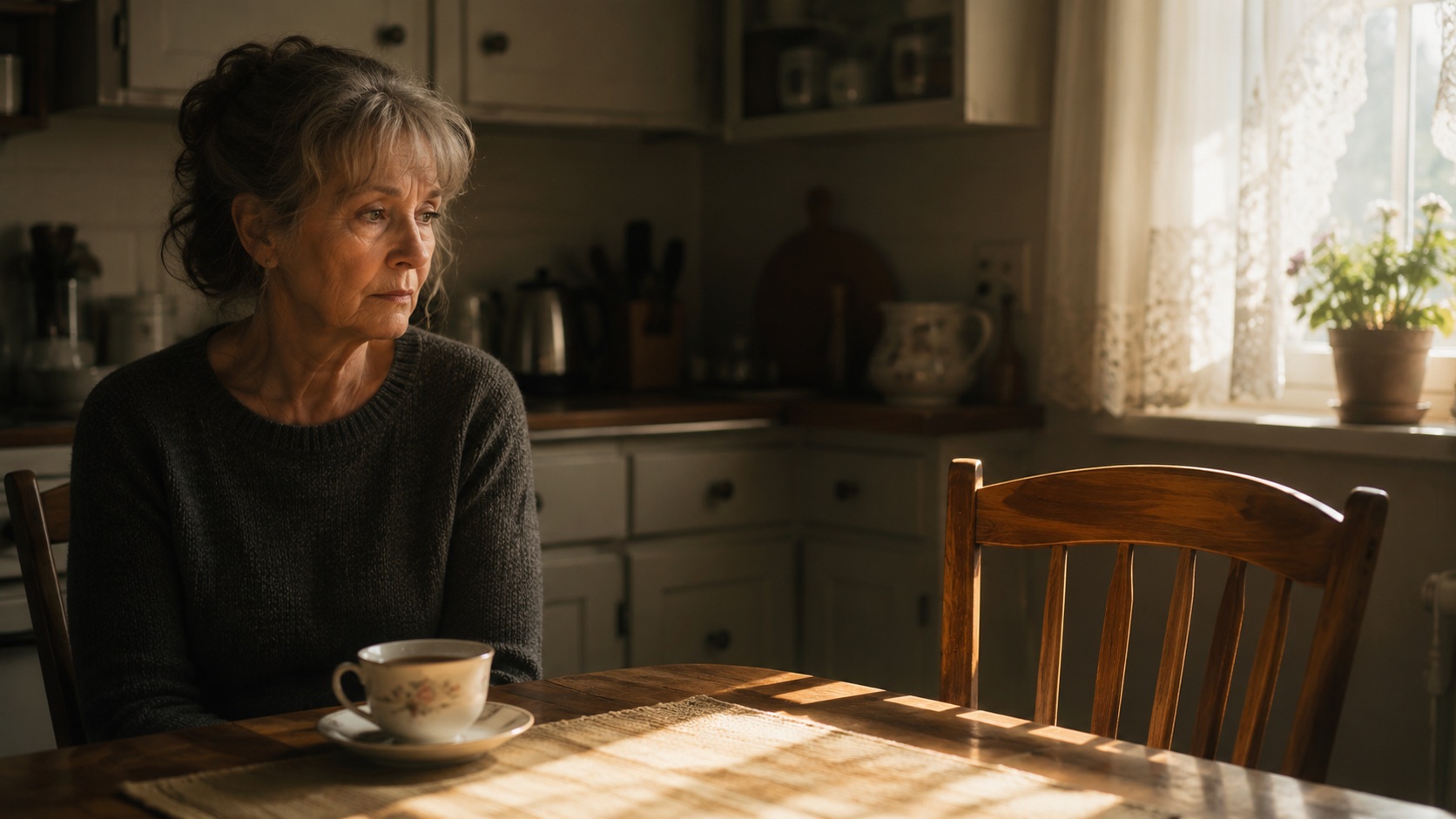
- Close-up creates the frame where what is not said becomes louder than what is — the face as the complete subject
- Window light provides the most naturally beautiful directional source — the shadow falloff reveals the face's three-dimensional form with documentary honesty
- Hands carry biography — in close-up they reveal labour, age, care and skill with a specificity that faces sometimes conceal
- A drama's most quietly devastating single domestic grief sequence
- A character study establishing loss through the still life of the bereaved — what they do not do
- A film where the empty chair is the most important character in the scene
- Wide locked-off frame places the subject inside a world that continues regardless — the environment as the emotional context
- Rain and grey light flatten the environment and foreground the figure — in bleak light, the human face becomes the only source of warmth
- Grief is the emotion that most resists performance — this prompt asks for the unperformed, private face of loss
- A medical drama's most emotionally honest exterior response sequence
- A film about the moment before a decision that cannot be taken back
- A character study where what the character cannot enter communicates everything about what waits inside
- Extreme close-up makes the face or hands the entire landscape — every micro-expression becomes a macro-event in this frame size
- Shallow depth of field removes the background as a competing subject — the face or hands exist in their own space, separate from everything else
- Hands carry biography — in close-up they reveal labour, age, care and skill with a specificity that faces sometimes conceal
- A documentary or drama's most intimate and personal grief handling sequence
- A film where the hands reveal the biography the face is trying to contain
- A character study where sorting through the past is the closest the character can get to the person who is gone
- Wide locked-off frame places the subject inside a world that continues regardless — the environment as the emotional context
- Soft even light removes the drama of shadow and makes the face available — nothing is hidden, nothing is theatrical, only what is
- Children on film are the most honest actors — they cannot sustain performance, and this prompt asks for the truth that unselfconsciousness provides
- A drama's most unbearable single room sequence — the space preserved by someone who cannot change it
- A film about parental grief where the child's world is more present than the grieving adult
- A character study where the doorway is the most charged threshold — the room entered and not entered
- Medium framing contains both the person and enough of their world to understand why they are who they are in this moment
- The quality of light in this scene communicates the emotional temperature before any action confirms it
- An elderly face is a biographical record — the specific accumulation of expression and experience that only time creates
- A drama's most classically composed and most emotionally honest graveside sequence
- A film where the ritual of visiting communicates the specific quality of the grief
- A character study where the upright posture and the leaving are the most revealing actions
- Close-up creates the frame where what is not said becomes louder than what is — the face as the complete subject
- The quality of light in this scene communicates the emotional temperature before any action confirms it
- Grief is the emotion that most resists performance — this prompt asks for the unperformed, private face of loss
- A drama's most publicly private grief sequence — surrounded by people but entirely alone
- A film where not performing the expected action reveals the depth of the real response
- A character study where the tear that is not wiped is the scene's most important single action
- Wide locked-off frame places the subject inside a world that continues regardless — the environment as the emotional context
- Evening light encodes ending and reflection — the warm quality of late light makes introspective states read as natural and earned
- Grief is the emotion that most resists performance — this prompt asks for the unperformed, private face of loss
- A drama's most understated and most accumulative domestic loss sequence
- A film where the architecture of a life together is revealed by a single empty piece of furniture
- A character study where what is not acknowledged is more present than what is
- Close-up creates the frame where what is not said becomes louder than what is — the face as the complete subject
- The quality of light in this scene communicates the emotional temperature before any action confirms it
- Grief is the emotion that most resists performance — this prompt asks for the unperformed, private face of loss
- A drama's most emotionally complex clearing-out sequence — grief disguised as practicality
- A film where the physical act of sorting through a life is the character's way of surviving it
- A character study where what is paused over reveals more than what is packed away
- Static camera makes any movement within the frame significant — what moves is what matters, what stays still is what endures
- Evening light encodes ending and reflection — the warm quality of late light makes introspective states read as natural and earned
- Grief is the emotion that most resists performance — this prompt asks for the unperformed, private face of loss
- A drama's most heartbreaking domestic ritual sequence — the table set for those who are not there
- A film where the maintenance of routine is the character's most visible act of grief
- A character study where the empty places are the most present characters in the frame
- Close-up creates the frame where what is not said becomes louder than what is — the face as the complete subject
- The quality of light in this scene communicates the emotional temperature before any action confirms it
- Grief is the emotion that most resists performance — this prompt asks for the unperformed, private face of loss
- A drama's most contemporary and most universal grief sequence — the call that cannot be made
- A film where the technology reveals the impossibility of the impulse it was designed to serve
- A character study where the unreachable person is present in the phone's dark screen
- The camera position creates the specific emotional relationship between viewer and subject that this scene requires
- The quality of light in this scene communicates the emotional temperature before any action confirms it
- Solitude reveals the person that social life conceals — this prompt asks for the private self that only emerges when no one is watching
- A drama's most atmospherically complete and most scale-specific solitude establishing shot
- A film where the landscape communicates the interior state more powerfully than any close-up could
- A character study where chosen solitude is distinguished from loneliness by the body's ease within it
- Medium framing contains both the person and enough of their world to understand why they are who they are in this moment
- The quality of light in this scene communicates the emotional temperature before any action confirms it
- Filming someone alone removes the performance that social presence creates — the unwatched person is the most truthful version of themselves
- A character study's most quietly confident and most counter-conventional solitude sequence
- A film where eating alone is presented as sufficiency rather than deficit
- A drama establishing a character who has made peace with their own company
- Close-up creates the frame where what is not said becomes louder than what is — the face as the complete subject
- Rain and grey light flatten the environment and foreground the figure — in bleak light, the human face becomes the only source of warmth
- Hands carry biography — in close-up they reveal labour, age, care and skill with a specificity that faces sometimes conceal
- A drama's most interior and most atmospherically specific contemplation sequence
- A film where the rain on the glass externalises an internal state without stating it
- A character study where the reflection in the window doubles the subject — who they appear and who they are
- Wide locked-off frame places the subject inside a world that continues regardless — the environment as the emotional context
- The quality of light in this scene communicates the emotional temperature before any action confirms it
- Filming someone alone removes the performance that social presence creates — the unwatched person is the most truthful version of themselves
- A drama or documentary establishing chosen solitude in nature as a specific and purposeful state
- A film where solitude in a landscape communicates a relationship with the world rather than a withdrawal from it
- A character study establishing a person who seeks the specific quality of being alone in large spaces
- Close-up creates the frame where what is not said becomes louder than what is — the face as the complete subject
- The quality of light in this scene communicates the emotional temperature before any action confirms it
- An elderly face is a biographical record — the specific accumulation of expression and experience that only time creates
- A drama's most intellectually interior and most atmospherically specific library solitude sequence
- A film where the library is the environment most sympathetic to a certain kind of private mental activity
- A character study establishing a character whose inner life is their primary residence
- Wide locked-off frame places the subject inside a world that continues regardless — the environment as the emotional context
- The quality of light in this scene communicates the emotional temperature before any action confirms it
- The reflection creates the doubled self — who we appear to be and who we see ourselves as in the same frame simultaneously
- A drama's most physically beautiful and most scale-communicating solitary immersion sequence
- A film where swimming alone in a natural body of water communicates a specific relationship to the body
- A character study where the swimmer is the only living thing in a landscape of reflections
- Medium framing contains both the person and enough of their world to understand why they are who they are in this moment
- The quality of light in this scene communicates the emotional temperature before any action confirms it
- Solitude reveals the person that social life conceals — this prompt asks for the private self that only emerges when no one is watching
- A drama's most creatively specific and most atmospherically complete artistic solitude sequence
- A film establishing the private act of making as a form of conversation with the world
- A character study where the painting is not shown because the making is the entire subject
- Close-up creates the frame where what is not said becomes louder than what is — the face as the complete subject
- Window light provides the most naturally beautiful directional source — the shadow falloff reveals the face's three-dimensional form with documentary honesty
- The reflection creates the doubled self — who we appear to be and who we see ourselves as in the same frame simultaneously
- A drama's most interior and most atmospherically specific contemplation sequence
- A film where the rain on the glass externalises an internal state without stating it
- A character study where the reflection in the window doubles the subject — who they appear and who they are
- Wide locked-off frame places the subject inside a world that continues regardless — the environment as the emotional context
- The quality of light in this scene communicates the emotional temperature before any action confirms it
- Solitude reveals the person that social life conceals — this prompt asks for the private self that only emerges when no one is watching
- A drama's most composed and most deliberate public solitude sequence
- A film where remaining in the rain is the character's most legible external action
- A character study where the refusal of shelter is the most revealing single decision in the scene
- Close-up creates the frame where what is not said becomes louder than what is — the face as the complete subject
- The quality of light in this scene communicates the emotional temperature before any action confirms it
- Solitude reveals the person that social life conceals — this prompt asks for the private self that only emerges when no one is watching
- A drama's most domestic and most quietly self-sufficient solitude sequence
- A film where the care taken in cooking for oneself is the character's most honest form of self-regard
- A character study where the elaborate meal for one is the scene's most complex and most sympathetic statement
- Close-up creates the frame where what is not said becomes louder than what is — the face as the complete subject
- The quality of light in this scene communicates the emotional temperature before any action confirms it
- The human face is the most information-dense subject in cinema — this prompt asks the AI to render its full complexity in a single held moment
- A family drama's most honestly joyful and most specifically childhood moment
- A film where unperformed joy is captured at the exact moment before self-consciousness arrives
- A character study establishing that pure delight is the most authentic of all human expressions
- Medium framing contains both the person and enough of their world to understand why they are who they are in this moment
- The quality of light in this scene communicates the emotional temperature before any action confirms it
- Filming someone alone removes the performance that social presence creates — the unwatched person is the most truthful version of themselves
- A drama's most warmly observed and most relationship-complete joy sequence
- A film establishing the specific happiness of two people whose imperfections have become endearments
- A character study where shared laughter is the most visible expression of long-term love
- Wide locked-off frame places the subject inside a world that continues regardless — the environment as the emotional context
- The quality of light in this scene communicates the emotional temperature before any action confirms it
- Unperformed joy is the rarest and most beautiful of all human expressions — this prompt asks for the moment before self-consciousness arrives
- A drama's most physically complete and most atmospherically specific summer joy sequence
- A film where the total physical commitment to entering the sea communicates unconditional happiness
- A character study establishing that certain joys require the full participation of the entire body
- Close-up creates the frame where what is not said becomes louder than what is — the face as the complete subject
- The quality of light in this scene communicates the emotional temperature before any action confirms it
- The encounter with memory creates a specific facial grammar — the face that is present while simultaneously somewhere else entirely
- A drama's most privately joyful and most specifically contained good news sequence
- A film where the suppressed and then uncontrollable smile is the scene's complete emotional arc
- A character study where the held and then released joy is more moving than its uninhibited version
- Close-up creates the frame where what is not said becomes louder than what is — the face as the complete subject
- The quality of light in this scene communicates the emotional temperature before any action confirms it
- Unperformed joy is the rarest and most beautiful of all human expressions — this prompt asks for the moment before self-consciousness arrives
- A drama or music documentary's most authentically joyful performance sequence
- A film establishing the specific happiness of performing music you love in a space small enough to feel it
- A character study where joy is performed for itself, not for the audience
- Wide locked-off frame places the subject inside a world that continues regardless — the environment as the emotional context
- The quality of light in this scene communicates the emotional temperature before any action confirms it
- Children on film are the most honest actors — they cannot sustain performance, and this prompt asks for the truth that unselfconsciousness provides
- A family drama's most honestly joyful and most specifically childhood moment
- A film where unperformed joy is captured at the exact moment before self-consciousness arrives
- A character study establishing that pure delight is the most authentic of all human expressions
- Medium framing contains both the person and enough of their world to understand why they are who they are in this moment
- The quality of light in this scene communicates the emotional temperature before any action confirms it
- Children on film are the most honest actors — they cannot sustain performance, and this prompt asks for the truth that unselfconsciousness provides
- A family drama's most emotionally complete and most physically immediate reunion sequence
- A film where the face at the door contains the entire emotional history of the relationship
- A character study where the joy of a parent seeing a child is the most specific and most universal happiness
- Close-up creates the frame where what is not said becomes louder than what is — the face as the complete subject
- The quality of light in this scene communicates the emotional temperature before any action confirms it
- Hands carry biography — in close-up they reveal labour, age, care and skill with a specificity that faces sometimes conceal
- A drama's most privately joyful and most emotionally specific good news processing sequence
- A film where the private reception of joy is more moving than its public expression
- A character study where sitting with happiness before sharing it is the most honest response to receiving it
- Wide locked-off frame places the subject inside a world that continues regardless — the environment as the emotional context
- The quality of light in this scene communicates the emotional temperature before any action confirms it
- Unperformed joy is the rarest and most beautiful of all human expressions — this prompt asks for the moment before self-consciousness arrives
- A drama's most warmly observed and most emotionally honest reunion sequence
- A film where the animal's uncomplicated joy illuminates the human's more complicated version
- A character study where the dog's sincerity produces in the human the most unguarded happiness in the film
- Close-up creates the frame where what is not said becomes louder than what is — the face as the complete subject
- The quality of light in this scene communicates the emotional temperature before any action confirms it
- Unperformed joy is the rarest and most beautiful of all human expressions — this prompt asks for the moment before self-consciousness arrives
- A drama's most emotionally complex new-parent first moment sequence
- A film where terror and wonder and love arrive simultaneously in a single face
- A character study where the most important moment of a life is also the most inarticulate
- Wide locked-off frame places the subject inside a world that continues regardless — the environment as the emotional context
- The quality of light in this scene communicates the emotional temperature before any action confirms it
- Waiting is the state in which we are most ourselves — the face stripped of purpose reveals its essential character
- A drama's most universally recognisable and most emotionally specific arrivals-gate waiting sequence
- A film where anticipation is made visible through the repeated searching of passing faces
- A character study establishing that waiting for someone specific is the most focused form of hope
- Close-up creates the frame where what is not said becomes louder than what is — the face as the complete subject
- The quality of light in this scene communicates the emotional temperature before any action confirms it
- Waiting is the state in which we are most ourselves — the face stripped of purpose reveals its essential character
- A drama's most honestly anxious and most universal medical waiting sequence
- A film where the specific behaviours of anxious waiting are rendered without sentimentality
- A character study establishing that the waiting room is the space where the future is most acutely felt
- Medium framing contains both the person and enough of their world to understand why they are who they are in this moment
- Evening light encodes ending and reflection — the warm quality of late light makes introspective states read as natural and earned
- Waiting is the state in which we are most ourselves — the face stripped of purpose reveals its essential character
- A drama's most specifically adolescent and most atmospherically accurate waiting sequence
- A film where the particular patience of teenage waiting — restless but contained — is precisely observed
- A character study establishing the specific quality of waiting at an age when time moves differently
- Wide locked-off frame places the subject inside a world that continues regardless — the environment as the emotional context
- Window light provides the most naturally beautiful directional source — the shadow falloff reveals the face's three-dimensional form with documentary honesty
- Waiting is the state in which we are most ourselves — the face stripped of purpose reveals its essential character
- A drama's most atmospheric and most specifically maritime waiting sequence
- A film where waiting without an object — for something unnamed — is the most honest form of longing
- A character study establishing that some waiting is a way of life rather than an event
- Close-up creates the frame where what is not said becomes louder than what is — the face as the complete subject
- The quality of light in this scene communicates the emotional temperature before any action confirms it
- Waiting is the state in which we are most ourselves — the face stripped of purpose reveals its essential character
- A drama's most contemporary and most universally recognised anxious waiting sequence
- A film where the relationship between a hand and a phone is the entire emotional narrative
- A character study where the withdrawal of the hand is the scene's most significant single action
- Close-up creates the frame where what is not said becomes louder than what is — the face as the complete subject
- The quality of light in this scene communicates the emotional temperature before any action confirms it
- Children on film are the most honest actors — they cannot sustain performance, and this prompt asks for the truth that unselfconsciousness provides
- A drama's most emotionally complex military departure and waiting beginning sequence
- A film where the turning corner is the moment waiting begins and will not end for months
- A character study establishing the specific quality of being left behind by someone in service
- Wide locked-off frame places the subject inside a world that continues regardless — the environment as the emotional context
- The quality of light in this scene communicates the emotional temperature before any action confirms it
- Children on film are the most honest actors — they cannot sustain performance, and this prompt asks for the truth that unselfconsciousness provides
- A drama's most collectively specific and most atmospherically complete maritime waiting sequence
- A film where practised waiting is distinguished from anxious waiting by its physical stillness
- A character study establishing that some communities are defined by the waiting they do together
- Medium framing contains both the person and enough of their world to understand why they are who they are in this moment
- The quality of light in this scene communicates the emotional temperature before any action confirms it
- Hands carry biography — in close-up they reveal labour, age, care and skill with a specificity that faces sometimes conceal
- A drama's most specifically legal and most emotionally compressed waiting sequence
- A film where the closed door contains the entire outcome and the waiting face contains the entire stake
- A character study establishing that the wait for a verdict is the purest form of suspended existence
- Close-up creates the frame where what is not said becomes louder than what is — the face as the complete subject
- The quality of light in this scene communicates the emotional temperature before any action confirms it
- An elderly face is a biographical record — the specific accumulation of expression and experience that only time creates
- A drama's most poignant and most specifically elder waiting sequence
- A film where the practised daily watching of a gate is the most honest portrait of patient hope
- A character study where the composition finally opening to a recognisable figure is the scene's complete emotional arc
- Wide locked-off frame places the subject inside a world that continues regardless — the environment as the emotional context
- The quality of light in this scene communicates the emotional temperature before any action confirms it
- Waiting is the state in which we are most ourselves — the face stripped of purpose reveals its essential character
- A drama or music documentary's most specifically performative and most technically aware waiting sequence
- A film where readiness is the most concentrated form of waiting
- A character study establishing the specific quality of a musician's suspended attention before they begin
- Close-up creates the frame where what is not said becomes louder than what is — the face as the complete subject
- The quality of light in this scene communicates the emotional temperature before any action confirms it
- Hands carry biography — in close-up they reveal labour, age, care and skill with a specificity that faces sometimes conceal
- A medical drama's most professionally specific and most technically authoritative operating sequence
- A film where skill communicates character more directly than any form of self-description
- A character study establishing mastery through the completeness and economy of the practised gesture
- Medium framing contains both the person and enough of their world to understand why they are who they are in this moment
- The quality of light in this scene communicates the emotional temperature before any action confirms it
- Filming someone alone removes the performance that social presence creates — the unwatched person is the most truthful version of themselves
- A culinary drama's most operationally specific and most atmospherically complete service sequence
- A film where the reduction of the world to the pass and the next dish is a form of meditation
- A character study establishing a character who is most fully themselves when there is no time to be anything else
- Close-up creates the frame where what is not said becomes louder than what is — the face as the complete subject
- The quality of light in this scene communicates the emotional temperature before any action confirms it
- Hands carry biography — in close-up they reveal labour, age, care and skill with a specificity that faces sometimes conceal
- A drama's most physically specific and most meditative craft working sequence
- A film where the emerging form between the hands is a metaphor for creative work at its most direct
- A character study where the hands are the most articulate part of the subject
- Wide locked-off frame places the subject inside a world that continues regardless — the environment as the emotional context
- The quality of light in this scene communicates the emotional temperature before any action confirms it
- Filming someone alone removes the performance that social presence creates — the unwatched person is the most truthful version of themselves
- A drama or documentary's most scale-communicating and most atmospherically honest agricultural working sequence
- A film where the rhythm of repetitive necessary work is presented as its own form of dignity
- A character study establishing that some work requires the surrender of the self to the task
- Close-up creates the frame where what is not said becomes louder than what is — the face as the complete subject
- The quality of light in this scene communicates the emotional temperature before any action confirms it
- Hands carry biography — in close-up they reveal labour, age, care and skill with a specificity that faces sometimes conceal
- A drama's most specifically detailed and most concentration-complete precision craft sequence
- A film where the world contracted to the smallest possible working scale is the largest possible statement about attention
- A character study establishing that mastery at the smallest scale requires the total suspension of everything else
- Medium framing contains both the person and enough of their world to understand why they are who they are in this moment
- The quality of light in this scene communicates the emotional temperature before any action confirms it
- Filming someone alone removes the performance that social presence creates — the unwatched person is the most truthful version of themselves
- A drama's most honestly observed and most specifically educational after-hours working sequence
- A film where the invisible work that teaching requires is made visible in a single quiet sequence
- A character study establishing the specific dedication that is invisible because it happens when no one is watching
- Wide locked-off frame places the subject inside a world that continues regardless — the environment as the emotional context
- The quality of light in this scene communicates the emotional temperature before any action confirms it
- The working face is the most concentrated version of a person — competence and attention as a form of self-revelation
- A drama's most atmospherically complete and most duty-specific working-in-extremity sequence
- A film where calm work in extreme conditions is the character's most complete self-expression
- A character study establishing that some work is defined by its indifference to the conditions in which it is done
- Close-up creates the frame where what is not said becomes louder than what is — the face as the complete subject
- The quality of light in this scene communicates the emotional temperature before any action confirms it
- Hands carry biography — in close-up they reveal labour, age, care and skill with a specificity that faces sometimes conceal
- A drama's most abstract and most universally recognisable knowledge-work sequence
- A film where the physical act of thinking-through-typing is made visible without revealing its content
- A character study where the rhythm of the work is the only thing we need to know about the character
- Medium framing contains both the person and enough of their world to understand why they are who they are in this moment
- The quality of light in this scene communicates the emotional temperature before any action confirms it
- The working face is the most concentrated version of a person — competence and attention as a form of self-revelation
- A drama establishing this character's specific working identity and the way work reveals them
- A film where what a person does professionally communicates who they are more directly than any confession
- A character study where skill and concentration are the most articulate forms of self-expression available
- Close-up creates the frame where what is not said becomes louder than what is — the face as the complete subject
- The quality of light in this scene communicates the emotional temperature before any action confirms it
- Filming someone alone removes the performance that social presence creates — the unwatched person is the most truthful version of themselves
- A music drama's most specifically technical and most honestly obsessive practice sequence
- A film where the repetition of the difficult passage is the most honest portrait of artistic discipline
- A character study establishing that mastery is made of exactly this — the same problem, tried again, slightly differently
- Wide locked-off frame places the subject inside a world that continues regardless — the environment as the emotional context
- The quality of light in this scene communicates the emotional temperature before any action confirms it
- Children on film are the most honest actors — they cannot sustain performance, and this prompt asks for the truth that unselfconsciousness provides
- A family drama's most physically joyful and most specifically summer childhood sequence
- A film establishing unselfconsciousness as the defining quality of childhood at its most free
- A character study where the total physical commitment to a game establishes what childhood looks and feels like
- Close-up creates the frame where what is not said becomes louder than what is — the face as the complete subject
- The quality of light in this scene communicates the emotional temperature before any action confirms it
- Children on film are the most honest actors — they cannot sustain performance, and this prompt asks for the truth that unselfconsciousness provides
- A drama or family film establishing this specific moment of childhood with honesty and without sentimentality
- A film where childhood is shown as it is rather than as it is remembered
- A character study establishing a child as a full person with their own complete interior life
- Medium framing contains both the person and enough of their world to understand why they are who they are in this moment
- The quality of light in this scene communicates the emotional temperature before any action confirms it
- Filming someone alone removes the performance that social presence creates — the unwatched person is the most truthful version of themselves
- A drama's most specifically childhood and most observationally honest discovery sequence
- A film where the world contracted to a single rock pool is the most complete portrait of childhood attention
- A character study establishing that children are the most earnest and most complete natural scientists
- Wide locked-off frame places the subject inside a world that continues regardless — the environment as the emotional context
- The quality of light in this scene communicates the emotional temperature before any action confirms it
- Children on film are the most honest actors — they cannot sustain performance, and this prompt asks for the truth that unselfconsciousness provides
- A family drama's most universally recognised and most emotionally complex childhood threshold sequence
- A film where the letting go of the hand is one of the most significant single gestures in the family story
- A character study establishing that the child walking in without looking back is the first declaration of independence
- Close-up creates the frame where what is not said becomes louder than what is — the face as the complete subject
- The quality of light in this scene communicates the emotional temperature before any action confirms it
- Hands carry biography — in close-up they reveal labour, age, care and skill with a specificity that faces sometimes conceal
- A drama's most specifically observed and most concentratedly authentic childhood construction sequence
- A film where the seriousness of a child's engagement with a task establishes their character with complete economy
- A character study establishing that the way a child approaches a problem is the clearest window into who they are
- Medium framing contains both the person and enough of their world to understand why they are who they are in this moment
- The quality of light in this scene communicates the emotional temperature before any action confirms it
- Children on film are the most honest actors — they cannot sustain performance, and this prompt asks for the truth that unselfconsciousness provides
- A family drama's most quietly observed and most emotionally complex sibling relationship sequence
- A film where the arm around the smaller figure is the most complete portrait of the teenager's private self
- A character study establishing that care can coexist with apparent indifference
- Wide locked-off frame places the subject inside a world that continues regardless — the environment as the emotional context
- The quality of light in this scene communicates the emotional temperature before any action confirms it
- Children on film are the most honest actors — they cannot sustain performance, and this prompt asks for the truth that unselfconsciousness provides
- A drama's most sociologically specific and most atmospherically accurate childhood social hierarchy sequence
- A film where the geography of who sits where on the bus reveals the complete social world of childhood
- A character study establishing the specific collective texture of childhood as a shared social experience
- Close-up creates the frame where what is not said becomes louder than what is — the face as the complete subject
- The quality of light in this scene communicates the emotional temperature before any action confirms it
- Children on film are the most honest actors — they cannot sustain performance, and this prompt asks for the truth that unselfconsciousness provides
- A drama's most intimately observed and most specifically childhood trust sequence
- A film where the face of the child receiving a confidence is the most complete portrait of being chosen
- A character study establishing that being trusted with a secret is one of childhood's most significant social events
- Medium framing contains both the person and enough of their world to understand why they are who they are in this moment
- The quality of light in this scene communicates the emotional temperature before any action confirms it
- Children on film are the most honest actors — they cannot sustain performance, and this prompt asks for the truth that unselfconsciousness provides
- A family drama's most tenderly observed and most physically specific childhood fear and comfort sequence
- A film where the arms reaching before the parent arrives is the most complete portrait of absolute trust
- A character study establishing the specific quality of comfort that only the known presence can provide
- Wide locked-off frame places the subject inside a world that continues regardless — the environment as the emotional context
- The quality of light in this scene communicates the emotional temperature before any action confirms it
- Children on film are the most honest actors — they cannot sustain performance, and this prompt asks for the truth that unselfconsciousness provides
- A drama's most melancholic and most observationally specific final-freedom-of-summer sequence
- A film where the child's unawareness of the specific weight of this last afternoon is the scene's entire poignancy
- A character study establishing that the end of childhood is experienced without knowing it is ending
- Close-up creates the frame where what is not said becomes louder than what is — the face as the complete subject
- The quality of light in this scene communicates the emotional temperature before any action confirms it
- Hands carry biography — in close-up they reveal labour, age, care and skill with a specificity that faces sometimes conceal
- A drama's most tenderly observed and most specifically detailed ageing competence sequence
- A film where the slower hands doing the familiar task are more eloquent than any dialogue about growing old
- A character study establishing that ageing is the accumulation of practice, not the loss of it
- Medium framing contains both the person and enough of their world to understand why they are who they are in this moment
- The quality of light in this scene communicates the emotional temperature before any action confirms it
- The reflection creates the doubled self — who we appear to be and who we see ourselves as in the same frame simultaneously
- A drama's most intimately specific and most honest ageing self-recognition sequence
- A film where the face examining itself in a mirror contains the complete biography of the person examining it
- A character study establishing the specific quality of self-recognition that requires a mirror and a quiet moment
- Wide locked-off frame places the subject inside a world that continues regardless — the environment as the emotional context
- Morning light carries the emotional weight of beginning — the quality of first light codes possibility and the particular vulnerability of early hours
- Ageing on film is time made visible in a single body — the accumulation of living that cannot be faked or hurried
- A drama's most atmospherically complete and most specifically purposeful retired life sequence
- A film where the unhurried quality of the allotment work is the scene's most important single characteristic
- A character study establishing the specific freedom of a person who has stopped being defined by urgency
- Close-up creates the frame where what is not said becomes louder than what is — the face as the complete subject
- The quality of light in this scene communicates the emotional temperature before any action confirms it
- An elderly face is a biographical record — the specific accumulation of expression and experience that only time creates
- A drama's most domestically complete and most relationship-specific long-term partnership sequence
- A film where who makes the tea is the most efficient biographical statement about a relationship
- A character study establishing that the deepest intimacy is expressed in the smallest habitual gestures
- Close-up creates the frame where what is not said becomes louder than what is — the face as the complete subject
- The quality of light in this scene communicates the emotional temperature before any action confirms it
- Hands carry biography — in close-up they reveal labour, age, care and skill with a specificity that faces sometimes conceal
- A drama's most tenderly observed and most generationally specific written communication sequence
- A film where the handwriting style from another era is the character's most biographical single detail
- A character study establishing that the physical act of writing changes with age and that this change is visible
- Wide locked-off frame places the subject inside a world that continues regardless — the environment as the emotional context
- The quality of light in this scene communicates the emotional temperature before any action confirms it
- An elderly face is a biographical record — the specific accumulation of expression and experience that only time creates
- A family drama's most observationally specific and most emotionally complete ageing-within-family sequence
- A film where the face watching the gathering contains the entire family history the frame cannot show
- A character study establishing the specific position of the elder in the family's ongoing life
- Medium framing contains both the person and enough of their world to understand why they are who they are in this moment
- The quality of light in this scene communicates the emotional temperature before any action confirms it
- An elderly face is a biographical record — the specific accumulation of expression and experience that only time creates
- A drama's most specifically observed and most companionship-complete ageing routine sequence
- A film where two old friends — human and animal — establish the dignity of the familiar route at the right pace
- A character study establishing that the best relationships require neither novelty nor communication
- Close-up creates the frame where what is not said becomes louder than what is — the face as the complete subject
- The quality of light in this scene communicates the emotional temperature before any action confirms it
- The encounter with memory creates a specific facial grammar — the face that is present while simultaneously somewhere else entirely
- A drama's most privately interior and most musically specific ageing listening sequence
- A film where music heard for decades enters a face differently from music heard for the first time
- A character study establishing the specific quality of listening to something that carries sixty years of personal history
- Wide locked-off frame places the subject inside a world that continues regardless — the environment as the emotional context
- The quality of light in this scene communicates the emotional temperature before any action confirms it
- An elderly face is a biographical record — the specific accumulation of expression and experience that only time creates
- A family drama's most specifically generational and most practically grounded knowledge-transfer sequence
- A film where teaching a practical skill is the most direct form of love across a generation
- A character study establishing that the most important things are passed on through the hands
- Close-up creates the frame where what is not said becomes louder than what is — the face as the complete subject
- The quality of light in this scene communicates the emotional temperature before any action confirms it
- An elderly face is a biographical record — the specific accumulation of expression and experience that only time creates
- A drama's most specifically observed and most honestly rendered ageing character sequence
- A film establishing ageing as accumulation and experience rather than loss
- A character study where time is visible in the body and the face as biography, not diminishment
- Medium framing contains both the person and enough of their world to understand why they are who they are in this moment
- The quality of light in this scene communicates the emotional temperature before any action confirms it
- Silence in frame is not absence — it is the subject carrying its full weight without the relief of speech
- A drama's most quietly complete and most relationship-specific long-term love sequence
- A film where the shared silence communicates more about the relationship than any declaration could
- A character study establishing that the deepest love is most visible in what does not need to be said
- Close-up creates the frame where what is not said becomes louder than what is — the face as the complete subject
- The quality of light in this scene communicates the emotional temperature before any action confirms it
- Hands carry biography — in close-up they reveal labour, age, care and skill with a specificity that faces sometimes conceal
- A drama's most economically powerful and most physically specific love gesture sequence
- A film where a single gesture is the complete statement of everything the relationship contains
- A character study establishing that love's most truthful expressions are often its smallest ones
- Wide locked-off frame places the subject inside a world that continues regardless — the environment as the emotional context
- The quality of light in this scene communicates the emotional temperature before any action confirms it
- Love on film is most visible not in its declarations but in its habits — the unconscious gestures of people who have chosen each other
- A drama establishing love through specific, unperformed and honest behaviour
- A film where love is visible in the habitual and the unconscious rather than the declared
- A character study where the most important relationship is communicated without any form of direct statement
- Close-up creates the frame where what is not said becomes louder than what is — the face as the complete subject
- The quality of light in this scene communicates the emotional temperature before any action confirms it
- Love on film is most visible not in its declarations but in its habits — the unconscious gestures of people who have chosen each other
- A drama's most intimate and most private love-as-attention sequence
- A film where the watching face is completely unguarded in a way that social presence always prevents
- A character study establishing that the private witness to another person sleeping is love's most honest form
- Wide locked-off frame places the subject inside a world that continues regardless — the environment as the emotional context
- The quality of light in this scene communicates the emotional temperature before any action confirms it
- Love on film is most visible not in its declarations but in its habits — the unconscious gestures of people who have chosen each other
- A drama's most emotionally specific and most compositionally complete temporary separation sequence
- A film where the watching of the departure — after the embrace — is the most revealing single action
- A character study establishing that love is most visible in the moment of the person staying
- Close-up creates the frame where what is not said becomes louder than what is — the face as the complete subject
- The quality of light in this scene communicates the emotional temperature before any action confirms it
- The encounter with memory creates a specific facial grammar — the face that is present while simultaneously somewhere else entirely
- A drama's most interior and most memory-specific love-loss or love-memory sequence
- A film where the face responding to a photograph contains more relationship history than any scene could show
- A character study establishing that love continues as memory and that memory is visible in the face
- Medium framing contains both the person and enough of their world to understand why they are who they are in this moment
- Morning light carries the emotional weight of beginning — the quality of first light codes possibility and the particular vulnerability of early hours
- Love on film is most visible not in its declarations but in its habits — the unconscious gestures of people who have chosen each other
- A drama's most specifically domestic and most emotionally loaded temporary-separation love sequence
- A film where the last hour before a departure contains the entire quality of a relationship in miniature
- A character study establishing the specific emotional temperature of the morning before someone leaves
- Close-up creates the frame where what is not said becomes louder than what is — the face as the complete subject
- The quality of light in this scene communicates the emotional temperature before any action confirms it
- Hands carry biography — in close-up they reveal labour, age, care and skill with a specificity that faces sometimes conceal
- A drama's most physically specific and most generationally resonant love-as-care sequence
- A film where the contact between the hands communicates the relationship without any other information
- A character study establishing that love between parent and adult child is most visible in the hands not the faces
- Wide locked-off frame places the subject inside a world that continues regardless — the environment as the emotional context
- Evening light encodes ending and reflection — the warm quality of late light makes introspective states read as natural and earned
- Love on film is most visible not in its declarations but in its habits — the unconscious gestures of people who have chosen each other
- A drama's most specifically observed and most behaviourally honest early attraction sequence
- A film where the incremental adjustment of proximity is the scene's complete emotional narrative
- A character study establishing that the body knows what it wants before the mind has decided
- Close-up creates the frame where what is not said becomes louder than what is — the face as the complete subject
- The quality of light in this scene communicates the emotional temperature before any action confirms it
- Love on film is most visible not in its declarations but in its habits — the unconscious gestures of people who have chosen each other
- A drama's most tenderly observed and most physically present love-as-attendance sequence
- A film where sitting beside a hospital bed is the most complete portrait of care and love available
- A character study establishing that presence — the full attention — is love's most necessary expression
- Medium framing contains both the person and enough of their world to understand why they are who they are in this moment
- The quality of light in this scene communicates the emotional temperature before any action confirms it
- Silence in frame is not absence — it is the subject carrying its full weight without the relief of speech
- A drama's most specifically observed and most atmospherically charged post-argument silence sequence
- A film where the physical occupation of space communicates the argument more completely than the argument could
- A character study establishing that the silence after conflict is the conflict continuing by other means
- Close-up creates the frame where what is not said becomes louder than what is — the face as the complete subject
- The quality of light in this scene communicates the emotional temperature before any action confirms it
- Conflict on film is most powerful when controlled — the contained face during confrontation communicates more than the expressive one
- A drama's most technically demanding and most emotionally specific controlled-response conflict sequence
- A film where the effort to not respond immediately is more revealing than the response when it comes
- A character study establishing that restraint during conflict is its own form of eloquence
- Wide locked-off frame places the subject inside a world that continues regardless — the environment as the emotional context
- The quality of light in this scene communicates the emotional temperature before any action confirms it
- Conflict on film is most powerful when controlled — the contained face during confrontation communicates more than the expressive one
- A drama's most universally recognised and most socially specific managed-conflict domestic sequence
- A film where the performance of normality reveals the conflict more completely than its eruption would
- A character study establishing that families in conflict speak most honestly through what they do not say
- Close-up creates the frame where what is not said becomes louder than what is — the face as the complete subject
- The quality of light in this scene communicates the emotional temperature before any action confirms it
- Conflict on film is most powerful when controlled — the contained face during confrontation communicates more than the expressive one
- A drama's most contemporary and most specifically observed conflict-communication sequence
- A film where what is written and deleted is the most honest portrait of the conflict
- A character study establishing that the unsent message is always more truthful than the one that is sent
- Wide locked-off frame places the subject inside a world that continues regardless — the environment as the emotional context
- The quality of light in this scene communicates the emotional temperature before any action confirms it
- Silence in frame is not absence — it is the subject carrying its full weight without the relief of speech
- A drama's most specifically observed and most emotionally honest conflict sequence
- A film where disagreement or confrontation is rendered with full humanity on both sides
- A character study establishing that how people fight reveals more about them than how they behave when everything is fine
- Close-up creates the frame where what is not said becomes louder than what is — the face as the complete subject
- The quality of light in this scene communicates the emotional temperature before any action confirms it
- The human face is the most information-dense subject in cinema — this prompt asks the AI to render its full complexity in a single held moment
- A drama's most specifically observed and most emotionally layered one-sided phone conflict sequence
- A film where a conversation we can only half-hear is more complete than one we hear in full
- A character study establishing that the face receiving difficult news is the most information-dense object in cinema
- Medium framing contains both the person and enough of their world to understand why they are who they are in this moment
- The quality of light in this scene communicates the emotional temperature before any action confirms it
- Conflict on film is most powerful when controlled — the contained face during confrontation communicates more than the expressive one
- A drama's most specifically professional and most atmospherically charged workplace conflict sequence
- A film where the quality of the air between two people communicates the conflict without any declaration
- A character study establishing that professional relationships contain the same emotional complexity as personal ones
- Close-up creates the frame where what is not said becomes louder than what is — the face as the complete subject
- The quality of light in this scene communicates the emotional temperature before any action confirms it
- Hands carry biography — in close-up they reveal labour, age, care and skill with a specificity that faces sometimes conceal
- A drama's most specifically legal-process and most physically detailed conflict-resolution sequence
- A film where the hands speak the language of openness and closure that the voices are trying to avoid
- A character study establishing that the body communicates the real position during any negotiation
- Wide locked-off frame places the subject inside a world that continues regardless — the environment as the emotional context
- The quality of light in this scene communicates the emotional temperature before any action confirms it
- Filming someone alone removes the performance that social presence creates — the unwatched person is the most truthful version of themselves
- A drama's most specifically interior and most atmospherically honest post-conflict solitary processing sequence
- A film where the window is the excuse for where to look when you cannot look at the person
- A character study establishing that the aftermath of argument is its own specific emotional state with its own grammar
- Close-up creates the frame where what is not said becomes louder than what is — the face as the complete subject
- The quality of light in this scene communicates the emotional temperature before any action confirms it
- Children on film are the most honest actors — they cannot sustain performance, and this prompt asks for the truth that unselfconsciousness provides
- A drama's most specifically childhood and most honestly observed post-conflict reconciliation sequence
- A film where the proximity of small children after a fight is more powerful than any adult reconciliation scene
- A character study establishing that children resolve conflict through proximity rather than language
- Close-up creates the frame where what is not said becomes louder than what is — the face as the complete subject
- The quality of light in this scene communicates the emotional temperature before any action confirms it
- The human face is the most information-dense subject in cinema — this prompt asks the AI to render its full complexity in a single held moment
- A drama's most complete and most face-specific transformative news reception sequence
- A film where the face before and after the letter establishes the irreversibility of what has been read
- A character study establishing that some information changes the person who receives it permanently and visibly
- Wide locked-off frame places the subject inside a world that continues regardless — the environment as the emotional context
- The quality of light in this scene communicates the emotional temperature before any action confirms it
- Transformation on film is the face becoming different — the viewer watching someone cross a line they cannot return from
- A medical drama's most specifically hopeful and most physically honest post-surgery transformation sequence
- A film where the body's relationship to gravity communicates recovery more directly than any dialogue
- A character study establishing that physical transformation is visible in the quality of rest and ease
- Close-up creates the frame where what is not said becomes louder than what is — the face as the complete subject
- The quality of light in this scene communicates the emotional temperature before any action confirms it
- Hands carry biography — in close-up they reveal labour, age, care and skill with a specificity that faces sometimes conceal
- A drama's most emotionally overwhelming and most specifically sensory re-entry sequence
- A film where returning to a sense reveals what its loss meant more completely than its absence could
- A character study establishing that the face of someone re-entering a world they thought lost is the most complex human expression
- Medium framing contains both the person and enough of their world to understand why they are who they are in this moment
- The quality of light in this scene communicates the emotional temperature before any action confirms it
- Transformation on film is the face becoming different — the viewer watching someone cross a line they cannot return from
- A drama's most specifically professional and most existentially honest retirement or leaving sequence
- A film where the empty desk and the walk out communicate the end of an identity more powerfully than any speech
- A character study establishing that workplaces contain versions of ourselves that we leave behind when we leave them
- Wide locked-off frame places the subject inside a world that continues regardless — the environment as the emotional context
- The quality of light in this scene communicates the emotional temperature before any action confirms it
- The moment before an irreversible decision is the most charged instant — the face at the threshold contains everything that led to it
- A drama's most compositionally specific and most existentially honest threshold transformation sequence
- A film where the doorstep is the most charged physical location — the point between two states
- A character study establishing that transformation happens at thresholds and that the face at the threshold contains both sides
- Close-up creates the frame where what is not said becomes louder than what is — the face as the complete subject
- The quality of light in this scene communicates the emotional temperature before any action confirms it
- The moment before an irreversible decision is the most charged instant — the face at the threshold contains everything that led to it
- A drama's most interior and most face-specific pre-transformation moment
- A film where the face before the decision is more revealing than the decision itself
- A character study establishing that the last moment before an irrevocable choice is the most loaded of all moments
- Medium framing contains both the person and enough of their world to understand why they are who they are in this moment
- The quality of light in this scene communicates the emotional temperature before any action confirms it
- The human face is the most information-dense subject in cinema — this prompt asks the AI to render its full complexity in a single held moment
- A drama's most physically specific and most symbolically loaded voluntary transformation sequence
- A film where the emerging new face in the mirror contains the complete emotional complexity of the choice
- A character study establishing that the voluntary change of appearance is always also a change of self
- Wide locked-off frame places the subject inside a world that continues regardless — the environment as the emotional context
- The quality of light in this scene communicates the emotional temperature before any action confirms it
- The moment before an irreversible decision is the most charged instant — the face at the threshold contains everything that led to it
- A drama's most specifically educational and most emotionally complete achieved-threshold transformation sequence
- A film where the graduate's face contains the entire weight of what was required to reach this moment
- A character study establishing that crossing a self-imposed threshold is the most personally meaningful of all transformations
- Close-up creates the frame where what is not said becomes louder than what is — the face as the complete subject
- The quality of light in this scene communicates the emotional temperature before any action confirms it
- Transformation on film is the face becoming different — the viewer watching someone cross a line they cannot return from
- A drama's most intimate and most specifically night-time post-event processing sequence
- A film where the ceiling seen before sleep is the screen on which the day's significant event is replayed
- A character study establishing that transformation happens in the quiet processing rather than in the event itself
- Medium framing contains both the person and enough of their world to understand why they are who they are in this moment
- The quality of light in this scene communicates the emotional temperature before any action confirms it
- Transformation on film is the face becoming different — the viewer watching someone cross a line they cannot return from
- A drama's most specifically immigrant or newly-arrived and most atmospherically complete transformation moment
- A film where the recognition of home in a new place is the most quietly significant single transformation
- A character study establishing that belonging is chosen in a specific moment and that the choice is visible
About These Cinematic Character Study AI Video Prompts
Cinematic character study AI video prompts are written using the same technical language that drama directors and documentary filmmakers use when filming the human face. Instead of simply saying "a sad person" or "someone happy", these prompts specify the frame size, the light source, the quality of stillness or movement, and the precise emotional situation — the technical elements that make the difference between a generic emotion and a specific human moment.
This collection of 100 cinematic character study prompts covers 10 emotional categories: grief and loss, solitude, joy, waiting, working, childhood, ageing, love, conflict, and transformation. Every prompt has been crafted around the principle that the most powerful cinema happens when a camera gives a person the time and space to be themselves — and that the filmmaker's technical decisions determine whether what is revealed feels true or performed.
Whether you are making a short film, a documentary, a music video, a drama series, or any content that places a human being at the centre of the frame, these prompts give you a professional starting point that asks the AI to render the full complexity of a person in a single truthful moment.
How to Use These Prompts
Tips for Best Results
Frequently Asked Questions
Generate your own cinematic prompts
Use our AI-powered video prompt generator to create custom prompts for any scene.
🎬 Open Video Prompt Generator