100 Time-lapse & Hyperlapse AI Video Prompts
100 free action and sports AI video prompts for Kling AI and Runway. Chase scenes, combat, athletics, extreme sports, team sports, victory and defeat — all written cinematically.
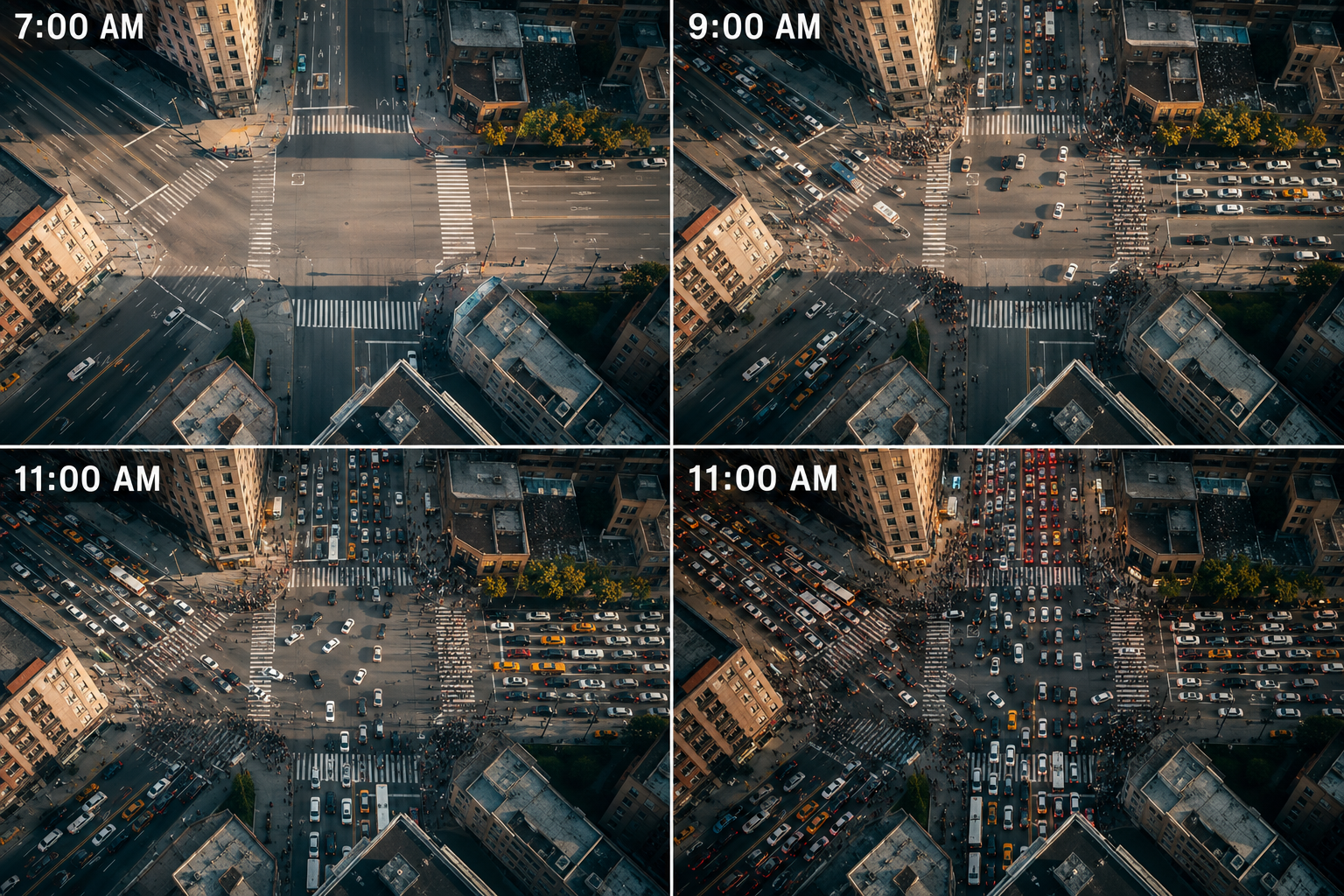
- Overhead angle reveals the full system and its pattern — the geometry invisible from ground level made the entire composition
- The light changes within the time-lapse create a secondary narrative — the shifting quality of light measuring the passage of time
- Time compression reveals the pattern hidden in the noise — what looks random at real speed resolves into legible rhythm and system
- A city documentary's most revealing sequence — the urban system seen as designed pattern from above
- An urban planning film establishing how the city actually functions versus how it appears at ground level
- A city portrait establishing the specific rhythm and pulse of this metropolis at its most legible
- Hyperlapse forward movement compresses both time and space simultaneously — the viewer travels through the environment as it transforms
- Dawn light transitions from cold blue through warm pink to the first golden directional light — the full emotional range of the morning sky in one sequence
- Hyperlapse combines camera movement with time compression — two dimensions of cinematic manipulation creating an effect impossible by any other means
- A city film's most immersive establishing sequence — the viewer carried through the city as it transforms
- A travel documentary establishing a city's full daily character in a single continuous moving shot
- A city brand film's signature sequence — the place experienced rather than observed
- Overhead angle reveals the full system and its pattern — the geometry invisible from ground level made the entire composition
- Dawn light transitions from cold blue through warm pink to the first golden directional light — the full emotional range of the morning sky in one sequence
- Construction time-lapse reverses the experience of progress — the viewer witnesses in seconds what workers experienced over months
- A city documentary's most revealing sequence — the urban system seen as designed pattern from above
- An urban planning film establishing how the city actually functions versus how it appears at ground level
- A city portrait establishing the specific rhythm and pulse of this metropolis at its most legible
- The fixed camera makes time the moving subject — what changes is measured against what doesn't
- Dawn light transitions from cold blue through warm pink to the first golden directional light — the full emotional range of the morning sky in one sequence
- Time compression reveals the process hidden behind the static appearance of the subject — what looks fixed is always changing
- A food or culture documentary establishing a market square as the city's social centre
- A travel film establishing a specific city's relationship to its public spaces
- A documentary on urban life where the market square is the story's most important location
- The fixed camera makes time the moving subject — what changes is measured against what doesn't
- Dawn light transitions from cold blue through warm pink to the first golden directional light — the full emotional range of the morning sky in one sequence
- Hyperlapse combines camera movement with time compression — two dimensions of cinematic manipulation creating an effect impossible by any other means
- A city film establishing a landmark as the fixed reference point for the city's movement
- A tourism or travel film's most recognisable and orienting single sequence
- A documentary establishing a city's relationship to its most iconic structure
- Overhead angle reveals the full system and its pattern — the geometry invisible from ground level made the entire composition
- The light changes within the time-lapse create a secondary narrative — the shifting quality of light measuring the passage of time
- Time compression reveals the pattern hidden in the noise — what looks random at real speed resolves into legible rhythm and system
- A transport documentary's most scale-communicating and flow-revealing station sequence
- A city film establishing the railway station as the city's most legible social interface
- A documentary on human movement where the station is the story's most revealing location
- The fixed camera makes time the moving subject — what changes is measured against what doesn't
- The light changes within the time-lapse create a secondary narrative — the shifting quality of light measuring the passage of time
- Construction time-lapse reverses the experience of progress — the viewer witnesses in seconds what workers experienced over months
- A city infrastructure documentary establishing the bridge as a mirror of urban social rhythm
- A transport documentary's most elegantly composed human movement sequence
- A city portrait establishing the bridge as the place where the city crosses itself
- Hyperlapse forward movement compresses both time and space simultaneously — the viewer travels through the environment as it transforms
- The light changes within the time-lapse create a secondary narrative — the shifting quality of light measuring the passage of time
- Hyperlapse combines camera movement with time compression — two dimensions of cinematic manipulation creating an effect impossible by any other means
- A food and travel documentary's most atmospheric and culturally specific night sequence
- A city film establishing a night market as the most alive expression of the city after dark
- A travel documentary's most immersive single night city sequence — the market experienced from within
- Overhead angle reveals the full system and its pattern — the geometry invisible from ground level made the entire composition
- The light changes within the time-lapse create a secondary narrative — the shifting quality of light measuring the passage of time
- Construction time-lapse reverses the experience of progress — the viewer witnesses in seconds what workers experienced over months
- A city documentary's most revealing sequence — the urban system seen as designed pattern from above
- An urban planning film establishing how the city actually functions versus how it appears at ground level
- A city portrait establishing the specific rhythm and pulse of this metropolis at its most legible
- The fixed camera makes time the moving subject — what changes is measured against what doesn't
- The light changes within the time-lapse create a secondary narrative — the shifting quality of light measuring the passage of time
- The full-year sequence creates the complete cycle — the viewer witnesses what normally unfolds too slowly to perceive as connected
- A city nature documentary establishing the park as a seasonal environment within the urban fabric
- A landscape photography documentary's most accessible subject — the urban park as seasonal study
- A city film establishing the park as the place where nature persists inside the built environment
- The fixed camera makes time the moving subject — what changes is measured against what doesn't
- Lightning creates the most unpredictable and dramatic natural flash — the accumulated strikes making the storm's full electrical activity visible
- Construction time-lapse reverses the experience of progress — the viewer witnesses in seconds what workers experienced over months
- A meteorology documentary's most spectacular and genuinely frightening storm development sequence
- A film about extreme weather establishing the specific atmospheric conditions of the Great Plains
- A storm chasing documentary's most complete single storm life cycle sequence
- The fixed camera makes time the moving subject — what changes is measured against what doesn't
- Fog creates atmospheric depth that transforms familiar environments — the obscured and gradually revealed subject creates its own visual narrative
- Construction time-lapse reverses the experience of progress — the viewer witnesses in seconds what workers experienced over months
- A coastal documentary's most atmospherically transformative and light-specific fog sequence
- A maritime film establishing fog as the defining element of coastal character
- A landscape photography documentary's most mood-defining coastal atmospheric sequence
- The fixed camera makes time the moving subject — what changes is measured against what doesn't
- Storm light creates the most dramatic natural contrast — the dark sky and the bright strike or break making each frame a potential picture
- Weather time-lapse reveals the atmosphere as a dynamic and organised system — the chaos of real-time weather made legible as process and progression
- A desert ecosystem documentary's most dramatically transformative weather event sequence
- A film about desert rainfall as the rarest and most ecologically significant weather event
- A landscape documentary establishing the desert's relationship to water as the story's central subject
- The fixed camera makes time the moving subject — what changes is measured against what doesn't
- Snow transforms light by reflecting it from every surface — the accumulated white creates the most even and forgiving of all natural fill light
- Traffic time-lapse reveals the hidden choreography of road use — the individual driver's experience of chaos resolves to a flowing collective system
- A winter city documentary's most transformative and visually complete snowfall sequence
- A city film establishing snow as the weather event that most completely changes urban character
- A documentary on how cities respond to snow — the clearing as much the story as the fall
- The fixed camera makes time the moving subject — what changes is measured against what doesn't
- Aurora creates the rarest natural light source — colours and movement on a scale and speed that only time-lapse makes fully comprehensible
- Weather time-lapse reveals the atmosphere as a dynamic and organised system — the chaos of real-time weather made legible as process and progression
- A polar travel documentary's most visually spectacular and defining natural light sequence
- A film about aurora science establishing the specific conditions that create the display
- A Scandinavian or Icelandic travel film's most iconic and unrepeatable single sequence
- The fixed camera makes time the moving subject — what changes is measured against what doesn't
- The light changes within the time-lapse create a secondary narrative — the shifting quality of light measuring the passage of time
- Construction time-lapse reverses the experience of progress — the viewer witnesses in seconds what workers experienced over months
- An Indian subcontinent documentary's most culturally and ecologically significant weather sequence
- A film about the monsoon as the organising principle of South Asian agriculture and life
- A climate documentary establishing the monsoon's arrival as the year's most consequential weather event
- The fixed camera makes time the moving subject — what changes is measured against what doesn't
- The light changes within the time-lapse create a secondary narrative — the shifting quality of light measuring the passage of time
- Construction time-lapse reverses the experience of progress — the viewer witnesses in seconds what workers experienced over months
- A wildfire ecology documentary's most dramatically complete fire approach sequence
- A climate documentary establishing wildfire as a landscape process with its own visual grammar
- A film about fire ecology where the approach communicates both the threat and the natural process
- Mountain-top perspective reveals the sky as the primary subject — the fixed earth below and the ever-moving atmosphere above
- The light changes within the time-lapse create a secondary narrative — the shifting quality of light measuring the passage of time
- Weather time-lapse reveals the atmosphere as a dynamic and organised system — the chaos of real-time weather made legible as process and progression
- A mountain landscape documentary's most atmospheric and weather-specific cloud sequence
- A film establishing the mountain as a weather-generating system, not just a landscape feature
- A landscape photography documentary's most technically accomplished and atmospherically rich sequence
- The fixed camera makes time the moving subject — what changes is measured against what doesn't
- Storm light creates the most dramatic natural contrast — the dark sky and the bright strike or break making each frame a potential picture
- Weather time-lapse reveals the atmosphere as a dynamic and organised system — the chaos of real-time weather made legible as process and progression
- A maritime documentary's most dramatic and weather-complete coastal storm sequence
- A film about the sea as an adversary — the storm approach establishing what sailors face
- A coastal landscape documentary's most atmospherically intense and visually powerful sequence
- The fixed camera makes time the moving subject — what changes is measured against what doesn't
- Dawn light transitions from cold blue through warm pink to the first golden directional light — the full emotional range of the morning sky in one sequence
- Weather time-lapse reveals the atmosphere as a dynamic and organised system — the chaos of real-time weather made legible as process and progression
- A winter ecology documentary's most visually complete lake freezing sequence
- A film about the physics of ice formation as a process visible in time-lapse
- A Scandinavian or northern landscape documentary's most visually specific winter sequence
- The fixed camera makes time the moving subject — what changes is measured against what doesn't
- The light changes within the time-lapse create a secondary narrative — the shifting quality of light measuring the passage of time
- Biological time-lapse reveals the imperceptible urgency of growth — the plant's drive toward light and reproduction made dramatically visible
- An agricultural documentary's most optimistic and visually spectacular crop growth sequence
- A food production documentary establishing the sunflower from seed to bloom as a single visual arc
- A nature film's most accessible and universally appealing plant growth time-lapse subject
- The fixed camera makes time the moving subject — what changes is measured against what doesn't
- Snow transforms light by reflecting it from every surface — the accumulated white creates the most even and forgiving of all natural fill light
- Biological time-lapse reveals the imperceptible urgency of growth — the plant's drive toward light and reproduction made dramatically visible
- A spring nature documentary's most beautiful and most ephemeral single subject sequence
- A seasonal film establishing spring as the year's most dramatically rapid transformation
- A garden or nature photography documentary's most iconic and reproduced subject in time-lapse
- Looking upward makes the sky the primary canvas — what happens above us rendered in its full temporal complexity
- The light changes within the time-lapse create a secondary narrative — the shifting quality of light measuring the passage of time
- Time compression reveals the process hidden behind the static appearance of the subject — what looks fixed is always changing
- A plant biology documentary's most fundamental and most dramatic single life event
- A nature film communicating germination as the most consequential single moment in a plant's life
- A science education film's most accessible and visually compelling biological process sequence
- The fixed camera makes time the moving subject — what changes is measured against what doesn't
- The light changes within the time-lapse create a secondary narrative — the shifting quality of light measuring the passage of time
- Time compression reveals the process hidden behind the static appearance of the subject — what looks fixed is always changing
- A marine biology documentary's most scale-specific and behaviourally revealing coral sequence
- A conservation film establishing coral growth as a process requiring extraordinary patience to observe
- A reef documentary establishing the coral as a living and growing animal, not a static structure
- The fixed camera makes time the moving subject — what changes is measured against what doesn't
- The light changes within the time-lapse create a secondary narrative — the shifting quality of light measuring the passage of time
- Time compression reveals the process hidden behind the static appearance of the subject — what looks fixed is always changing
- A mycology documentary's most dramatically complete fungal fruiting body sequence
- A nature film establishing the mushroom's life cycle as a compressed and visually extraordinary event
- A forest ecology documentary's most visually surprising and counterintuitive single subject
- The fixed camera makes time the moving subject — what changes is measured against what doesn't
- The light changes within the time-lapse create a secondary narrative — the shifting quality of light measuring the passage of time
- Time compression reveals the process hidden behind the static appearance of the subject — what looks fixed is always changing
- A seasonal nature documentary's most visually complete and colour-rich deciduous tree sequence
- A film establishing autumn as the year's most photogenic and most scientifically interesting season
- A landscape photography documentary's most sought-after and technically demanding subject
- The fixed camera makes time the moving subject — what changes is measured against what doesn't
- The light changes within the time-lapse create a secondary narrative — the shifting quality of light measuring the passage of time
- Construction time-lapse reverses the experience of progress — the viewer witnesses in seconds what workers experienced over months
- A spider biology documentary's most architecturally revealing and behaviourally complete web sequence
- A nature film establishing the web as an engineering achievement compressed to its most legible form
- A macro nature documentary's most patient and technically demanding single subject
- The fixed camera makes time the moving subject — what changes is measured against what doesn't
- The light changes within the time-lapse create a secondary narrative — the shifting quality of light measuring the passage of time
- Time compression reveals the process hidden behind the static appearance of the subject — what looks fixed is always changing
- A food production documentary's most beautifully compressed and colour-rich ripening sequence
- A film establishing the ripening process as a visible biochemical transformation
- A nature documentary's most accessible and universally relevant plant growth sequence
- The fixed camera makes time the moving subject — what changes is measured against what doesn't
- Dawn light transitions from cold blue through warm pink to the first golden directional light — the full emotional range of the morning sky in one sequence
- Time compression reveals the pattern hidden in the noise — what looks random at real speed resolves into legible rhythm and system
- A winter macro documentary's most visually extraordinary and physically specific ice crystal sequence
- A film about the physics of ice formation as a macro subject of extraordinary geometric beauty
- A nature photography documentary's most technically challenging and most beautiful single subject
- The fixed camera makes time the moving subject — what changes is measured against what doesn't
- The light changes within the time-lapse create a secondary narrative — the shifting quality of light measuring the passage of time
- Cyclical time-lapse reveals the rhythm underlying apparent stability — the pattern that repeats becomes visible only when compressed
- A marine ecology documentary's most accessible and most behaviourally complete rock pool sequence
- A film establishing the tidal ecosystem as the most dynamic small-scale marine environment
- A coastal nature documentary's most complete ecological story told in the shortest time
- Overhead angle reveals the full system and its pattern — the geometry invisible from ground level made the entire composition
- The light changes within the time-lapse create a secondary narrative — the shifting quality of light measuring the passage of time
- Human crowd time-lapse reveals the collective as a single organism — individual decisions made legible as system-wide flow and pattern
- A marathon documentary's most scale-communicating and start-specific aerial crowd sequence
- A sports film establishing the mass start as the race's most visually extraordinary single moment
- A city event documentary establishing the marathon as the city's most participatory athletic event
- The fixed camera makes time the moving subject — what changes is measured against what doesn't
- The light changes within the time-lapse create a secondary narrative — the shifting quality of light measuring the passage of time
- Human crowd time-lapse reveals the collective as a single organism — individual decisions made legible as system-wide flow and pattern
- A music festival documentary's most scale-communicating crowd movement sequence
- A film establishing the festival crowd as a collective organism responding to shared music
- A cultural documentary's most visually complete festival experience — the field as the subject
- The fixed camera makes time the moving subject — what changes is measured against what doesn't
- The light changes within the time-lapse create a secondary narrative — the shifting quality of light measuring the passage of time
- Human crowd time-lapse reveals the collective as a single organism — individual decisions made legible as system-wide flow and pattern
- A football club documentary's most scale-communicating pre-match atmosphere sequence
- A sports film establishing the stadium as a social space that fills with shared expectation
- A club documentary's most visually compelling single image of collective belonging
- The fixed camera makes time the moving subject — what changes is measured against what doesn't
- The light changes within the time-lapse create a secondary narrative — the shifting quality of light measuring the passage of time
- Human crowd time-lapse reveals the collective as a single organism — individual decisions made legible as system-wide flow and pattern
- A travel documentary's most universally recognisable and human flow-revealing airport sequence
- A film about modern mobility establishing the airport as the city's most cosmopolitan social space
- A documentary on global travel where the airport is the story's most legible human interface
- Elevated cliff perspective reveals both the immediate foreground and the distant subject — two scales of change in a single frame
- The light changes within the time-lapse create a secondary narrative — the shifting quality of light measuring the passage of time
- Time compression reveals the pattern hidden in the noise — what looks random at real speed resolves into legible rhythm and system
- A summer documentary's most scale-communicating and socially revealing beach sequence
- A coastal tourism documentary establishing the beach as the season's most popular social destination
- A film about leisure and collective behaviour where the beach is the story's primary location
- The fixed camera makes time the moving subject — what changes is measured against what doesn't
- Fireworks create their own light source in layers — the accumulated trails and smoke creating a richer image than any single burst
- The full-year sequence creates the complete cycle — the viewer witnesses what normally unfolds too slowly to perceive as connected
- A city documentary's most culturally specific and crowd-intensive single annual event sequence
- A film about collective celebration establishing the New Year crowd as the year's most compressed social event
- A city portrait establishing this specific city's relationship to its most significant annual gathering
- The fixed camera makes time the moving subject — what changes is measured against what doesn't
- The light changes within the time-lapse create a secondary narrative — the shifting quality of light measuring the passage of time
- Traffic time-lapse reveals the hidden choreography of road use — the individual driver's experience of chaos resolves to a flowing collective system
- A documentary on religious practice and collective devotion's most visually complete sacred site sequence
- A film about pilgrimage establishing the collective as more powerful than the individual at a sacred site
- A cultural documentary's most respectful and visually complete collective religious practice sequence
- The fixed camera makes time the moving subject — what changes is measured against what doesn't
- Dawn light transitions from cold blue through warm pink to the first golden directional light — the full emotional range of the morning sky in one sequence
- Time compression reveals the process hidden behind the static appearance of the subject — what looks fixed is always changing
- A food culture documentary's most complete and commercially specific market sequence
- A film establishing the farmers market as the most authentic expression of local food culture
- A community documentary where the market is the most legible social and commercial hub
- The fixed camera makes time the moving subject — what changes is measured against what doesn't
- The light changes within the time-lapse create a secondary narrative — the shifting quality of light measuring the passage of time
- Construction time-lapse reverses the experience of progress — the viewer witnesses in seconds what workers experienced over months
- A political documentary's most scale-communicating and crowd-specific protest sequence
- A film about collective political action establishing the crowd as the most powerful political statement
- A social documentary establishing this specific protest as a significant collective democratic event
- The fixed camera makes time the moving subject — what changes is measured against what doesn't
- The light changes within the time-lapse create a secondary narrative — the shifting quality of light measuring the passage of time
- Time compression reveals the process hidden behind the static appearance of the subject — what looks fixed is always changing
- An education documentary's most complete and most visually joyful annual ceremony sequence
- A film establishing graduation as the institution's most concentrated expression of its purpose
- A personal and collective documentary where the ceremony is the year's most symbolically weighted event
- Ground-level perspective places the viewer inside the movement — the change happening around and past the fixed camera
- The light changes within the time-lapse create a secondary narrative — the shifting quality of light measuring the passage of time
- Construction time-lapse reverses the experience of progress — the viewer witnesses in seconds what workers experienced over months
- A city development documentary's most dramatic and vertically specific tower construction sequence
- An architecture film establishing the skyscraper as a process, not just a structure
- A documentary on urban transformation where the tower is the most visible evidence of change
- The fixed camera makes time the moving subject — what changes is measured against what doesn't
- The light changes within the time-lapse create a secondary narrative — the shifting quality of light measuring the passage of time
- Construction time-lapse reverses the experience of progress — the viewer witnesses in seconds what workers experienced over months
- A civil engineering documentary's most visually elegant and structurally revealing bridge construction sequence
- A film about infrastructure where the bridge's construction communicates the engineering challenge
- An engineering documentary establishing the bridge as the most photogenic of all construction projects
- Rooftop vantage places the city below and the sky above — the urban landscape compressed into a single plane of movement
- The light changes within the time-lapse create a secondary narrative — the shifting quality of light measuring the passage of time
- Construction time-lapse reverses the experience of progress — the viewer witnesses in seconds what workers experienced over months
- A residential construction documentary's most complete and most accessible build sequence
- A film about house construction establishing the process from ground to completion as a single narrative
- A property documentary's most useful and visually complete single residential build sequence
- The fixed camera makes time the moving subject — what changes is measured against what doesn't
- The light changes within the time-lapse create a secondary narrative — the shifting quality of light measuring the passage of time
- Traffic time-lapse reveals the hidden choreography of road use — the individual driver's experience of chaos resolves to a flowing collective system
- A transport infrastructure documentary's most dramatically compressed overnight operation sequence
- A film about road maintenance establishing the overnight resurfacing as a logistically extraordinary event
- A city service documentary where the overnight road crew is the story's most important but least visible character
- Aerial altitude reveals the full scale and pattern of the time-lapse subject — the system visible only from above
- The light changes within the time-lapse create a secondary narrative — the shifting quality of light measuring the passage of time
- Construction time-lapse reverses the experience of progress — the viewer witnesses in seconds what workers experienced over months
- A sports facility documentary's most scale-communicating aerial construction sequence
- A film about a stadium's birth establishing the building process as the venue's own creation myth
- An architecture documentary establishing the sports stadium as the most publicly significant building type
- The fixed camera makes time the moving subject — what changes is measured against what doesn't
- The light changes within the time-lapse create a secondary narrative — the shifting quality of light measuring the passage of time
- Construction time-lapse reverses the experience of progress — the viewer witnesses in seconds what workers experienced over months
- A maritime engineering documentary's most scale-communicating and process-complete ship construction sequence
- A film about shipbuilding establishing the vessel's construction as the most ambitious manufacturing process
- An industrial documentary where the ship's birth in the dry dock is the story's most visually extraordinary sequence
- The fixed camera makes time the moving subject — what changes is measured against what doesn't
- The light changes within the time-lapse create a secondary narrative — the shifting quality of light measuring the passage of time
- Time compression reveals the process hidden behind the static appearance of the subject — what looks fixed is always changing
- A renewable energy documentary's most scale-communicating offshore installation sequence
- A film about the energy transition establishing wind farm construction as a maritime industrial achievement
- A climate solution documentary where the turbine installation is the most visible proof of the transition
- The fixed camera makes time the moving subject — what changes is measured against what doesn't
- The light changes within the time-lapse create a secondary narrative — the shifting quality of light measuring the passage of time
- Construction time-lapse reverses the experience of progress — the viewer witnesses in seconds what workers experienced over months
- An engineering or construction documentary's most process-revealing and compressed build sequence
- A film communicating the scale and complexity of this specific construction project
- A documentary establishing this build as a significant achievement through its compressed visual narrative
- The fixed camera makes time the moving subject — what changes is measured against what doesn't
- The light changes within the time-lapse create a secondary narrative — the shifting quality of light measuring the passage of time
- Time compression reveals the pattern hidden in the noise — what looks random at real speed resolves into legible rhythm and system
- A renewable energy documentary's most visually systematic and scale-revealing solar installation sequence
- A film establishing the solar farm as the energy transition's most visible landscape transformation
- A climate documentary where the installation process communicates the scale of the renewable transition
- Mountain-top perspective reveals the sky as the primary subject — the fixed earth below and the ever-moving atmosphere above
- The light changes within the time-lapse create a secondary narrative — the shifting quality of light measuring the passage of time
- Time compression reveals the process hidden behind the static appearance of the subject — what looks fixed is always changing
- A civil engineering documentary's most atmospheric and technically specific tunnel boring sequence
- A film about underground infrastructure establishing the TBM as the most extraordinary construction machine
- An engineering documentary establishing tunnel construction as the most invisible and most complex build type
- Aerial altitude reveals the full scale and pattern of the time-lapse subject — the system visible only from above
- The light changes within the time-lapse create a secondary narrative — the shifting quality of light measuring the passage of time
- The full-year sequence creates the complete cycle — the viewer witnesses what normally unfolds too slowly to perceive as connected
- A forest ecology documentary's most complete and most visually spectacular annual cycle sequence
- A film establishing the deciduous forest as the year's most visually dramatic seasonal transformer
- A landscape photography documentary's most ambitious and most rewarding single-subject annual project
- Fixed camera position makes time the only variable — the world changes while the frame stays constant, making change itself the subject
- Snow transforms light by reflecting it from every surface — the accumulated white creates the most even and forgiving of all natural fill light
- The full-year sequence creates the complete cycle — the viewer witnesses what normally unfolds too slowly to perceive as connected
- A mountain landscape documentary's most temporally complete seasonal transformation sequence
- A film establishing the mountain as a seasonal system rather than a fixed geological feature
- A landscape documentary's most challenging and most rewarding fixed-position annual project
- The fixed camera makes time the moving subject — what changes is measured against what doesn't
- The light changes within the time-lapse create a secondary narrative — the shifting quality of light measuring the passage of time
- The full-year sequence creates the complete cycle — the viewer witnesses what normally unfolds too slowly to perceive as connected
- A hydrology documentary's most complete seasonal flood cycle and ecosystem sequence
- A film about river systems establishing the annual flood as an ecological necessity, not just a hazard
- A landscape documentary where the river and its valley are the story's central seasonal character
- Fixed camera position makes time the only variable — the world changes while the frame stays constant, making change itself the subject
- The light changes within the time-lapse create a secondary narrative — the shifting quality of light measuring the passage of time
- Biological time-lapse reveals the imperceptible urgency of growth — the plant's drive toward light and reproduction made dramatically visible
- A horticulture documentary's most complete and most accessible seasonal garden sequence
- A film establishing the garden as the most human of all seasonal environments
- A nature or lifestyle documentary's most relatable and most universally engaging seasonal subject
- Elevated cliff perspective reveals both the immediate foreground and the distant subject — two scales of change in a single frame
- Storm light creates the most dramatic natural contrast — the dark sky and the bright strike or break making each frame a potential picture
- The full-year sequence creates the complete cycle — the viewer witnesses what normally unfolds too slowly to perceive as connected
- A coastal ecology documentary's most complete seasonal cliff face and habitat sequence
- A film establishing the coastal cliff as a seasonal environment with its own distinct annual rhythm
- A landscape photography documentary's most atmospherically varied and most technically demanding coastal subject
- The fixed camera makes time the moving subject — what changes is measured against what doesn't
- The light changes within the time-lapse create a secondary narrative — the shifting quality of light measuring the passage of time
- Seasonal time-lapse reveals the year as a single continuous transformation — the distinct seasons dissolving into a single arc of change
- An agricultural documentary's most complete and most visually satisfying cereal crop annual sequence
- A film establishing the wheat field as the agricultural year's most visually complete single subject
- A food production documentary's most accessible and most visually legible seasonal farm sequence
- The fixed camera makes time the moving subject — what changes is measured against what doesn't
- The light changes within the time-lapse create a secondary narrative — the shifting quality of light measuring the passage of time
- Cyclical time-lapse reveals the rhythm underlying apparent stability — the pattern that repeats becomes visible only when compressed
- A wetland ecology documentary's most complete seasonal lake and reed bed annual cycle
- A film establishing the freshwater lake as a seasonal system with its own distinct biological rhythm
- A nature documentary's most habitat-complete and most species-rich seasonal wetland sequence
- The fixed camera makes time the moving subject — what changes is measured against what doesn't
- The light changes within the time-lapse create a secondary narrative — the shifting quality of light measuring the passage of time
- The full-year sequence creates the complete cycle — the viewer witnesses what normally unfolds too slowly to perceive as connected
- A nature photography documentary's most iconic and most universally beloved single subject annual sequence
- A film establishing the cherry tree's annual cycle as the year's most emotionally resonant single transformation
- A seasonal documentary's most culturally significant and most visually spectacular blossom subject
- The fixed camera makes time the moving subject — what changes is measured against what doesn't
- Snow transforms light by reflecting it from every surface — the accumulated white creates the most even and forgiving of all natural fill light
- Biological time-lapse reveals the imperceptible urgency of growth — the plant's drive toward light and reproduction made dramatically visible
- A high altitude ecology documentary's most complete and most botanically specific summer season sequence
- A film establishing the alpine meadow as the most ephemerally beautiful of all seasonal environments
- A mountain nature documentary's most challenging location and most rewarding single seasonal sequence
- The fixed camera makes time the moving subject — what changes is measured against what doesn't
- The light changes within the time-lapse create a secondary narrative — the shifting quality of light measuring the passage of time
- Seasonal time-lapse reveals the year as a single continuous transformation — the distinct seasons dissolving into a single arc of change
- A wine culture documentary's most complete and most visually satisfying growing season sequence
- A film establishing the vineyard as the agricultural year's most aesthetically rewarding single subject
- A food and wine documentary's most temporally complete and most evocative seasonal sequence
- The fixed camera makes time the moving subject — what changes is measured against what doesn't
- Dusk compresses the day's most dramatic light into minutes — the compression makes visible the full colour journey from daylight to darkness
- Sky time-lapse reveals the motion hidden in what appears still — the celestial machinery running continuously behind the appearance of a static sky
- A dark sky astronomy documentary's most visually spectacular and temporally complete night sky sequence
- A film about light pollution establishing what dark sky reserves preserve
- A astronomy education documentary's most accessible and most beautiful introduction to naked-eye astronomy
- Mountain-top perspective reveals the sky as the primary subject — the fixed earth below and the ever-moving atmosphere above
- Dawn light transitions from cold blue through warm pink to the first golden directional light — the full emotional range of the morning sky in one sequence
- Sky time-lapse reveals the motion hidden in what appears still — the celestial machinery running continuously behind the appearance of a static sky
- A mountain photography documentary's most atmospheric and most light-specific summit sunrise sequence
- A film establishing the mountain sunrise as the reward for the effort of altitude
- A landscape documentary's most emotionally charged and most photographically significant light transition
- Looking upward makes the sky the primary canvas — what happens above us rendered in its full temporal complexity
- Storm light creates the most dramatic natural contrast — the dark sky and the bright strike or break making each frame a potential picture
- Biological time-lapse reveals the imperceptible urgency of growth — the plant's drive toward light and reproduction made dramatically visible
- A meteorology documentary's most visually dramatic and most process-complete convective cloud sequence
- A film about cloud formation establishing the cumulus as a living and growing atmospheric structure
- A weather science documentary's most accessible and most visually legible cloud development sequence
- The fixed camera makes time the moving subject — what changes is measured against what doesn't
- The light changes within the time-lapse create a secondary narrative — the shifting quality of light measuring the passage of time
- Cyclical time-lapse reveals the rhythm underlying apparent stability — the pattern that repeats becomes visible only when compressed
- An astronomy education documentary's most complete and most visually satisfying lunar cycle sequence
- A film establishing the moon as a dynamic and changing celestial body rather than a fixed presence
- A science documentary's most universally accessible and most emotionally resonant astronomical sequence
- The fixed camera makes time the moving subject — what changes is measured against what doesn't
- The light changes within the time-lapse create a secondary narrative — the shifting quality of light measuring the passage of time
- Sky time-lapse reveals the motion hidden in what appears still — the celestial machinery running continuously behind the appearance of a static sky
- An atmospheric science documentary's most accessible and most visually specific contrail formation sequence
- A film about aviation's atmospheric impact establishing the contrail as visible evidence
- A sky photography documentary's most contemplative and most unexpected single subject
- The fixed camera makes time the moving subject — what changes is measured against what doesn't
- Dusk compresses the day's most dramatic light into minutes — the compression makes visible the full colour journey from daylight to darkness
- Sky time-lapse reveals the motion hidden in what appears still — the celestial machinery running continuously behind the appearance of a static sky
- A coastal photography documentary's most visually spectacular and most light-specific ocean sunset sequence
- A film establishing the ocean sunset as the day's most photographically significant final moment
- A travel documentary's most universally appealing and most emotionally resonant closing sequence
- The fixed camera makes time the moving subject — what changes is measured against what doesn't
- The light changes within the time-lapse create a secondary narrative — the shifting quality of light measuring the passage of time
- Sky time-lapse reveals the motion hidden in what appears still — the celestial machinery running continuously behind the appearance of a static sky
- An astronomy documentary's most dramatically complete and most atmosphere-specific eclipse sequence
- A film establishing the solar eclipse as the most extraordinary scheduled natural event
- A science documentary's most emotionally affecting and most publicly significant astronomical sequence
- The fixed camera makes time the moving subject — what changes is measured against what doesn't
- Dusk compresses the day's most dramatic light into minutes — the compression makes visible the full colour journey from daylight to darkness
- Sky time-lapse reveals the motion hidden in what appears still — the celestial machinery running continuously behind the appearance of a static sky
- An atmospheric science documentary's most visually extraordinary and most location-specific cloud sequence
- A film about noctilucent clouds establishing the mesosphere as a visually accessible atmospheric layer
- A polar summer documentary's most scientifically significant and most visually distinctive atmospheric sequence
- The fixed camera makes time the moving subject — what changes is measured against what doesn't
- Fog creates atmospheric depth that transforms familiar environments — the obscured and gradually revealed subject creates its own visual narrative
- Sky time-lapse reveals the motion hidden in what appears still — the celestial machinery running continuously behind the appearance of a static sky
- A landscape photography documentary's most atmospherically complete and most light-specific valley fog sequence
- A film establishing valley fog as the morning phenomenon that most completely transforms a landscape
- A rural documentary's most atmospheric and most visually compelling early morning landscape sequence
- The fixed camera makes time the moving subject — what changes is measured against what doesn't
- The light changes within the time-lapse create a secondary narrative — the shifting quality of light measuring the passage of time
- Sky time-lapse reveals the motion hidden in what appears still — the celestial machinery running continuously behind the appearance of a static sky
- A weather photography documentary's most joyful and most optically specific rainbow sequence
- A film establishing the rainbow as a weather phenomenon with specific physical conditions
- A nature documentary's most universally uplifting and most visually accessible atmospheric optics sequence
- The fixed camera makes time the moving subject — what changes is measured against what doesn't
- The light changes within the time-lapse create a secondary narrative — the shifting quality of light measuring the passage of time
- Water time-lapse reveals the hydrological system as a living entity — the tidal, seasonal and weather-driven changes that govern the water's behaviour
- A hydrology documentary's most dramatic and most scale-communicating river flooding sequence
- A film about flood risk establishing the flooding process as a complete temporal narrative
- A climate documentary establishing river flooding as a visible consequence of extreme rainfall events
- The fixed camera makes time the moving subject — what changes is measured against what doesn't
- The light changes within the time-lapse create a secondary narrative — the shifting quality of light measuring the passage of time
- Cyclical time-lapse reveals the rhythm underlying apparent stability — the pattern that repeats becomes visible only when compressed
- A coastal ecology documentary's most complete and most behaviourally specific tidal estuary sequence
- A film establishing the estuary as the most biologically productive of all coastal environments
- A nature documentary establishing the tidal estuary's daily rhythm as its most defining characteristic
- The fixed camera makes time the moving subject — what changes is measured against what doesn't
- The light changes within the time-lapse create a secondary narrative — the shifting quality of light measuring the passage of time
- Water time-lapse reveals the hydrological system as a living entity — the tidal, seasonal and weather-driven changes that govern the water's behaviour
- A polar science documentary's most visually specific and most process-complete sea ice formation sequence
- A film establishing sea ice formation as a climate-critical process visible in compressed time
- A polar documentary's most technically demanding and most scientifically significant winter sequence
- The fixed camera makes time the moving subject — what changes is measured against what doesn't
- The light changes within the time-lapse create a secondary narrative — the shifting quality of light measuring the passage of time
- Water time-lapse reveals the hydrological system as a living entity — the tidal, seasonal and weather-driven changes that govern the water's behaviour
- A nature documentary's most dramatic and most flow-specific waterfall volume change sequence
- A film establishing rainfall's relationship to waterfall volume as a direct and visible connection
- A landscape photography documentary's most dynamically variable and most challenging waterfall subject
- The fixed camera makes time the moving subject — what changes is measured against what doesn't
- The light changes within the time-lapse create a secondary narrative — the shifting quality of light measuring the passage of time
- Water time-lapse reveals the hydrological system as a living entity — the tidal, seasonal and weather-driven changes that govern the water's behaviour
- A landscape photography documentary's most tranquil and most reflection-specific lake surface sequence
- A film establishing the still lake surface as the most perfect natural mirror
- A nature documentary's most contemplative and most compositionally elegant single water sequence
- Overhead angle reveals the full system and its pattern — the geometry invisible from ground level made the entire composition
- The light changes within the time-lapse create a secondary narrative — the shifting quality of light measuring the passage of time
- Cyclical time-lapse reveals the rhythm underlying apparent stability — the pattern that repeats becomes visible only when compressed
- A marine geography documentary's most complete and most colour-specific tidal atoll sequence
- A film establishing the coral atoll as a tidal environment with its own daily visual rhythm
- A tropical travel documentary's most overhead-specific and most colour-rich water sequence
- Elevated cliff perspective reveals both the immediate foreground and the distant subject — two scales of change in a single frame
- The light changes within the time-lapse create a secondary narrative — the shifting quality of light measuring the passage of time
- Construction time-lapse reverses the experience of progress — the viewer witnesses in seconds what workers experienced over months
- A glaciology documentary's most dramatic and most consequence-specific calving event sequence
- A film about glacier retreat establishing calving as the most visible evidence of ice mass loss
- A climate documentary's most dramatically impactful and most scale-communicating single glacial event
- The fixed camera makes time the moving subject — what changes is measured against what doesn't
- The light changes within the time-lapse create a secondary narrative — the shifting quality of light measuring the passage of time
- Water time-lapse reveals the hydrological system as a living entity — the tidal, seasonal and weather-driven changes that govern the water's behaviour
- A commercial or architectural documentary's most satisfying and most colour-specific pool filling sequence
- A film establishing the swimming pool as a designed water environment with its own filling ceremony
- A hotel or facility documentary's most visually pleasing and most technically straightforward water sequence
- The fixed camera makes time the moving subject — what changes is measured against what doesn't
- The light changes within the time-lapse create a secondary narrative — the shifting quality of light measuring the passage of time
- Biological time-lapse reveals the imperceptible urgency of growth — the plant's drive toward light and reproduction made dramatically visible
- An industrial ecology documentary's most visually extraordinary and most colour-specific salt pond sequence
- A film establishing salt production as a process with the most dramatically beautiful visual progression
- A food production documentary's most visually surprising and most scientifically fascinating sequence
- The fixed camera makes time the moving subject — what changes is measured against what doesn't
- The light changes within the time-lapse create a secondary narrative — the shifting quality of light measuring the passage of time
- Cyclical time-lapse reveals the rhythm underlying apparent stability — the pattern that repeats becomes visible only when compressed
- A coastal ecology documentary's most complete and most root-specific mangrove tidal sequence
- A film establishing the mangrove as the most complex tidal ecosystem visible in time-lapse
- A conservation documentary establishing the mangrove as a critical coastal habitat visible through its tidal rhythm
- The fixed camera makes time the moving subject — what changes is measured against what doesn't
- Artificial light in motion creates the light painting effect — the city illuminating itself as a moving abstract artwork
- Traffic time-lapse reveals the hidden choreography of road use — the individual driver's experience of chaos resolves to a flowing collective system
- A city infrastructure documentary's most visually spectacular and most geometrically specific night traffic sequence
- A film establishing the motorway as a designed system most legible as light trails from above
- A transport documentary's most abstract and most beautiful single sequence — function made into art
- The fixed camera makes time the moving subject — what changes is measured against what doesn't
- Artificial light in motion creates the light painting effect — the city illuminating itself as a moving abstract artwork
- Traffic time-lapse reveals the hidden choreography of road use — the individual driver's experience of chaos resolves to a flowing collective system
- A city photography documentary's most light-specific and most colour-rich intersection sequence
- A film establishing the blue hour as the most photographically compelling time for urban light trails
- A street photography documentary's most technically accomplished and most colour-balanced light trail sequence
- Fixed camera position makes time the only variable — the world changes while the frame stays constant, making change itself the subject
- Fireworks create their own light source in layers — the accumulated trails and smoke creating a richer image than any single burst
- Time compression reveals the process hidden behind the static appearance of the subject — what looks fixed is always changing
- A celebration documentary's most visually spectacular and most compositionally complete fireworks sequence
- A film establishing the harbour as the most photogenic backdrop for fireworks photography
- A city events documentary's most light-rich and most atmospherically complete single celebration sequence
- The fixed camera makes time the moving subject — what changes is measured against what doesn't
- The light changes within the time-lapse create a secondary narrative — the shifting quality of light measuring the passage of time
- Time compression reveals the process hidden behind the static appearance of the subject — what looks fixed is always changing
- A maritime industry documentary's most atmospherically complete and most operationally specific port night sequence
- A film establishing the port as an industrial environment that never sleeps and never goes dark
- A logistics documentary's most visually compelling and most scale-communicating night operation sequence
- Overhead angle reveals the full system and its pattern — the geometry invisible from ground level made the entire composition
- The light changes within the time-lapse create a secondary narrative — the shifting quality of light measuring the passage of time
- Time compression reveals the process hidden behind the static appearance of the subject — what looks fixed is always changing
- An astronomy facility documentary's most technically specific and most visually spectacular night sequence
- A film establishing the astronomical observatory as the most purposeful of all night-lit environments
- A science documentary's most visually extraordinary and most technically accomplished dark sky sequence
- The fixed camera makes time the moving subject — what changes is measured against what doesn't
- The light changes within the time-lapse create a secondary narrative — the shifting quality of light measuring the passage of time
- Time compression reveals the process hidden behind the static appearance of the subject — what looks fixed is always changing
- A maritime industry documentary's most atmospherically complete and most operationally specific port night sequence
- A film establishing the port as an industrial environment that never sleeps and never goes dark
- A logistics documentary's most visually compelling and most scale-communicating night operation sequence
- The fixed camera makes time the moving subject — what changes is measured against what doesn't
- The light changes within the time-lapse create a secondary narrative — the shifting quality of light measuring the passage of time
- Time compression reveals the process hidden behind the static appearance of the subject — what looks fixed is always changing
- A retail or seasonal documentary's most warmly lit and most commercially vibrant street light sequence
- A film establishing the Christmas shopping street as the most deliberately and most beautifully lit urban environment
- A seasonal documentary's most universally appealing and most emotionally resonant night street sequence
- The fixed camera makes time the moving subject — what changes is measured against what doesn't
- Lightning creates the most unpredictable and dramatic natural flash — the accumulated strikes making the storm's full electrical activity visible
- Time compression reveals the process hidden behind the static appearance of the subject — what looks fixed is always changing
- A weather photography documentary's most dramatically unpredictable and most atmospherically complete urban lightning sequence
- A film establishing the summer city thunderstorm as a natural light event that transforms the urban sky
- A city documentary's most meteorologically specific and most visually dramatic single night sequence
- The fixed camera makes time the moving subject — what changes is measured against what doesn't
- Artificial light in motion creates the light painting effect — the city illuminating itself as a moving abstract artwork
- Time compression reveals the pattern hidden in the noise — what looks random at real speed resolves into legible rhythm and system
- A transport photography documentary's most geometrically specific and most visually abstract roundabout light trail sequence
- A film establishing the roundabout as the most formally beautiful of all road junction types in time-lapse
- A city light trail documentary's most compositionally elegant and most mathematically satisfying single subject
- The fixed camera makes time the moving subject — what changes is measured against what doesn't
- Artificial light in motion creates the light painting effect — the city illuminating itself as a moving abstract artwork
- Time compression reveals the process hidden behind the static appearance of the subject — what looks fixed is always changing
- A marine biology documentary's most visually extraordinary and most biologically specific bioluminescence sequence
- A film establishing bioluminescent plankton as the most accessible and most dramatic living light source
- A coastal nature documentary's most dramatically unexpected and most scientifically fascinating night sequence
- The fixed camera makes time the moving subject — what changes is measured against what doesn't
- The light changes within the time-lapse create a secondary narrative — the shifting quality of light measuring the passage of time
- Interior time-lapse reveals the human system that fills and empties the space — the institution's rhythm made visible as a single compressed narrative
- A food production documentary's most atmospherically complete and most process-specific overnight bakery sequence
- A film establishing the bakery as an environment that operates before the city wakes
- A food documentary's most sensory-complete and most occupationally specific single location sequence
- The fixed camera makes time the moving subject — what changes is measured against what doesn't
- The light changes within the time-lapse create a secondary narrative — the shifting quality of light measuring the passage of time
- Construction time-lapse reverses the experience of progress — the viewer witnesses in seconds what workers experienced over months
- A restaurant documentary's most temporally complete service day sequence — from prep to close
- A film establishing the restaurant as a production environment with its own dramatic daily arc
- A culinary documentary's most operationally revealing and most human-drama-rich single location sequence
- The fixed camera makes time the moving subject — what changes is measured against what doesn't
- The light changes within the time-lapse create a secondary narrative — the shifting quality of light measuring the passage of time
- Interior time-lapse reveals the human system that fills and empties the space — the institution's rhythm made visible as a single compressed narrative
- An institutional documentary's most complete and most behaviourally specific reading room daily sequence
- A film establishing the library as a social environment with its own distinct daily human rhythm
- A city documentary's most quietly revealing single location sequence — the institution that serves everyone
- The fixed camera makes time the moving subject — what changes is measured against what doesn't
- The light changes within the time-lapse create a secondary narrative — the shifting quality of light measuring the passage of time
- Interior time-lapse reveals the human system that fills and empties the space — the institution's rhythm made visible as a single compressed narrative
- A medical documentary's most scale-communicating and most operationally complete emergency department sequence
- A film establishing the emergency department as the institution that never closes and never fully empties
- A healthcare documentary's most human and most systemically revealing 24-hour location sequence
- The fixed camera makes time the moving subject — what changes is measured against what doesn't
- The light changes within the time-lapse create a secondary narrative — the shifting quality of light measuring the passage of time
- Construction time-lapse reverses the experience of progress — the viewer witnesses in seconds what workers experienced over months
- An art documentary's most process-revealing and most creative-practice-specific studio sequence
- A film establishing the artist's studio as an environment where time works differently
- A creative documentary's most contemplative and most visually complete making-process sequence
- The fixed camera makes time the moving subject — what changes is measured against what doesn't
- The light changes within the time-lapse create a secondary narrative — the shifting quality of light measuring the passage of time
- Interior time-lapse reveals the human system that fills and empties the space — the institution's rhythm made visible as a single compressed narrative
- A performing arts documentary's most complete production day sequence — from dark to performance to dark
- A film establishing the theatre as an environment that assembles, performs, and dissolves in a single day
- A cultural documentary's most dramatically satisfying and most operationally revealing single venue sequence
- The fixed camera makes time the moving subject — what changes is measured against what doesn't
- The light changes within the time-lapse create a secondary narrative — the shifting quality of light measuring the passage of time
- Interior time-lapse reveals the human system that fills and empties the space — the institution's rhythm made visible as a single compressed narrative
- A science documentary's most process-revealing and most research-practice-specific laboratory sequence
- A film establishing the laboratory as an environment where change happens invisibly but relentlessly
- A research documentary's most visually engaging and most temporally specific experimental sequence
- The fixed camera makes time the moving subject — what changes is measured against what doesn't
- The light changes within the time-lapse create a secondary narrative — the shifting quality of light measuring the passage of time
- Traffic time-lapse reveals the hidden choreography of road use — the individual driver's experience of chaos resolves to a flowing collective system
- A journalism documentary's most operationally revealing and most dramatically complete breaking news day sequence
- A film establishing the newsroom as an environment that transforms with the story it covers
- A media documentary's most human and most system-specific single location sequence
- The fixed camera makes time the moving subject — what changes is measured against what doesn't
- Dawn light transitions from cold blue through warm pink to the first golden directional light — the full emotional range of the morning sky in one sequence
- Biological time-lapse reveals the imperceptible urgency of growth — the plant's drive toward light and reproduction made dramatically visible
- A wholesale trade documentary's most atmospherically complete and most operationally specific dawn market sequence
- A film establishing the wholesale flower market as the most beautiful pre-dawn commercial environment
- A food and flower industry documentary's most visually extraordinary and most commercially revealing sequence
- The fixed camera makes time the moving subject — what changes is measured against what doesn't
- The light changes within the time-lapse create a secondary narrative — the shifting quality of light measuring the passage of time
- Cyclical time-lapse reveals the rhythm underlying apparent stability — the pattern that repeats becomes visible only when compressed
- A corporate documentary's most temporally complete and most rhythmically revealing working week sequence
- A film establishing the office building as a social environment with its own weekly as well as daily cycle
- A workplace documentary's most scale-communicating and most behaviourally specific single building sequence
About These Time-lapse & Hyperlapse AI Video Prompts
Time-lapse and hyperlapse AI video prompts are written using the same technical language that documentary cinematographers and time-lapse specialists use in the field. Instead of simply saying "clouds moving" or "a busy street", these prompts specify the subject, camera position, the duration being compressed, the light conditions, and the atmospheric elements — the technical decisions that transform a basic time-lapse clip into something that communicates a complete temporal narrative.
This collection of 100 time-lapse and hyperlapse prompts covers 10 categories: city and urban sequences, weather events, nature growth, crowd behaviour, construction projects, seasonal change, sky and astronomical subjects, water environments, light trails, and interior spaces. Every prompt has been crafted using real time-lapse cinematography principles — the relationship between compression ratio and subject, the importance of light transitions, and the storytelling power of revealed pattern and change.
Whether you are creating documentary content, social media videos, brand films, nature sequences, or establishing shots for short films, these prompts give you a professional starting point that communicates the full power of time compression as a storytelling tool.
How to Use These Prompts
Tips for Best Results
Frequently Asked Questions
Generate your own cinematic prompts
Use our AI-powered video prompt generator to create custom prompts for any scene.
🎬 Open Video Prompt Generator