50 Fight Scene & Combat AI Video Prompts
Single strikes, blocks, reactions, weapon duels and aftermath — combat prompts crafted by a VFX artist, built on the beat method that makes AI fight scenes actually work.
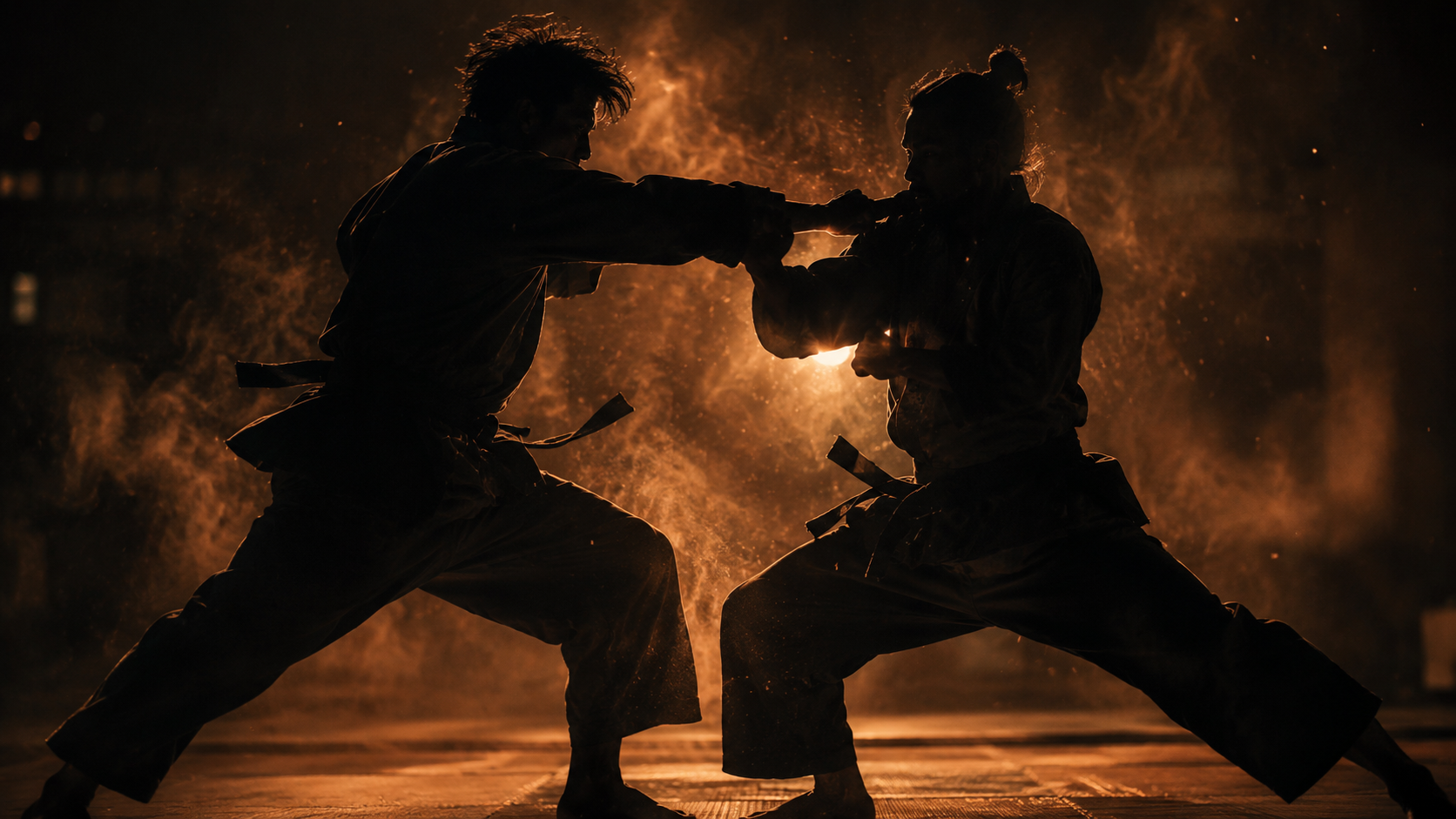
- One strike keeps limb geometry coherent
- Foreground fist adds visceral proximity
- Block staying off-screen avoids two-body contact
- Fight scene openers
- Training montages
- Trailer punches
- Side angle keeps both limbs legible at contact
- Single clean meeting point avoids merging
- One exchange, not a combo
- Martial arts showcases
- Technique demonstrations
- Sparring content
- Point-of-contact framing hides limb tangle risk
- Silhouette rims keep detail simple
- No follow-through avoids combo failure
- MMA content
- Close-quarters combat beats
- Fight choreography references
- Low angle isolates the single moving limb
- Bracketing stillness contains the action
- Reads as one clear beat in an edit
- Muay Thai content
- Combat sports promos
- Training beats
- Wide stance-lock isolates one moving element
- Head-snap reaction sells impact without gore
- Full-body framing suits fight openers
- Boxing content
- Confrontation scenes
- Fight scene establishers
- Macro palm keeps the whole shot to one hand
- Grazing contact avoids full-face collision risk
- Motion blur trail implies speed cleanly
- Kung fu content
- Martial arts inserts
- Technique breakdowns
- Weapon-on-weapon contact is safer than body contact
- Sparks mark the exact single event
- Locked footing keeps the frame stable
- Sword fight content
- Historical combat scenes
- Fantasy duels
- Weapon-into-object avoids anatomy risk entirely
- Splinters and trembling arm sell the force
- Works as a single isolated beat in a battle sequence
- Medieval combat scenes
- War film inserts
- Weapon impact beats
- Symmetrical contact point is unusually stable for AI
- Screwed-shut eyes sell pain without gore
- Sweat spray adds free kinetic detail
- Street fight content
- Gritty combat beats
- Confrontation drama
- Vertical-only motion is the simplest limb path for AI
- Low angle adds power to the descending fist
- Motionless bracketing frames one clean event
- Combat training content
- Fight choreography references
- Action inserts
- Single-arm arc is a clean isolated motion
- Shockwave shiver shows force without contact gore
- One moving limb each keeps the AI honest
- Defensive technique content
- Sparring breakdowns
- Training references
- A miss removes all contact-physics risk
- Hair motion sells the dodge's speed
- Single defensive beat, clean and complete
- Dodge and evasion beats
- Fight scene tension
- Reaction cutaways
- Crossed-arm block is a stable two-limb geometry
- Trembling sells sustained force in a static frame
- Classic martial arts defensive imagery
- Kung fu and wushu content
- Defensive showcase reels
- Training references
- Sidestep-and-miss avoids any contact physics
- Off-balance attacker implies the whole exchange
- Wide framing shows the full spatial logic
- Matador-style combat beats
- Bullfighting-inspired action
- Evasion showcases
- Angled deflection is classic sword-fight grammar
- Sparks mark the single decisive instant
- Both weapons frozen avoids follow-through risk
- Sword duel content
- Fencing and historical combat
- Fantasy battle beats
- Guard-absorbs-everything removes all contact risk
- Repeated small impacts on an object, not a face
- Steady eyes behind the guard sell composure
- Boxing defense content
- Composure-under-pressure beats
- Training montages
- Continuous roll is one fluid, trackable motion
- Dust on canvas confirms real contact with the ground
- Ending in a crouch gives a clean out-point
- Judo and grappling content
- Recovery beats
- Martial arts training
- Object-catch is safer than body-contact defense
- Single clean grab avoids fumble risk
- Follow-through hand tells the throw's story
- Weapon combat beats
- Skill showcase content
- Action hero moments
- Reaction shot needs no contact physics at all
- Cheek ripple is peak fight-scene detail
- Off-screen fist removes all limb-merge risk
- Impact reaction beats
- Fight scene punctuation
- Slow-motion inserts
- Aftermath-only staging avoids the hardest physics
- Windmilling arms read as pure reaction
- Catching the wall gives a clean end beat
- Fight scene consequence beats
- Boxing content
- Underdog story moments
- Pure reaction shot, zero contact rendering needed
- Spray is a striking single-frame detail
- Chest heave adds physical consequence
- Gritty boxing content
- MMA reaction beats
- Underdog drama
- Buckling-knees is the classic knockdown tell
- Fading guard adds tragic detail
- No strike needed — the collapse tells it all
- Knockdown beats
- Boxing drama
- Underdog turning points
- Pure facial performance, zero body contact
- The refocus is an emotional comeback in one shot
- Universal underdog-story beat
- Comeback moments
- Second-wind beats
- Character-driven fight drama
- Torso-twist reaction implies contact convincingly
- Planted feet keep the geometry simple
- Instinctive guard-raise adds a second beat
- Boxing reaction content
- Fight rhythm beats
- Sparring footage style
- Post-exchange stillness needs no combat physics
- Mutual exhaustion is emotionally rich
- Two-shot symmetry is visually satisfying
- Fight scene breathers
- Respect-between-rivals beats
- Documentary-style sports content
- Object-in-flight avoids all face-contact risk
- Mouthguard tumble is a specific, memorable detail
- Face stays soft-focus, reducing risk further
- MMA content
- Slow-motion impact beats
- Trailer money shots
- Circling with no contact is fully AI-safe
- Deliberate footwork builds tension economically
- Sets up any following strike shot perfectly
- Duel openers
- Tension-building beats
- Historical drama
- Locked-blade stillness is a stable held frame
- Straining muscles show force without motion risk
- Face-to-face proximity adds drama
- Samurai content
- Sword duel climaxes
- Tension beats
- Rotation is fluid, predictable AI motion
- Planted footwork anchors the spin
- Block only at the very end limits contact risk
- Kung fu weapon content
- Martial arts showcases
- Choreography references
- Traveling wave motion is AI's forte
- A miss removes contact risk entirely
- Dust-on-landing sells the whip's force
- Adventure and western content
- Weapon showcase beats
- Action choreography
- Release-and-blur avoids tracking the arrow's flight
- Held stance is simple, stable geometry
- Drifting feathers add a small living detail
- Archery content
- Historical battle scenes
- Hunting and adventure beats
- Holding the lock avoids risky follow-through
- Sparks mark the contact clearly
- Close-quarters framing suits dagger combat
- Knife fight content
- Close-quarters combat scenes
- Thriller confrontations
- Draw is one continuous, simple motion
- Light along the edge is a classic hero beat
- Low angle adds instant gravitas
- Hero introductions
- Samurai and warrior content
- Weapon reveal beats
- Macro object study needs zero character-consistency risk
- Cold precise imagery builds pre-fight tension
- Works as a ritual beat before any duel
- Pre-battle ritual beats
- Weapon preparation content
- Tension-building openers
- Silhouette distance hides anatomy errors entirely
- Backlit graphic shapes are visually striking
- Full choreography becomes viable at this scale
- Epic fight silhouettes
- Sunset duel beats
- Title sequence imagery
- Distant crowd combat avoids all individual-figure risk
- Smoke haze softens further detail
- Reads as an establishing battle shot
- War scene establishers
- Epic battle openers
- Historical conflict content
- Fragmented firelight naturally hides continuity errors
- High drama from minimal, controlled lighting
- Night setting suits any combat genre
- Dramatic night duels
- Campfire confrontation beats
- Moody action content
- Aerial distance is maximally forgiving for AI
- City skyline adds production value for free
- Small-figure scale makes any hit read as impactful
- Action hero rooftop duels
- Urban thriller climaxes
- Epic scale beats
- Shadow-only avoids rendering actual bodies entirely
- Highly stylised and completely AI-safe
- Distinctive visual approach few competitors use
- Stylised fight sequences
- Theatrical and artistic content
- Title and credit sequences
- Synchronised movement is more stable than chaotic combat
- Unison choreography reads as beautiful pattern
- Sets up any fight film's world convincingly
- Martial arts school content
- Training montage openers
- Discipline and tradition beats
- Shadow-body duality is visually rich and safe
- Single-fighter forms have zero contact risk
- Lantern swing motivates natural light movement
- Solo practice beats
- Atmospheric training scenes
- Character study inserts
- Aftermath framing with distant action is doubly safe
- Empty foreground creates powerful negative space
- Works as a scene-ending or scene-opening establisher
- Battle aftermath beats
- War film establishers
- Epic scale transitions
- Post-fight object study needs no combat physics
- Bruising and blood tell the story economically
- Single flex is a complete, safe action
- Fight aftermath beats
- Character consequence shots
- Gritty realism inserts
- Victory stillness needs zero action to render
- Implied fallen opponents via empty space
- Lowering weapon is one simple, safe motion
- Victory beats
- Fight scene climax resolutions
- Hero moment payoffs
- Preparation ritual is inherently safe, repeatable motion
- Corner-work adds authentic sports-film detail
- Calm-above-the-work is a strong character beat
- Boxing corner scenes
- Between-rounds content
- Preparation montages
- Helping-up is a gentle, low-risk two-person action
- Mutual respect adds emotional depth
- Perfect scene-ending beat
- Sportsmanship beats
- Fight scene resolutions
- Emotional payoffs
- Object ritual needs zero character risk
- Wiping-and-sheathing is one clean motion
- Classic post-battle closing image
- Historical drama endings
- Warrior ritual beats
- Scene-closing imagery
- Static self-care action is completely safe
- Locker room setting adds authentic sports texture
- Implied crowd sound extends the world beyond frame
- Sports drama beats
- Post-match content
- Character quiet moments
- Empty-gym atmosphere needs zero figures at all
- Swinging dummy implies recent action safely
- Dust in light is a reliable, beautiful render
- Training montage endings
- Discipline and solitude beats
- Gym atmosphere content
- Kneeling-and-planting is one simple, complete gesture
- Universally read as respect or memorial
- Powerful emotional closing image
- War film epilogues
- Memorial and tribute beats
- Historical drama endings
About These Fight Scene & Combat Prompts
Fight scenes are the genre AI video handles worst — and the genre almost every creator eventually wants to attempt. Sustained contact between two moving bodies is where models break down fastest: limbs merge, anatomy warps, and choreography that reads clearly to a human becomes visual noise to a generator. Most "fight scene prompts" online make this worse by asking for entire exchanges in one generation.
This collection takes the opposite approach, borrowed directly from how real fight choreography is actually filmed: one clean beat per shot. A single strike. A single block. A single reaction. Each prompt specifies exactly one moving element and holds everything else still, because that restraint is what keeps the model’s output coherent — and because real fight scenes are edited from exactly this kind of shot anyway.
The 50 prompts span six families that map to a complete fight sequence: single strikes, blocks and defense, reactions and staggers, weapon duels, silhouette and wide choreography, and aftermath. Read the beat method below for how to cut them into a full scene.
How to Use These Prompts
Tips for Best Results
The Fight Beat Method — Why You Can't Prompt a Fight (And How to Build One From 8 Shots)
Ask an AI video model for "an intense fight between two men" and you will get warped limbs, merging bodies, and choreography that reads as noise. Sustained two-body contact is the single hardest thing in AI video — harder than crashes, harder than crowds. The fix is not a better prompt for that request. It is refusing to make that request at all.
Real fight scenes are never filmed as one continuous brawl — they are edited from dozens of short, single-purpose shots: a strike, a block, a reaction, a stagger, cut together at speed. This page is built entirely around that same method. Every prompt asks for exactly one clean beat — a single strike, a single block, a single reaction — because a single beat is something the model can render correctly, and a fight scene is just many correct beats in sequence.
An 8-shot fight, built entirely from this page: (1) wide circling, no contact — tension. (2) A single jab thrown — first blood. (3) A block absorbing a strike — defense established. (4) Reaction close-up — the face selling the exchange. (5) A staggering knockdown reaction. (6) A silhouette wide for scale and rhythm. (7) The recovery — knees, focus returning. (8) Aftermath — hands flexing, weapon lowering. Cut those eight together with sound design doing the connecting work, and you have a complete, coherent fight — built without a single prompt asking the model to do the impossible.
Keep your fighters' identity locked across every shot — the same wrap colour, the same wardrobe detail — the same way you would lock a car's paint job or a character's dress. Our free AI Scene Builder does this automatically through its Fixed Elements field, so your fighter stays the same fighter from the first circle to the final stagger.
Frequently Asked Questions
Build a full fight with locked fighters
Scene Builder keeps your fighters’ identity and lighting locked across every beat of the sequence.
🎬 Open Video Prompt Generator