100 Nature & Wildlife AI Video Prompts
Ready-to-copy nature and wildlife prompts for Kling AI, Runway, and Sora.
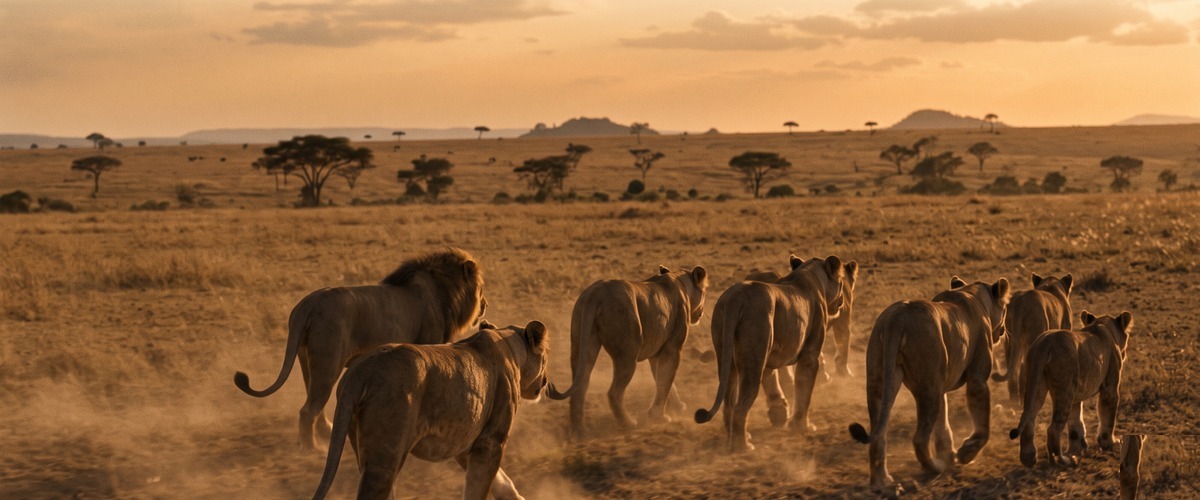
- Rising shot withholds the full picture then gives it — the ascent IS the storytelling, every metre adding weight
- Golden hour rakes light at the lowest possible angle — every edge glows, every surface separates, everything looks significant
- Tracking at the subject's own speed creates accompaniment — the camera matches the effort and earns the proximity
- A nature documentary's most iconic wildlife sequence — the pride at the apex of their world
- An environmental education film establishing lion social structure through pure observation
- A conservation film's most beautiful argument for what would be lost
- Tracking shot creates active accompaniment — the camera lives inside the action rather than observing from outside
- Underwater light creates caustic patterns that move across every surface — the medium itself becomes an active element
- Underwater light creates caustic patterns that move across every surface — the medium itself becomes an active element
- A marine documentary's most scale-communicating and emotionally affecting single sequence
- A conservation film's most powerful visual argument for protecting whale populations
- An underwater film establishing the humpback as the largest and most graceful Pacific presence
- Locked-off static frame makes every tiny change catastrophic — stillness is the technique, movement is the event
- Snow-filtered light creates its own quality — cold blue above, bright reflected fill from every white surface below
- Snow and winter cold create a unique light quality — bright reflected fill from below, cold blue atmosphere above
- A wildlife documentary's most ethically observed and authentically shot hunting sequence
- A nature film establishing wolf cooperative intelligence through the static camera that refuses to interfere
- A conservation documentary establishing the wolf's role as the ecosystem's most important predator
- Aerial altitude reveals full scale and pattern that ground-level photography can never communicate
- The light quality and direction encode the emotional register before a single narrative element is consciously read
- The camera's ethical distance — observing without disturbing — creates the authenticity that separates documentary wildlife from staged photography
- A nature documentary's most spectacular annual migration event sequence
- A film about collective animal behaviour — herd intelligence crossing a dangerous river
- A conservation documentary establishing the Serengeti-Mara as a world-critical wildlife corridor
- Macro proximity reveals a world invisible to the unaided eye — the familiar becomes alien at extreme magnification
- The light quality and direction encode the emotional register before a single narrative element is consciously read
- At this scale the familiar subject becomes a landscape — the world invisible at normal resolution made the entire frame
- A reptile biology documentary's most technically extraordinary colour-change sequence
- A film establishing the chameleon's pigment cells as the most sophisticated skin system
- A sensory science documentary establishing colour change as communication, not just camouflage
- Wide establishing frame places the subject inside a world larger than itself — scale as context, not decoration
- Snow-filtered light creates its own quality — cold blue above, bright reflected fill from every white surface below
- Snow and winter cold create a unique light quality — bright reflected fill from below, cold blue atmosphere above
- A polar bear conservation documentary's most emotionally resonant family sequence
- A film about the specific vulnerability of polar bear families to sea ice loss
- An Arctic documentary establishing polar bear maternal behaviour through patient observation
- Tracking shot creates active accompaniment — the camera lives inside the action rather than observing from outside
- The light quality and direction encode the emotional register before a single narrative element is consciously read
- High frame rate reveals specific physics invisible at real speed — the decisive moment extended until every detail is legible
- A nature documentary's most technically demanding and exhilarating speed sequence
- A film about the specific biomechanics that make the cheetah the fastest land animal
- A wildlife film's most viscerally exciting single shot — four seconds of the fastest thing on legs
- Orbital movement makes the subject the fixed centre — the world revolves around it, communicating singular importance
- Underwater light creates caustic patterns that move across every surface — the medium itself becomes an active element
- Underwater light creates caustic patterns that move across every surface — the medium itself becomes an active element
- An underwater documentary's most primal and biologically authentic predator sequence
- A film about the specific reality of shark behaviour — assessment and curiosity not aggression
- A conservation documentary establishing that humans are guests in a carnivore's ocean
- Camera position and movement create the specific emotional geometry of this shot — the angle is the argument
- Dusk light encodes ending — the colour temperature of last light makes loss and completion legible without a word
- The camera's ethical distance — observing without disturbing — creates the authenticity that separates documentary wildlife from staged photography
- An elephant family documentary's most socially revealing and matriarchal sequence
- A film about elephant intelligence and family bonds — the society humans are only beginning to understand
- A conservation documentary establishing the waterhole as the social hub of the elephant family system
- Aerial altitude reveals full scale and pattern that ground-level photography can never communicate
- The light quality and direction encode the emotional register before a single narrative element is consciously read
- The camera's ethical distance — observing without disturbing — creates the authenticity that separates documentary wildlife from staged photography
- A nature documentary's most visually spectacular collective behaviour sequence
- A film about emergent intelligence — how millions of individuals create something no single one could
- A visual science essay on biological systems — the murmuration as a living mathematical equation
- Time-lapse makes the invisible visible — change too slow for the eye becomes a complete visual event
- Aurora creates shifting coloured light on a scale no production can match — the solar wind as the cinematographer
- Time-lapse creates the complete arc — beginning, process and transformation — within a single continuous shot
- A Scandinavian winter documentary's most spectacular and defining natural light sequence
- A film about the specific physics of auroras — the solar wind made visible in the upper atmosphere
- A travel documentary establishing Norway, Iceland or Finland as the world's premier winter light destination
- Rising shot withholds the full picture then gives it — the ascent IS the storytelling, every metre adding weight
- Dawn light codes beginning into the frame — the warmth arriving from darkness carries the emotional weight of hope
- The specific combination of technique and natural timing creates conditions that cannot be manufactured — only waited for
- An Amazon conservation documentary's most scale-communicating and biodiversity-establishing aerial
- A climate film establishing the Amazon as the Earth's most critical and irreplaceable ecosystem
- A nature documentary establishing the Amazon canopy as the most biodiverse square kilometre on Earth
- Wide establishing frame places the subject inside a world larger than itself — scale as context, not decoration
- Dawn light codes beginning into the frame — the warmth arriving from darkness carries the emotional weight of hope
- The specific combination of technique and natural timing creates conditions that cannot be manufactured — only waited for
- A Grand Canyon documentary's most compositionally perfect dawn light sequence
- A geological film establishing the canyon's stratigraphy as a visible record of two billion years
- An American landscape documentary's most iconic single image — the canyon in its most revealing light
- Rising shot withholds the full picture then gives it — the ascent IS the storytelling, every metre adding weight
- Lava glow is geological fire as practical light — warm orange underlighting from the Earth's own heat
- The specific combination of technique and natural timing creates conditions that cannot be manufactured — only waited for
- An Iceland travel documentary's most geologically dramatic and visually specific aerial sequence
- A geology documentary establishing Iceland as the most accessible place to witness geological creation
- A science film where lava fields and green moss communicate the succession of life on new land
- Time-lapse makes the invisible visible — change too slow for the eye becomes a complete visual event
- The light quality and direction encode the emotional register before a single narrative element is consciously read
- Time-lapse creates the complete arc — beginning, process and transformation — within a single continuous shot
- A canyon landscape documentary's most temporally complete and light-specific single location sequence
- A film about the specific relationship between desert light and geological architecture over time
- An American Southwest documentary's most visually ambitious single-location time-lapse
- Underwater perspective creates weightlessness and alien light — a world with its own physics and colour palette
- Underwater light creates caustic patterns that move across every surface — the medium itself becomes an active element
- Underwater light creates caustic patterns that move across every surface — the medium itself becomes an active element
- A surf or ocean documentary's most technically extraordinary and physically immersive wave sequence
- A film about wave physics from inside the barrel — the mechanics of the curl seen from within
- A nature documentary's most visually unique single shot — inside the breaking wave, looking up
- Aerial altitude reveals full scale and pattern that ground-level photography can never communicate
- The light quality and direction encode the emotional register before a single narrative element is consciously read
- The specific combination of technique and natural timing creates conditions that cannot be manufactured — only waited for
- A river documentary's most geographically complete source-to-sea aerial sequence
- A geography film establishing the river as a system — a journey from snowmelt to ocean
- A nature documentary establishing the river as the organising principle of the landscape it crosses
- Rising shot withholds the full picture then gives it — the ascent IS the storytelling, every metre adding weight
- The light quality and direction encode the emotional register before a single narrative element is consciously read
- The specific combination of technique and natural timing creates conditions that cannot be manufactured — only waited for
- A wildfire ecology documentary establishing fire as a landscape process not only a disaster
- A climate documentary establishing the changing frequency of wildfire as a measurable environmental shift
- A nature film presenting wildfire as simultaneously destructive and ecologically necessary
- Time-lapse makes the invisible visible — change too slow for the eye becomes a complete visual event
- Dappled canopy light creates the cathedral quality of a forest interior — the overhead leaves as a living lightbox
- Time-lapse creates the complete arc — beginning, process and transformation — within a single continuous shot
- A seasonal nature documentary's most visually complete spring transformation time-lapse
- A film about the biology of leaf-out — the specific chemical triggers that create the spring canopy
- A time-lapse documentary on deciduous forest cycles — the year compressed to its visual essence
- Aerial altitude reveals full scale and pattern that ground-level photography can never communicate
- Golden hour rakes light at the lowest possible angle — every edge glows, every surface separates, everything looks significant
- The specific combination of technique and natural timing creates conditions that cannot be manufactured — only waited for
- A Saharan documentary's most compositionally pure and light-specific dune aerial sequence
- A desert science film establishing the physics of wind-sculpted sand from the altitude that reveals the system
- A travel film establishing the Sahara as the most graphically distinctive landscape aerial subject
- Tracking shot creates active accompaniment — the camera lives inside the action rather than observing from outside
- Underwater light creates caustic patterns that move across every surface — the medium itself becomes an active element
- Underwater light creates caustic patterns that move across every surface — the medium itself becomes an active element
- A coral reef documentary's most immersive and species-rich diving sequence
- A conservation film establishing the reef as the ocean's most biodiverse and threatened environment
- A film about the specific sensory richness of a healthy reef and why its loss is irreversible
- Wide establishing frame places the subject inside a world larger than itself — scale as context, not decoration
- The light quality and direction encode the emotional register before a single narrative element is consciously read
- Water spray creates the visible evidence of impact or speed — the environment testifying to the force applied
- A maritime documentary's most honest and physically accurate heavy weather sequence
- A sailing or fishing documentary establishing the specific reality of storm conditions at sea
- A film about the courage required to remain at sea when the ocean becomes an active adversary
- Aerial altitude reveals full scale and pattern that ground-level photography can never communicate
- The light quality and direction encode the emotional register before a single narrative element is consciously read
- The specific combination of technique and natural timing creates conditions that cannot be manufactured — only waited for
- A dolphin documentary's most joyful and kinetically alive aerial sequence
- A marine film about the dolphin's specific and consistent relationship with human vessels
- A conservation documentary's most uplifting and emotionally positive marine wildlife sequence
- Underwater perspective creates weightlessness and alien light — a world with its own physics and colour palette
- Underwater light creates caustic patterns that move across every surface — the medium itself becomes an active element
- Underwater light creates caustic patterns that move across every surface — the medium itself becomes an active element
- A kelp forest documentary's most aesthetically complete and ecologically specific diving sequence
- A California or South African coastal film establishing the underwater forests that define the coastline
- A conservation film about kelp forests as nursery habitat and climate-critical carbon stores
- Wide establishing frame places the subject inside a world larger than itself — scale as context, not decoration
- Bioluminescent light comes from living organisms — no studio can replicate it, the specific light of life itself
- The specific combination of technique and natural timing creates conditions that cannot be manufactured — only waited for
- A marine biology documentary's most visually extraordinary bioluminescence sequence
- A travel film establishing the specific locations and conditions that create glowing waves
- A nature film about bioluminescence as one of the ocean's most accessible but least understood wonders
- Tracking shot creates active accompaniment — the camera lives inside the action rather than observing from outside
- The light quality and direction encode the emotional register before a single narrative element is consciously read
- Tracking at the subject's own speed creates accompaniment — the camera matches the effort and earns the proximity
- A sea turtle documentary's most graceful and scale-communicating open ocean tracking sequence
- A conservation film about sea turtle migration routes and the threats they encounter
- A nature film about the deep time of sea turtles — the animal that has crossed this ocean for a million years
- Wide establishing frame places the subject inside a world larger than itself — scale as context, not decoration
- The light quality and direction encode the emotional register before a single narrative element is consciously read
- The specific combination of technique and natural timing creates conditions that cannot be manufactured — only waited for
- A polar documentary's most scale-communicating and scientifically informative iceberg sequence
- A climate film establishing the iceberg's nine-tenths below the surface as the visual truth of glacial ice
- A film about the iceberg as metaphor — what is visible is never the whole truth
- Underwater perspective creates weightlessness and alien light — a world with its own physics and colour palette
- The light quality and direction encode the emotional register before a single narrative element is consciously read
- The specific combination of technique and natural timing creates conditions that cannot be manufactured — only waited for
- A whale shark documentary's most biologically revealing scale-paradox sequence
- A marine film about filter feeding — the ocean's largest fish sustained by its smallest organisms
- A conservation documentary establishing the whale shark's dependence on ocean health at the smallest scale
- Aerial altitude reveals full scale and pattern that ground-level photography can never communicate
- The light quality and direction encode the emotional register before a single narrative element is consciously read
- The specific combination of technique and natural timing creates conditions that cannot be manufactured — only waited for
- An orca documentary's most strategically revealing and cooperatively intelligent hunting sequence
- A film about orca cooperative hunting — the strategy that no single animal could execute alone
- A conservation documentary establishing orca social bonds through cooperative behaviour visible from above
- Rising shot withholds the full picture then gives it — the ascent IS the storytelling, every metre adding weight
- Dawn light codes beginning into the frame — the warmth arriving from darkness carries the emotional weight of hope
- The specific combination of technique and natural timing creates conditions that cannot be manufactured — only waited for
- A maritime documentary's most universal and quietly spectacular ocean dawn sequence
- A film about the ocean's daily relationship with light — the surface that changes with every solar degree
- A sailing documentary establishing the open ocean dawn as the most honest measure of distance from land
- Slow motion extends the decisive moment beyond human perception — physics and biology made legible for the first time
- The light quality and direction encode the emotional register before a single narrative element is consciously read
- High frame rate reveals specific physics invisible at real speed — the decisive moment extended until every detail is legible
- A raptor documentary's most biomechanically specific and technically extraordinary dive sequence
- A film about avian predatory flight — the stoop that makes the eagle the apex aerial hunter
- A bird of prey conservation film's most visually compelling argument for eagle protection
- Aerial altitude reveals full scale and pattern that ground-level photography can never communicate
- The light quality and direction encode the emotional register before a single narrative element is consciously read
- The camera's ethical distance — observing without disturbing — creates the authenticity that separates documentary wildlife from staged photography
- An African wildlife documentary's most colour-specific and numerically extraordinary flamingo sequence
- A film about the specific alkaline lake ecosystem that makes flamingo mass gatherings possible
- A conservation documentary establishing the flamingo's absolute dependence on very specific habitat
- Tracking shot creates active accompaniment — the camera lives inside the action rather than observing from outside
- The light quality and direction encode the emotional register before a single narrative element is consciously read
- Tracking at the subject's own speed creates accompaniment — the camera matches the effort and earns the proximity
- An albatross documentary's most behaviourally revealing dynamic soaring sequence
- A film about the albatross's evolutionary solution to the Southern Ocean — years at sea without landing
- A conservation film about the threats facing albatrosses from longline fishing in the world they depend on
- Slow motion extends the decisive moment beyond human perception — physics and biology made legible for the first time
- The light quality and direction encode the emotional register before a single narrative element is consciously read
- High frame rate reveals specific physics invisible at real speed — the decisive moment extended until every detail is legible
- A hummingbird documentary's most technically extraordinary slow-motion feeding sequence
- A film about co-evolution — the hummingbird and flower as partners shaped by millions of years of mutual adaptation
- A slow motion nature film's most stunning sequence — the wing beats invisible without technology
- Aerial altitude reveals full scale and pattern that ground-level photography can never communicate
- Dusk light encodes ending — the colour temperature of last light makes loss and completion legible without a word
- Formation flight reveals the collective intelligence of migration — thousands of individuals moving as a single organism
- A migratory bird documentary's most classically composed and symbolically resonant V formation image
- A film about the physics of formation flying — the collective strategy that allows geese to cross continents
- A seasonal nature documentary's most iconic image — the geese against the autumn sky
- Camera position and movement create the specific emotional geometry of this shot — the angle is the argument
- The light quality and direction encode the emotional register before a single narrative element is consciously read
- The camera's ethical distance — observing without disturbing — creates the authenticity that separates documentary wildlife from staged photography
- An owl documentary's most authentic and patient nocturnal hunting sequence
- A film about the owl's acoustic targeting system — the head that is a directional microphone
- A night wildlife documentary's most extraordinary sequence — the predator in its element, unaware of the camera
- Tracking shot creates active accompaniment — the camera lives inside the action rather than observing from outside
- The light quality and direction encode the emotional register before a single narrative element is consciously read
- Tracking at the subject's own speed creates accompaniment — the camera matches the effort and earns the proximity
- An urban wildlife documentary's most kinetic and joyfully anarchic swift sequence
- A film about the swift's extraordinary relationship with human architecture
- A speed photography documentary on the challenge of tracking the world's fastest level-flight bird
- Close-up turns the face or detail into the entire landscape — microexpression becomes macro-meaning
- Rain in the air and on surfaces doubles visual complexity — every light multiplies, every surface becomes a mirror
- The camera's ethical distance — observing without disturbing — creates the authenticity that separates documentary wildlife from staged photography
- A bird of paradise documentary's most visually extraordinary evolutionary display sequence
- A film about sexual selection at its most extreme — the plumage that evolution made as a communication system
- A New Guinea wildlife documentary establishing the bird of paradise as the island's most spectacular wildlife
- Slow motion extends the decisive moment beyond human perception — physics and biology made legible for the first time
- The light quality and direction encode the emotional register before a single narrative element is consciously read
- High frame rate reveals specific physics invisible at real speed — the decisive moment extended until every detail is legible
- A seabird documentary's most physically dramatic and hunting-specific plunge dive sequence
- A film about plunge diving as a fishing strategy — the anatomical adaptations that allow the impact
- A coastal wildlife documentary's most action-packed and athletically specific single sequence
- Macro proximity reveals a world invisible to the unaided eye — the familiar becomes alien at extreme magnification
- The light quality and direction encode the emotional register before a single narrative element is consciously read
- At this scale the familiar subject becomes a landscape — the world invisible at normal resolution made the entire frame
- A bird biology documentary's most intimate and optically extraordinary macro sequence
- A film about avian vision — the iris that sees a world humans cannot access with unaided eyes
- A macro nature portrait where the bird's eye becomes the most complex and beautiful natural close-up
- Rising shot withholds the full picture then gives it — the ascent IS the storytelling, every metre adding weight
- The light quality and direction encode the emotional register before a single narrative element is consciously read
- The specific combination of technique and natural timing creates conditions that cannot be manufactured — only waited for
- A California coast documentary's most awe-inspiring and scale-communicating ancient forest sequence
- A conservation film establishing the old-growth redwood as irreplaceable ecological infrastructure
- A nature film establishing the forest that makes humans feel the correct smallness they rarely experience
- Time-lapse makes the invisible visible — change too slow for the eye becomes a complete visual event
- The light quality and direction encode the emotional register before a single narrative element is consciously read
- Time-lapse creates the complete arc — beginning, process and transformation — within a single continuous shot
- A temperate forest documentary's most visually complete and chemically specific autumn time-lapse
- A film about the biology of autumn — chlorophyll breakdown revealing the pigments always present beneath
- A time-lapse documentary's signature sequence — the forest's most photogenic season in full transformation
- Wide establishing frame places the subject inside a world larger than itself — scale as context, not decoration
- Rain in the air and on surfaces doubles visual complexity — every light multiplies, every surface becomes a mirror
- The specific combination of technique and natural timing creates conditions that cannot be manufactured — only waited for
- A tropical forest documentary's most authentic and un-staged rainfall sequence
- A film about the specific relationship between tropical forest and rainfall — the forest creating its own weather
- A climate documentary establishing the Congo or Amazon basin's role in regional water cycle
- Tracking shot creates active accompaniment — the camera lives inside the action rather than observing from outside
- The light quality and direction encode the emotional register before a single narrative element is consciously read
- At this scale the familiar subject becomes a landscape — the world invisible at normal resolution made the entire frame
- An ant colony documentary's most scale-shifting behaviourally-complex macro tracking sequence
- A film about leaf cutter ants as the only other species to develop agriculture — millions of years before humans
- A macro nature documentary's most physically revealing tracking shot — the world at ant scale
- Wide establishing frame places the subject inside a world larger than itself — scale as context, not decoration
- Snow-filtered light creates its own quality — cold blue above, bright reflected fill from every white surface below
- Snow and winter cold create a unique light quality — bright reflected fill from below, cold blue atmosphere above
- A boreal forest documentary's most atmospherically complete winter sequence
- A film about the wolf as a forest species — the apex predator that defines the health of the boreal ecosystem
- A climate documentary on the boreal as a carbon sink and the consequences of its warming
- Aerial altitude reveals full scale and pattern that ground-level photography can never communicate
- The light quality and direction encode the emotional register before a single narrative element is consciously read
- The specific combination of technique and natural timing creates conditions that cannot be manufactured — only waited for
- A forest ecology documentary's most revealing vertical transect sequence
- A film about the forest as a layered ecosystem — each layer with its own species and relationships
- A nature documentary establishing that the forest is not one environment but many, stacked vertically
- Close-up turns the face or detail into the entire landscape — microexpression becomes macro-meaning
- The light quality and direction encode the emotional register before a single narrative element is consciously read
- The specific combination of technique and natural timing creates conditions that cannot be manufactured — only waited for
- A spider web documentary's most visually extraordinary engineering-in-light sequence
- A film about the web as an optical instrument — each dew drop a lens refracting the scene
- A macro nature film's most compositionally perfect and mathematically beautiful single subject
- Wide establishing frame places the subject inside a world larger than itself — scale as context, not decoration
- The light quality and direction encode the emotional register before a single narrative element is consciously read
- The specific combination of technique and natural timing creates conditions that cannot be manufactured — only waited for
- A wildfire ecology documentary's most hopeful and succession-specific post-fire sequence
- A film about fire succession — the specific plants that germinate only after fire, the forest already returning
- A conservation documentary challenging the assumption that wildfire is purely destructive
- Tracking shot creates active accompaniment — the camera lives inside the action rather than observing from outside
- The light quality and direction encode the emotional register before a single narrative element is consciously read
- The specific combination of technique and natural timing creates conditions that cannot be manufactured — only waited for
- A bamboo forest documentary's most immersive and rhythmically specific tracking sequence
- A film about bamboo as a plant that creates architecture — the grove as a designed interior space
- A travel documentary establishing the bamboo grove as a specific and irreplaceable sensory environment
- Time-lapse makes the invisible visible — change too slow for the eye becomes a complete visual event
- The light quality and direction encode the emotional register before a single narrative element is consciously read
- Time-lapse creates the complete arc — beginning, process and transformation — within a single continuous shot
- A plant biology documentary's most visually complete germination time-lapse sequence
- A film about the specific biology of germination — the seed's stored energy spent in the first push toward light
- A time-lapse nature documentary's most universally accessible sequence — the beginning of a plant's life
- Macro proximity reveals a world invisible to the unaided eye — the familiar becomes alien at extreme magnification
- The light quality and direction encode the emotional register before a single narrative element is consciously read
- At this scale the familiar subject becomes a landscape — the world invisible at normal resolution made the entire frame
- A bee biology documentary's most anatomically revealing and behaviourally specific collection sequence
- A film about pollination as one of the most critical ecological services on Earth
- A conservation documentary establishing the specific relationship between bee and flower and the consequences of its loss
- Aerial altitude reveals full scale and pattern that ground-level photography can never communicate
- The light quality and direction encode the emotional register before a single narrative element is consciously read
- High frame rate reveals specific physics invisible at real speed — the decisive moment extended until every detail is legible
- A dragonfly documentary's most biomechanically extraordinary slow-motion flight sequence
- A film about insect flight mechanics — the dragonfly as the most manoeuvrable flying machine evolution has produced
- A slow motion nature film's most aerodynamically complex and visually precise single subject
- Wide establishing frame places the subject inside a world larger than itself — scale as context, not decoration
- The light quality and direction encode the emotional register before a single narrative element is consciously read
- This level of magnification reveals a world that exists alongside ours but is normally invisible — extraordinary things hidden in plain sight
- A monarch butterfly documentary's most spectacular migration sequence
- A film about the specific navigational inheritance — the map encoded in the monarch before it hatches
- A conservation documentary on the threats to monarch migration at both ends of the journey
- Tracking shot creates active accompaniment — the camera lives inside the action rather than observing from outside
- The light quality and direction encode the emotional register before a single narrative element is consciously read
- At this scale the familiar subject becomes a landscape — the world invisible at normal resolution made the entire frame
- An insect documentary's most scale-shifting and world-transforming macro tracking sequence
- A film about the insect's experience of the world — the leaf as continent, the garden as wilderness
- A macro nature documentary's most accessible entry into the world beneath human visual resolution
- Close-up turns the face or detail into the entire landscape — microexpression becomes macro-meaning
- The light quality and direction encode the emotional register before a single narrative element is consciously read
- This level of magnification reveals a world that exists alongside ours but is normally invisible — extraordinary things hidden in plain sight
- An ant biology documentary's most behaviourally complex and intellectually surprising sequence
- A film about the ant-aphid mutualism — the agricultural system that predates human farming
- A natural history documentary establishing ants as farmers who independently developed agriculture millions of years ago
- Slow motion extends the decisive moment beyond human perception — physics and biology made legible for the first time
- Bioluminescent light comes from living organisms — no studio can replicate it, the specific light of life itself
- High frame rate reveals specific physics invisible at real speed — the decisive moment extended until every detail is legible
- A firefly documentary's most visually poetic and communication-specific bioluminescence sequence
- A film about firefly signalling — the species-specific language of light that makes each flash a conversation
- A summer nature documentary's most magical and irreplaceable sequence — the meadow that generates its own light
- Macro proximity reveals a world invisible to the unaided eye — the familiar becomes alien at extreme magnification
- The light quality and direction encode the emotional register before a single narrative element is consciously read
- At this scale the familiar subject becomes a landscape — the world invisible at normal resolution made the entire frame
- A butterfly biology documentary's most visually complete metamorphosis emergence sequence
- A film about the specific mechanism of butterfly emergence — the hydraulic wing expansion
- A nature documentary's most universal metaphor — the transformation that creates beauty from enclosure
- Wide establishing frame places the subject inside a world larger than itself — scale as context, not decoration
- The light quality and direction encode the emotional register before a single narrative element is consciously read
- This level of magnification reveals a world that exists alongside ours but is normally invisible — extraordinary things hidden in plain sight
- A termite documentary's most architecturally specific distributed-intelligence-revealing sequence
- A film about termite architecture as engineering — the building that regulates its own temperature
- A social insect documentary establishing the termite colony as the model of collective construction intelligence
- Slow motion extends the decisive moment beyond human perception — physics and biology made legible for the first time
- The light quality and direction encode the emotional register before a single narrative element is consciously read
- High frame rate reveals specific physics invisible at real speed — the decisive moment extended until every detail is legible
- A praying mantis documentary's most behaviourally revealing and strike-specific hunting sequence
- A film about the mantis as the supreme ambush predator — the weapon that is complete stillness
- A slow motion documentary establishing the mantis strike as one of the fastest movements in the natural world
- Time-lapse makes the invisible visible — change too slow for the eye becomes a complete visual event
- The light quality and direction encode the emotional register before a single narrative element is consciously read
- Time-lapse creates the complete arc — beginning, process and transformation — within a single continuous shot
- A bee colony documentary's most architecturally revealing and temporally complete time-lapse
- A film about the hive as a superorganism — the colony that functions as a single distributed intelligence
- A beekeeping documentary's establishing sequence — the colony at work as a visible system of collective purpose
- Slow motion extends the decisive moment beyond human perception — physics and biology made legible for the first time
- The light quality and direction encode the emotional register before a single narrative element is consciously read
- High frame rate reveals specific physics invisible at real speed — the decisive moment extended until every detail is legible
- A Japan spring documentary's most culturally and aesthetically resonant falling blossom sequence
- A film about the Japanese concept of mono no aware through its most visible natural expression
- A travel documentary establishing cherry blossom season as one of the world's most extraordinary seasonal spectacles
- Time-lapse makes the invisible visible — change too slow for the eye becomes a complete visual event
- The light quality and direction encode the emotional register before a single narrative element is consciously read
- Time-lapse creates the complete arc — beginning, process and transformation — within a single continuous shot
- A Scandinavian lake documentary's most temporally complete seasonal ice transformation
- A film about the specific ecology of ice-covered lakes — the world beneath the ice that survives winter
- A time-lapse documentary establishing the relationship between winter ice and the spring release
- Wide establishing frame places the subject inside a world larger than itself — scale as context, not decoration
- Golden hour rakes light at the lowest possible angle — every edge glows, every surface separates, everything looks significant
- The specific combination of technique and natural timing creates conditions that cannot be manufactured — only waited for
- A Scotland documentary's most distinctively Scottish and visually specific moorland sequence
- A film about the Scottish Highland ecosystem — the heather moorland shaped by grazing, burning and rainfall
- A travel documentary establishing the Highlands as a landscape with a season wholly its own
- Tracking shot creates active accompaniment — the camera lives inside the action rather than observing from outside
- Rain in the air and on surfaces doubles visual complexity — every light multiplies, every surface becomes a mirror
- The specific combination of technique and natural timing creates conditions that cannot be manufactured — only waited for
- An agricultural documentary's most visually immersive and symbolically resonant summer wheat sequence
- A film about wheat cultivation as the foundation of human civilisation — the crop that made cities possible
- A harvest documentary establishing the specific quality of a wheat field before the combine arrives
- Wide establishing frame places the subject inside a world larger than itself — scale as context, not decoration
- Rain in the air and on surfaces doubles visual complexity — every light multiplies, every surface becomes a mirror
- The specific combination of technique and natural timing creates conditions that cannot be manufactured — only waited for
- An Indian subcontinent documentary's most culturally and ecologically significant monsoon arrival sequence
- A film about the monsoon as the organising principle of South Asian agriculture, culture and identity
- A climate documentary on the monsoon's changing patterns and the consequences for a billion people
- Macro proximity reveals a world invisible to the unaided eye — the familiar becomes alien at extreme magnification
- Dawn light codes beginning into the frame — the warmth arriving from darkness carries the emotional weight of hope
- At this scale the familiar subject becomes a landscape — the world invisible at normal resolution made the entire frame
- A winter nature documentary's most visually extraordinary and physically specific frost crystal sequence
- A film about the physics of ice crystal formation — the geometry that emerges from freezing water molecules
- A macro time-lapse documentary's most technically demanding subject — frost growing in real time
- Aerial altitude reveals full scale and pattern that ground-level photography can never communicate
- The light quality and direction encode the emotional register before a single narrative element is consciously read
- Snow and winter cold create a unique light quality — bright reflected fill from below, cold blue atmosphere above
- A mountain seasonal documentary's most visually direct and measurable climate record sequence
- A film about the snowline as an ecological indicator — the line that all mountain life follows upward each spring
- A climate documentary using aerial photography to show snowline retreat as evidence of warming over years
- Wide establishing frame places the subject inside a world larger than itself — scale as context, not decoration
- Dappled canopy light creates the cathedral quality of a forest interior — the overhead leaves as a living lightbox
- The specific combination of technique and natural timing creates conditions that cannot be manufactured — only waited for
- A temperate forest ecology documentary's most beautiful and biologically specific spring ephemeral sequence
- A film about spring ephemerals as an evolutionary strategy — completing the life cycle before canopy close
- A wildflower documentary establishing the specific species that define the spring forest floor
- Time-lapse makes the invisible visible — change too slow for the eye becomes a complete visual event
- The light quality and direction encode the emotional register before a single narrative element is consciously read
- Time-lapse creates the complete arc — beginning, process and transformation — within a single continuous shot
- A temperate woodland documentary's most complete and philosophically rich single-subject seasonal sequence
- A film about the oak as the keystone species — the tree that supports more wildlife than any other
- A time-lapse documentary's most compelling single subject — the tree as a character across the year
- Wide establishing frame places the subject inside a world larger than itself — scale as context, not decoration
- The light quality and direction encode the emotional register before a single narrative element is consciously read
- The specific combination of technique and natural timing creates conditions that cannot be manufactured — only waited for
- A migratory bird documentary's most spectacular pre-departure staging sequence
- A film about the crane migration routes and the specific river valleys where tens of thousands gather
- A conservation documentary on the protection of crane staging areas — the critical infrastructure of migration
- Wide establishing frame places the subject inside a world larger than itself — scale as context, not decoration
- Lightning creates the most dramatic natural light — the frame illuminated by the storm's own electricity
- The specific combination of technique and natural timing creates conditions that cannot be manufactured — only waited for
- A meteorology documentary's most spectacular and genuinely frightening supercell sequence
- A film about the specific atmospheric conditions of the Great Plains that create the world's most severe storms
- A storm chasing documentary establishing the supercell as the most dangerous and most beautiful storm type
- Slow motion extends the decisive moment beyond human perception — physics and biology made legible for the first time
- Rain in the air and on surfaces doubles visual complexity — every light multiplies, every surface becomes a mirror
- High frame rate reveals specific physics invisible at real speed — the decisive moment extended until every detail is legible
- A physics of water documentary's most visually extraordinary crown splash sequence
- A film about surface tension and fluid dynamics — the physics hidden inside every falling raindrop
- A slow motion macro documentary's most technically perfect and mathematically beautiful single water shot
- Wide establishing frame places the subject inside a world larger than itself — scale as context, not decoration
- Fog or mist creates atmospheric depth layers — subjects at different distances separate into distinct tonal values
- The specific combination of technique and natural timing creates conditions that cannot be manufactured — only waited for
- A mountain valley documentary's most atmospherically complete and light-transforming morning fog sequence
- A film about valley fog formation — the radiation cooling that creates the overnight inversion layer
- A landscape photography documentary's most compositionally perfect natural atmospheric subject
- Aerial altitude reveals full scale and pattern that ground-level photography can never communicate
- Rain in the air and on surfaces doubles visual complexity — every light multiplies, every surface becomes a mirror
- The specific combination of technique and natural timing creates conditions that cannot be manufactured — only waited for
- A weather documentary's most visually joyful and optically specific rainbow tracking sequence
- A film about the physics of rainbows — the full semicircle visible from altitude that ground level never shows
- An aerial photography documentary's most optimistic and atmospheric single meteorological subject
- Wide establishing frame places the subject inside a world larger than itself — scale as context, not decoration
- Dusk light encodes ending — the colour temperature of last light makes loss and completion legible without a word
- The specific combination of technique and natural timing creates conditions that cannot be manufactured — only waited for
- An Australian outback weather documentary's most spectacular and geographically specific haboob sequence
- A film about the specific meteorology of desert dust storms — the wall of red soil in suspension
- A climate documentary on dust storms and desertification as consequences of drought
- Time-lapse makes the invisible visible — change too slow for the eye becomes a complete visual event
- Lightning creates the most dramatic natural light — the frame illuminated by the storm's own electricity
- Time-lapse creates the complete arc — beginning, process and transformation — within a single continuous shot
- A meteorology documentary's most temporally complete and dramatically lit city storm sequence
- A film about thunderstorm development — the building, the climax, the lightning and the clearing
- A city night documentary's most atmospherically spectacular single weather event sequence
- Close-up turns the face or detail into the entire landscape — microexpression becomes macro-meaning
- Snow-filtered light creates its own quality — cold blue above, bright reflected fill from every white surface below
- Snow and winter cold create a unique light quality — bright reflected fill from below, cold blue atmosphere above
- A winter nature documentary's most intimate and physically specific snow accumulation sequence
- A film about the physics of snowfall — the individual flake becoming the collective snowpack
- A macro nature documentary establishing snow as one of the most photographically extraordinary natural materials
- Rising shot withholds the full picture then gives it — the ascent IS the storytelling, every metre adding weight
- The light quality and direction encode the emotional register before a single narrative element is consciously read
- The specific combination of technique and natural timing creates conditions that cannot be manufactured — only waited for
- A tropical marine weather documentary's most spectacular and rare waterspout sequence
- A film about waterspout formation — warm water and atmospheric instability made visible
- A sailing documentary establishing the waterspout as a genuine and legible navigational hazard
- Aerial altitude reveals full scale and pattern that ground-level photography can never communicate
- Lightning creates the most dramatic natural light — the frame illuminated by the storm's own electricity
- The specific combination of technique and natural timing creates conditions that cannot be manufactured — only waited for
- An aerial photography documentary's most meteorologically extraordinary overhead storm perspective
- A film about thunderstorm structure from the only perspective that shows the anvil top
- A weather documentary establishing the storm as a three-dimensional structure, not just a visual spectacle
- Wide establishing frame places the subject inside a world larger than itself — scale as context, not decoration
- The light quality and direction encode the emotional register before a single narrative element is consciously read
- The specific combination of technique and natural timing creates conditions that cannot be manufactured — only waited for
- A flood documentary's most visually legible and scale-establishing river in spate sequence
- A film about river flooding as both natural ecological process and human disaster
- A climate documentary on changing flood frequency and the consequences for communities in floodplains
- Slow motion extends the decisive moment beyond human perception — physics and biology made legible for the first time
- The light quality and direction encode the emotional register before a single narrative element is consciously read
- High frame rate reveals specific physics invisible at real speed — the decisive moment extended until every detail is legible
- A plant physics documentary's most visually extraordinary hydrophobic surface sequence
- A film about the lotus effect — the nano-scale leaf structure that repels water
- A macro nature documentary's most technically perfect single drop sequence — surface tension made beautiful
- Slow motion extends the decisive moment beyond human perception — physics and biology made legible for the first time
- The light quality and direction encode the emotional register before a single narrative element is consciously read
- High frame rate reveals specific physics invisible at real speed — the decisive moment extended until every detail is legible
- A plant dispersal biology documentary's most dramatically revealing explosive dispersal sequence
- A film about the plant that throws its seeds — the mechanical energy stored and released in one moment
- A slow motion nature documentary's most counter-intuitive sequence — the plant that moves violently
- Tracking shot creates active accompaniment — the camera lives inside the action rather than observing from outside
- The light quality and direction encode the emotional register before a single narrative element is consciously read
- At this scale the familiar subject becomes a landscape — the world invisible at normal resolution made the entire frame
- An ant colony documentary's most architecturally revealing macro navigation sequence
- A film about the ant colony as a distributed intelligence — each ant functioning without a central command
- A macro nature documentary's most immersive scale-shift — inside the underground city of the ants
- Macro proximity reveals a world invisible to the unaided eye — the familiar becomes alien at extreme magnification
- The light quality and direction encode the emotional register before a single narrative element is consciously read
- At this scale the familiar subject becomes a landscape — the world invisible at normal resolution made the entire frame
- A carnivorous plant documentary's most dramatically specific and mechanically revealing closure sequence
- A film about the evolution of carnivory — the nutritional pressure that created the plant trap
- A slow motion macro documentary's most counter-intuitive single subject — the plant that captures animals
- Macro proximity reveals a world invisible to the unaided eye — the familiar becomes alien at extreme magnification
- The light quality and direction encode the emotional register before a single narrative element is consciously read
- At this scale the familiar subject becomes a landscape — the world invisible at normal resolution made the entire frame
- A gecko biology documentary's most scientifically revealing van der Waals-specific macro sequence
- A film about gecko adhesion as a biological engineering solution that inspired human materials science
- A macro documentary establishing the gecko's foot as one of evolution's most remarkable nano-engineering achievements
- Time-lapse makes the invisible visible — change too slow for the eye becomes a complete visual event
- Rain in the air and on surfaces doubles visual complexity — every light multiplies, every surface becomes a mirror
- Time-lapse creates the complete arc — beginning, process and transformation — within a single continuous shot
- A slime mould science documentary's most intellectually challenging and biologically specific maze sequence
- A film about distributed intelligence — the organism that solves problems without a brain
- A biology documentary establishing slime moulds as the most accessible example of emergent problem-solving
- Macro proximity reveals a world invisible to the unaided eye — the familiar becomes alien at extreme magnification
- The light quality and direction encode the emotional register before a single narrative element is consciously read
- At this scale the familiar subject becomes a landscape — the world invisible at normal resolution made the entire frame
- A surface tension physics documentary's most visually extraordinary thin film interference sequence
- A film about thin film physics — the colours that reveal a thickness measured in billionths of a metre
- A macro science documentary's most beautiful and transient single subject — the bubble alive for seconds
- Macro proximity reveals a world invisible to the unaided eye — the familiar becomes alien at extreme magnification
- The light quality and direction encode the emotional register before a single narrative element is consciously read
- At this scale the familiar subject becomes a landscape — the world invisible at normal resolution made the entire frame
- A spider biology documentary's most technically revealing web construction sequence
- A film about spider silk as a biological material — stronger than steel by weight, produced from protein
- A macro documentary's most patient and precise single subject — the web as survival infrastructure being built
- Macro proximity reveals a world invisible to the unaided eye — the familiar becomes alien at extreme magnification
- Dawn light codes beginning into the frame — the warmth arriving from darkness carries the emotional weight of hope
- At this scale the familiar subject becomes a landscape — the world invisible at normal resolution made the entire frame
- A spider web and dew documentary's most visually extraordinary and ephemerally beautiful sequence
- A film about dew formation — the water vapour that becomes liquid on the web's surface as temperature drops
- A macro photography documentary's most iconic subject — the web that exists only until the sun burns the dew
- Slow motion extends the decisive moment beyond human perception — physics and biology made legible for the first time
- The light quality and direction encode the emotional register before a single narrative element is consciously read
- High frame rate reveals specific physics invisible at real speed — the decisive moment extended until every detail is legible
- A hummingbird biology documentary's most anatomically revealing tongue feeding sequence
- A film about the hummingbird's tongue as evolutionary precision — the tool that accesses nectar no other bird can reach
- A slow motion macro documentary's most surprising sequence — the tongue that flickers 20 times per second
- Camera position and movement create the specific emotional geometry of this shot — the angle is the argument
- The light quality and direction encode the emotional register before a single narrative element is consciously read
- The conservation work visible here communicates both the threat and the human commitment to reversing it
- A rhinoceros conservation documentary's most authentic and field-craft-specific tracking sequence
- A film about the specific work of anti-poaching monitoring in southern Africa
- A conservation documentary establishing the human dedication required to protect an endangered species
- Underwater perspective creates weightlessness and alien light — a world with its own physics and colour palette
- The light quality and direction encode the emotional register before a single narrative element is consciously read
- The conservation work visible here communicates both the threat and the human commitment to reversing it
- A coral restoration documentary's most technically specific and hope-establishing sequence
- A film about coral gardening — the technique of growing fragments that is restoring damaged reefs worldwide
- A conservation documentary establishing that humans can repair what they have damaged
- Aerial altitude reveals full scale and pattern that ground-level photography can never communicate
- The light quality and direction encode the emotional register before a single narrative element is consciously read
- The conservation work visible here communicates both the threat and the human commitment to reversing it
- A reforestation documentary's most scale-establishing and progress-communicating aerial sequence
- A climate solution film establishing large-scale tree planting as a measurable and visible intervention
- A conservation success story using aerial photography to document environmental progress in real numbers
- Tracking shot creates active accompaniment — the camera lives inside the action rather than observing from outside
- The light quality and direction encode the emotional register before a single narrative element is consciously read
- Tracking at the subject's own speed creates accompaniment — the camera matches the effort and earns the proximity
- A sea turtle conservation documentary's most emotionally complete and narratively satisfying sequence
- A film about rehabilitation as conservation work — the one turtle that represents thousands
- A conservation documentary's most optimistic sequence — the animal returning to the world it was prepared for
- Wide establishing frame places the subject inside a world larger than itself — scale as context, not decoration
- The light quality and direction encode the emotional register before a single narrative element is consciously read
- The conservation work visible here communicates both the threat and the human commitment to reversing it
- A wildlife corridor documentary's most functionally revealing evidence-based sequence
- A film about habitat connectivity as the foundation of landscape-scale conservation
- A conservation science documentary establishing the corridor as the most cost-effective conservation investment
- Close-up turns the face or detail into the entire landscape — microexpression becomes macro-meaning
- The light quality and direction encode the emotional register before a single narrative element is consciously read
- The conservation work visible here communicates both the threat and the human commitment to reversing it
- A marine research documentary's most intimate and ethically specific tagging sequence
- A film about the use of tracking technology to reveal the whale shark's life at sea
- A science documentary establishing the methodology of tagging large marine animals for research purposes
- Aerial altitude reveals full scale and pattern that ground-level photography can never communicate
- The light quality and direction encode the emotional register before a single narrative element is consciously read
- The conservation work visible here communicates both the threat and the human commitment to reversing it
- A marine conservation documentary's most evidence-based and visually compelling comparison sequence
- A film about marine protected areas as a conservation tool — the visible proof that protection works
- A conservation policy documentary using the reserve boundary as nature's own controlled experiment
- Camera position and movement create the specific emotional geometry of this shot — the angle is the argument
- The light quality and direction encode the emotional register before a single narrative element is consciously read
- The conservation work visible here communicates both the threat and the human commitment to reversing it
- A wolf reintroduction documentary's most historically and ecologically significant sequence
- A film about the Yellowstone trophic cascade — the wolves that changed the rivers by changing the elk
- A rewilding documentary establishing wolf reintroduction as the global model for apex predator restoration
- Wide establishing frame places the subject inside a world larger than itself — scale as context, not decoration
- The light quality and direction encode the emotional register before a single narrative element is consciously read
- The conservation work visible here communicates both the threat and the human commitment to reversing it
- An anti-poaching documentary's most authentic and tension-specific operational night sequence
- A film about the specific reality of anti-poaching work — the technology and the physical danger
- A conservation documentary establishing the human cost of protecting the world's most poached species
- Aerial altitude reveals full scale and pattern that ground-level photography can never communicate
- The light quality and direction encode the emotional register before a single narrative element is consciously read
- Time-lapse creates the complete arc — beginning, process and transformation — within a single continuous shot
- A rewilding documentary's most evidence-based and visually compelling success story sequence
- A film about rewilding as a conservation strategy — letting nature recover with minimal intervention
- A conservation success documentary using aerial time-lapse to document nature's return over years
About These Nature and Wildlife AI Video Prompts
Nature and wildlife AI video prompts use the same technical language that documentary cinematographers and wildlife camera operators use in the field. Instead of simply saying "a lion" or "a coral reef", these prompts specify the camera-to-subject distance, ethical observation technique, the specific light quality, and atmospheric conditions that communicate genuine documentary authenticity.
This collection covers 10 categories: wildlife behaviour, landscape cinematography, ocean sequences, bird photography, forest environments, insect macro filming, seasonal change, weather events, macro nature, and conservation work. Every prompt has been crafted using real wildlife cinematography principles — observational ethics, natural light mastery, and the specific frame rates that reveal what the naked eye cannot see.
Whether you are creating nature documentary content, wildlife education videos, conservation campaign material, or natural world content for YouTube and social media, these prompts give you a professional starting point grounded in real field cinematography practice.
How to Use These Prompts
Tips for Best Results
Frequently Asked Questions
Generate your own cinematic prompts
Use our AI-powered video prompt generator to create custom prompts for any scene.
🎬 Open Video Prompt Generator