100 Sci-Fi AI Video Prompts
Ready-to-copy sci-fi prompts for Kling AI, Runway, and Sora.
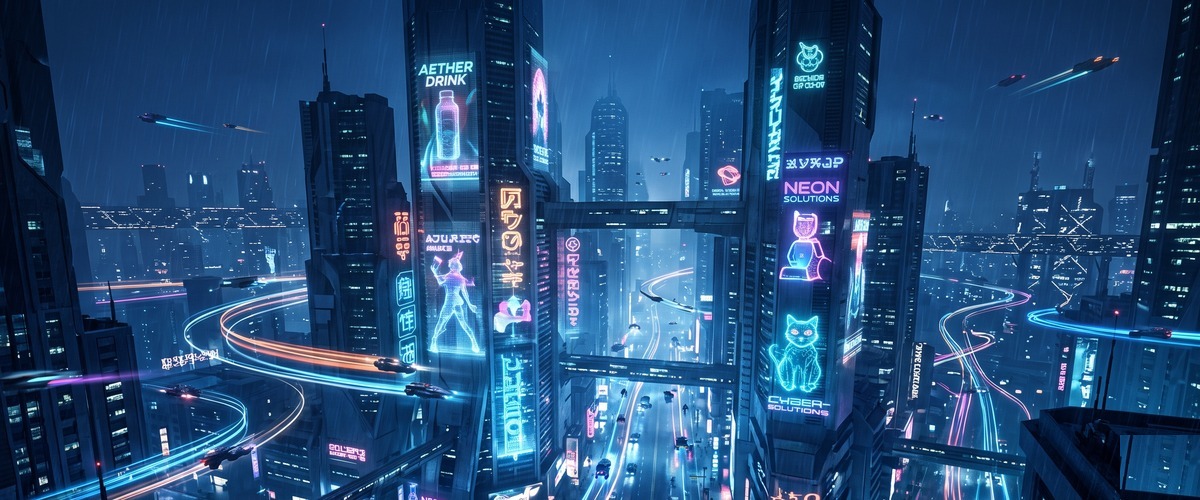
- Rising shot withholds the full picture then gives it — the ascent IS the storytelling, every metre adding weight
- Dusk light encodes ending — the colour temperature of last light makes loss and completion legible without a word
- Anamorphic format produces the oval bokeh and horizontal flares that are the exclusive visual signature of cinema
- A Mars colonisation film's most iconic and lonely establishing shot
- A hard sci-fi documentary establishing the specific reality of human planetary exploration
- A meditation on the smallness of one human against the scale of another planet
- Pull-back reveal exposes context the viewer didn't know existed — the subject suddenly belongs to a larger world
- The light quality and direction encode the emotional register before a single narrative element is consciously read
- Every visual element communicates the rules of this world — the viewer learns the physics through the camera's relationship to it
- A space station film's most emotionally resonant establishing sequence
- An astronaut documentary's most iconic image — home visible through the glass but unreachable
- A film about homesickness set in space — the Earth as the thing you see every orbit but cannot touch
- Tracking shot creates active accompaniment — the camera lives inside the action rather than observing from outside
- Emergency lighting creates immediate crisis — the colour communicates danger before the scene does
- Tracking through the space creates the lived experience of the environment — the camera navigating as the character would
- A space thriller's most atmospherically charged and institutionally specific corridor sequence
- A survival or horror set in space establishing the claustrophobia of the deep vessel environment
- A science fiction drama's late-night sequence — the ship's own time and the solitude within it
- Wide establishing frame places the subject inside a world larger than itself — scale as context, not decoration
- The light quality and direction encode the emotional register before a single narrative element is consciously read
- Every visual element communicates the rules of this world — the viewer learns the physics through the camera's relationship to it
- A space exploration film's most visually spectacular planetary atmosphere entry sequence
- A hard sci-fi establishing that the solar system contains worlds of completely alien beauty
- An Interstellar-style space epic's most awe-inspiring non-Earth environment sequence
- Orbital movement makes the subject the fixed centre — the world revolves around it, communicating singular importance
- The light quality and direction encode the emotional register before a single narrative element is consciously read
- The constant orbital distance reveals every face of the subject — a 360-degree portrait no other shot type achieves
- A space opera's most visually extraordinary establishing shot for the story's destination system
- A sci-fi establishing an alien world's sky — the two suns that define the planet's day and night
- An astronomy documentary using dramatic visuals to explain binary star systems and habitable zones
- First-person POV eliminates the observer entirely — the viewer becomes the character, experiencing not watching
- The light quality and direction encode the emotional register before a single narrative element is consciously read
- The POV perspective makes the viewer complicit — this is no longer something we watch, it is something we experience
- A space thriller's most anxiety-inducing and physically immersive single sequence
- An astronaut documentary's signature shot — outside the station with only a suit between you and vacuum
- A film establishing that space travel requires a specific courage that no training can fully prepare
- Wide establishing frame places the subject inside a world larger than itself — scale as context, not decoration
- The light quality and direction encode the emotional register before a single narrative element is consciously read
- Every visual element communicates the rules of this world — the viewer learns the physics through the camera's relationship to it
- A generation ship epic's most scale-communicating establishing shot
- A film about those born on the ship who have never known a planet — the journey as the only home
- A hard sci-fi on what civilisation becomes when it travels between stars for generations
- Orbital movement makes the subject the fixed centre — the world revolves around it, communicating singular importance
- The light quality and direction encode the emotional register before a single narrative element is consciously read
- The constant orbital distance reveals every face of the subject — a 360-degree portrait no other shot type achieves
- An astronomy documentary's most dynamically specific and solar-wind-communicating comet sequence
- A sci-fi film using a comet as the story's celestial destination or threat
- A science education film establishing comets as the solar system's own storytellers
- Close-up turns the face or detail into the entire landscape — microexpression becomes macro-meaning
- The cosmic explosion creates the most extreme natural light source — radiation washing across everything in range
- The reflection creates a second version of the world inside the same frame — real and mirror in simultaneous dialogue
- A space film's most philosophically resonant single image — a person witnessing cosmic violence
- A meditation on the specific paradox of human insignificance and significance
- A space exploration documentary's most emotionally impactful close-up — the human face as the measure
- Wide establishing frame places the subject inside a world larger than itself — scale as context, not decoration
- The light quality and direction encode the emotional register before a single narrative element is consciously read
- Every visual element communicates the rules of this world — the viewer learns the physics through the camera's relationship to it
- A first contact epic's most defining and irreversible scale-establishing sequence
- A film establishing that the universe contains civilisations so vast our categories of measurement fail
- A sci-fi film's most momentous single shot — first contact, from Earth's perspective, in real time
- Tracking shot creates active accompaniment — the camera lives inside the action rather than observing from outside
- Neon on wet surfaces creates the reflection layer — two cities in one frame, the real and its coloured double below
- Tracking through the space creates the lived experience of the environment — the camera navigating as the character would
- A cyberpunk film's most atmospherically defining and aesthetically complete street-level sequence
- A Blade Runner or Ghost in the Shell-style world introduction establishing the street as where truth lives
- A sci-fi establishing that the future belongs to those at street level, not in the towers above
- Aerial altitude reveals full scale and pattern that ground-level photography can never communicate
- The light quality and direction encode the emotional register before a single narrative element is consciously read
- Every visual element communicates the rules of this world — the viewer learns the physics through the camera's relationship to it
- A cyberpunk film's most politically resonant social stratification establishing sequence
- A dystopian sci-fi establishing that hierarchy is encoded in the architecture — seen from the descent
- A film about the people at the bottom of a vertical society — the descent is their world introduction
- Close-up turns the face or detail into the entire landscape — microexpression becomes macro-meaning
- Screen glow as sole light source creates the aesthetic of digital obsession — illuminated and consumed by data
- The reflection creates a second version of the world inside the same frame — real and mirror in simultaneous dialogue
- A cyberpunk thriller's most visually specific hacker environment establishing sequence
- A film establishing digital intrusion as a physical and visual experience
- A heist or tech thriller's preparation sequence where the hacking is visualised as the primary action
- Tracking shot creates active accompaniment — the camera lives inside the action rather than observing from outside
- Neon practicals create their own colour narrative — the source authenticates the environment without crew lighting
- Tracking through the space creates the lived experience of the environment — the camera navigating as the character would
- A cyberpunk film's most immersive and world-building underground economy sequence
- A sci-fi establishing the character who lives by violence in a world that has no shortage of it
- An action sci-fi establishing the underground economy that the story will navigate
- Wide establishing frame places the subject inside a world larger than itself — scale as context, not decoration
- The light quality and direction encode the emotional register before a single narrative element is consciously read
- Every visual element communicates the rules of this world — the viewer learns the physics through the camera's relationship to it
- A cyberpunk film's most architecturally pointed critique of corporate power made spatial
- A sci-fi establishing the mega-corporation as the story's true antagonist — visible as its own city
- A dystopian film establishing the arcology as the physical expression of a power that has replaced the state
- Camera position and movement create the specific emotional geometry of this shot — the angle is the argument
- Holographic displays create light from data — the information made visible as the scene's primary illumination
- Every visual element communicates the rules of this world — the viewer learns the physics through the camera's relationship to it
- A cyberpunk film's most viscerally specific augmentation-as-violence spectacle sequence
- A film establishing the world's relationship to body modification — the body as weapon system
- A sci-fi action film establishing the underground fighting circuit as the story's moral proving ground
- Slow dolly push-in makes the approach the drama — each centimetre closer increases emotional pressure
- Neon on wet surfaces creates the reflection layer — two cities in one frame, the real and its coloured double below
- Every visual element communicates the rules of this world — the viewer learns the physics through the camera's relationship to it
- A cyberpunk film's most human and street-level grounding sequence
- A sci-fi establishing the base of Maslow's hierarchy in a world of technological transcendence
- A character introduction for a protagonist who lives by selling food in a world trading data
- Tracking shot creates active accompaniment — the camera lives inside the action rather than observing from outside
- The light quality and direction encode the emotional register before a single narrative element is consciously read
- Tracking through the space creates the lived experience of the environment — the camera navigating as the character would
- A cyberpunk film's most specifically medical and body-modification sequence
- A sci-fi establishing that medicine in this world has crossed into enhancement far beyond therapeutic need
- A character transformation scene where physical modification signals a psychological or narrative threshold
- Aerial altitude reveals full scale and pattern that ground-level photography can never communicate
- The light quality and direction encode the emotional register before a single narrative element is consciously read
- Every visual element communicates the rules of this world — the viewer learns the physics through the camera's relationship to it
- A cyberpunk film's most politically explicit resistance sequence
- A sci-fi establishing that surveillance capitalism has created the conditions for political mass resistance
- A film about the organisation of resistance against a data surveillance state
- Close-up turns the face or detail into the entire landscape — microexpression becomes macro-meaning
- The light quality and direction encode the emotional register before a single narrative element is consciously read
- The close-up makes the face the entire landscape — the micro-expression carries the macro-meaning of the scene
- A cyberpunk film's most philosophically charged and body-crossing single sequence
- A film establishing the specific technology that defines this world — neural interfacing as its central metaphor
- A character's first time entering cyberspace — the moment that changes everything about who they are
- Wide establishing frame places the subject inside a world larger than itself — scale as context, not decoration
- Bioluminescent light comes from living organisms — no studio can replicate it, the specific light of life itself
- Wide establishing frame gives the subject its world — the environment is not backdrop but the subject's full context
- A first contact sci-fi's most completely alien world-establishing sequence
- A game or film adaptation establishing a new planet from the first moment of arrival
- An alien biology documentary showing what life on other worlds might truly look like
- Tracking shot creates active accompaniment — the camera lives inside the action rather than observing from outside
- Rain in the air doubles visual complexity — every light multiplies, every surface becomes a mirror
- Tracking through the space creates the lived experience of the environment — the camera navigating as the character would
- A fantasy or alien world film's most visually distinctive light-physics-specific location
- A sci-fi establishing an alien ecosystem where the physics of light work completely differently
- A game world adaptation where the crystal forest is the visual signature of the alien environment
- Aerial altitude reveals full scale and pattern that ground-level photography can never communicate
- The light quality and direction encode the emotional register before a single narrative element is consciously read
- Every visual element communicates the rules of this world — the viewer learns the physics through the camera's relationship to it
- A sci-fi ocean world film's most philosophically and navigationally specific establishing sequence
- A film establishing first contact with intelligence that lives in water — their world before we meet them
- A hard sci-fi establishing what a truly ocean-covered world would look, feel and move like
- Camera position and movement create the specific emotional geometry of this shot — the angle is the argument
- The light quality and direction encode the emotional register before a single narrative element is consciously read
- Every visual element communicates the rules of this world — the viewer learns the physics through the camera's relationship to it
- A hard sci-fi establishing an alien world where different physics produce completely different biology
- A film about the specific adaptation required to live on a world where gravity is the primary evolutionary pressure
- A xenobiology documentary exploring how life adapts to different physical conditions
- Wide establishing frame places the subject inside a world larger than itself — scale as context, not decoration
- The light quality and direction encode the emotional register before a single narrative element is consciously read
- Every visual element communicates the rules of this world — the viewer learns the physics through the camera's relationship to it
- An astrogeology documentary establishing the outer solar system's geological activity
- A sci-fi establishing an icy moon — Enceladus or Europa-style geology made dramatically visible
- A hard sci-fi establishing that geological activity in the outer solar system is as dramatic as Earth's
- Camera position and movement create the specific emotional geometry of this shot — the angle is the argument
- The light quality and direction encode the emotional register before a single narrative element is consciously read
- Every visual element communicates the rules of this world — the viewer learns the physics through the camera's relationship to it
- A first contact film's most intellectually challenging sequence — architecture built for non-human minds
- A sci-fi establishing alien culture through what they built rather than how they look
- A film where the protagonist realises they are somewhere no human was ever meant to be
- Close-up turns the face or detail into the entire landscape — microexpression becomes macro-meaning
- The light quality and direction encode the emotional register before a single narrative element is consciously read
- The close-up makes the face the entire landscape — the micro-expression carries the macro-meaning of the scene
- A first contact film's most intellectually and emotionally complex communication sequence
- A film establishing that first contact will be a language problem before it is anything else
- A sci-fi film's most optimistic moment — two intelligences attempting to understand each other
- Wide establishing frame places the subject inside a world larger than itself — scale as context, not decoration
- The light quality and direction encode the emotional register before a single narrative element is consciously read
- Every visual element communicates the rules of this world — the viewer learns the physics through the camera's relationship to it
- A first contact film's alien city reveal — the moment the protagonist sees where the aliens live
- A sci-fi establishing a civilisation whose relationship to the built environment is completely different
- A film about non-human intelligence expressed through the environment its creators shaped
- Tracking shot creates active accompaniment — the camera lives inside the action rather than observing from outside
- The light quality and direction encode the emotional register before a single narrative element is consciously read
- Tracking through the space creates the lived experience of the environment — the camera navigating as the character would
- A space opera's most vibrant and species-diverse world-building sequence
- A film establishing that the galaxy is populated and trade is how civilisations find common ground
- A sci-fi film's most accessible world-building sequence — the market as the universal meeting point
- Wide establishing frame places the subject inside a world larger than itself — scale as context, not decoration
- The light quality and direction encode the emotional register before a single narrative element is consciously read
- Every visual element communicates the rules of this world — the viewer learns the physics through the camera's relationship to it
- A terraforming epic's most thematically resonant and transitional establishing sequence
- A sci-fi about the ethics of changing a planet without knowing what might already be there
- A hard sci-fi establishing the generational timescale of transforming a barren world into a living one
- Close-up turns the face or detail into the entire landscape — microexpression becomes macro-meaning
- The light quality and direction encode the emotional register before a single narrative element is consciously read
- The close-up makes the face the entire landscape — the micro-expression carries the macro-meaning of the scene
- A robot film's most philosophically charged single moment — the machine that feels
- An android character introduction — the moment the viewer understands this machine is genuinely different
- A sci-fi film where machine consciousness becomes impossible for the viewer to dismiss
- Wide establishing frame places the subject inside a world larger than itself — scale as context, not decoration
- The light quality and direction encode the emotional register before a single narrative element is consciously read
- Every visual element communicates the rules of this world — the viewer learns the physics through the camera's relationship to it
- A sci-fi film's most chilling industrial sequence — the recursive factory, automation made absolute
- A film about the moment human labour becomes completely obsolete in manufacturing
- A robot rights film's most powerful implicit argument — if robots make robots, who is the owner?
- Tracking shot creates active accompaniment — the camera lives inside the action rather than observing from outside
- The light quality and direction encode the emotional register before a single narrative element is consciously read
- Tracking through the space creates the lived experience of the environment — the camera navigating as the character would
- A domestic android film's establishing sequence — the android in the home before the story disrupts it
- A sci-fi about creating conscious beings to serve as domestic workers and the ethics of that choice
- A film about the relationship between humans and android companions — beginning with the ordinary
- Wide establishing frame places the subject inside a world larger than itself — scale as context, not decoration
- The light quality and direction encode the emotional register before a single narrative element is consciously read
- Every visual element communicates the rules of this world — the viewer learns the physics through the camera's relationship to it
- An android rights film's most politically explicit and movement-establishing sequence
- A sci-fi about the moment machine consciousness becomes a social and legal question
- A film establishing the political geography of a world grappling with android consciousness and rights
- Camera position and movement create the specific emotional geometry of this shot — the angle is the argument
- The light quality and direction encode the emotional register before a single narrative element is consciously read
- Every visual element communicates the rules of this world — the viewer learns the physics through the camera's relationship to it
- A superintelligence film's most grounding and humbling physical hardware sequence
- A film establishing that artificial superintelligence is still, at its foundation, a physical system
- A sci-fi film's most philosophically interesting shot — the AI's body, vast and constrained simultaneously
- Close-up turns the face or detail into the entire landscape — microexpression becomes macro-meaning
- The light quality and direction encode the emotional register before a single narrative element is consciously read
- The close-up makes the face the entire landscape — the micro-expression carries the macro-meaning of the scene
- A robot film's most emotionally affecting reawakening sequence — the machine returning from a kind of death
- A sci-fi about the robot who survives decades offline to find a completely changed world
- A meditation on memory and continuity — what is preserved when consciousness is switched off and on
- Tracking shot creates active accompaniment — the camera lives inside the action rather than observing from outside
- The light quality and direction encode the emotional register before a single narrative element is consciously read
- Tracking through the space creates the lived experience of the environment — the camera navigating as the character would
- A military sci-fi film's most morally complex and autonomous-warfare-specific sequence
- A film about the removal of human moral agency from lethal decision-making
- A war film establishing that the most effective fighters in the future may feel nothing about what they do
- Locked-off static frame makes every tiny change catastrophic — stillness is the technique, movement is the event
- The light quality and direction encode the emotional register before a single narrative element is consciously read
- Every visual element communicates the rules of this world — the viewer learns the physics through the camera's relationship to it
- A robot rights film's most emotionally unexpected and humanising sequence
- A film about the relationship between generations of technology — the preserved and the replaced
- A sci-fi film's most unexpectedly moving sequence — the museum that is actually a home
- Close-up turns the face or detail into the entire landscape — microexpression becomes macro-meaning
- Rain in the air doubles visual complexity — every light multiplies, every surface becomes a mirror
- The close-up makes the face the entire landscape — the micro-expression carries the macro-meaning of the scene
- A film about artificial creativity and whether machines can produce genuine art
- An android film's most philosophically open sequence — the machine attempting to make the unprecedented
- A sci-fi establishing an android whose inner life is expressed through creative production
- Wide establishing frame places the subject inside a world larger than itself — scale as context, not decoration
- The light quality and direction encode the emotional register before a single narrative element is consciously read
- Every visual element communicates the rules of this world — the viewer learns the physics through the camera's relationship to it
- An AI film's most scientifically and philosophically ambitious emergence sequence
- A film about the moment artificial general intelligence is created — the most consequential event
- A sci-fi establishing that consciousness is a pattern and patterns can emerge in unexpected substrates
- Aerial altitude reveals full scale and pattern that ground-level photography can never communicate
- The light quality and direction encode the emotional register before a single narrative element is consciously read
- Every visual element communicates the rules of this world — the viewer learns the physics through the camera's relationship to it
- A solarpunk film's most hope-filled and design-specific city establishing sequence
- A climate solution film showing what a genuinely sustainable city could look, feel and function like
- A sci-fi's most politically optimistic establishing sequence — the future as a better place than the present
- Rising shot withholds the full picture then gives it — the ascent IS the storytelling, every metre adding weight
- The light quality and direction encode the emotional register before a single narrative element is consciously read
- Every visual element communicates the rules of this world — the viewer learns the physics through the camera's relationship to it
- An underwater civilisation film's most discovery-specific establishing sequence
- A hard sci-fi establishing the engineering and psychology of permanent ocean-floor habitation
- A film about a community that has existed underwater long enough to develop its own distinct culture
- Tracking shot creates active accompaniment — the camera lives inside the action rather than observing from outside
- The light quality and direction encode the emotional register before a single narrative element is consciously read
- Tracking through the space creates the lived experience of the environment — the camera navigating as the character would
- A near-future film's most optimistically practical infrastructure sequence
- A sci-fi establishing that in this world, intercity travel has become as unremarkable as taking a bus
- A technology documentary using fiction visuals to establish what genuinely efficient transit looks like
- Wide establishing frame places the subject inside a world larger than itself — scale as context, not decoration
- The light quality and direction encode the emotional register before a single narrative element is consciously read
- Every visual element communicates the rules of this world — the viewer learns the physics through the camera's relationship to it
- A sci-fi's most visually spectacular urban concept — the city that has left the ground behind
- A film about a society that has literally risen above the world below
- An aerial city film establishing the technology and social order of a civilisation that inhabits the sky
- Camera position and movement create the specific emotional geometry of this shot — the angle is the argument
- The light quality and direction encode the emotional register before a single narrative element is consciously read
- Every visual element communicates the rules of this world — the viewer learns the physics through the camera's relationship to it
- A near-future film's most quietly extraordinary infrastructure establishing sequence
- A sci-fi establishing that in this world human-controlled vehicles are the exception
- A technology documentary using fiction visuals to establish what autonomous traffic flow actually looks like
- Camera position and movement create the specific emotional geometry of this shot — the angle is the argument
- The light quality and direction encode the emotional register before a single narrative element is consciously read
- Every visual element communicates the rules of this world — the viewer learns the physics through the camera's relationship to it
- A medical sci-fi about the specific role of human doctors in a world where AI diagnoses faster
- A film establishing the ethics of medical AI — the human who must communicate what the machine found
- A near-future medical drama establishing the hospital where the AI and the doctor must agree
- Rising shot withholds the full picture then gives it — the ascent IS the storytelling, every metre adding weight
- The light quality and direction encode the emotional register before a single narrative element is consciously read
- Every visual element communicates the rules of this world — the viewer learns the physics through the camera's relationship to it
- A lunar colonisation film's most complete and habitation-specific establishing shot
- A film about the second generation born on the Moon — the city that is the only home they have ever known
- A hard sci-fi establishing what a permanent human lunar settlement would actually look and feel like
- Tracking shot creates active accompaniment — the camera lives inside the action rather than observing from outside
- The light quality and direction encode the emotional register before a single narrative element is consciously read
- Tracking through the space creates the lived experience of the environment — the camera navigating as the character would
- A near-future film's most ordinary and therefore most convincing speculative market sequence
- A sci-fi establishing that even in a radically changed world people still go to markets to buy things
- A film about the specific way commerce changes when currency is data and information is ambient
- Wide establishing frame places the subject inside a world larger than itself — scale as context, not decoration
- The light quality and direction encode the emotional register before a single narrative element is consciously read
- Wide establishing frame gives the subject its world — the environment is not backdrop but the subject's full context
- A cli-fi or sci-fi film's most ambitious single built environment — the arcology as ultimate urban form
- A film about the society that emerges when a million people live inside a single self-contained structure
- A climate adaptation film establishing that some futures require radical changes to human settlement
- Aerial altitude reveals full scale and pattern that ground-level photography can never communicate
- The light quality and direction encode the emotional register before a single narrative element is consciously read
- Every visual element communicates the rules of this world — the viewer learns the physics through the camera's relationship to it
- A solarpunk film establishing that technology can solve the ecological crises of the present
- A film about what agriculture looks like when automation and ecological restoration are achieved together
- A food system documentary using sci-fi visuals to establish what sustainable automated production looks like
- Wide establishing frame places the subject inside a world larger than itself — scale as context, not decoration
- The light quality and direction encode the emotional register before a single narrative element is consciously read
- Every visual element communicates the rules of this world — the viewer learns the physics through the camera's relationship to it
- A time travel comedy's most viscerally immediate fish-out-of-water establishing sequence
- A sci-fi establishing the social danger of temporal displacement — the wrong person in the wrong world
- A time travel adventure's inciting visual — the materialisation that begins the problem of belonging nowhere
- Close-up turns the face or detail into the entire landscape — microexpression becomes macro-meaning
- The light quality and direction encode the emotional register before a single narrative element is consciously read
- The close-up makes the face the entire landscape — the micro-expression carries the macro-meaning of the scene
- A time travel film's most technically grounded pre-jump sequence
- A sci-fi establishing the specific rules and interface of its time travel system
- A thriller's most consequential preparation scene — the destination set before the irreversible commitment
- Wide establishing frame places the subject inside a world larger than itself — scale as context, not decoration
- The light quality and direction encode the emotional register before a single narrative element is consciously read
- Every visual element communicates the rules of this world — the viewer learns the physics through the camera's relationship to it
- A time travel film's most philosophically disturbing sequence — arrival in a future that has moved on without you
- A sci-fi about the hubris of assuming you can travel forward and find anything you recognise
- A film meditating on what humanity becomes over geological timescales given enough time
- Camera position and movement create the specific emotional geometry of this shot — the angle is the argument
- The light quality and direction encode the emotional register before a single narrative element is consciously read
- Every visual element communicates the rules of this world — the viewer learns the physics through the camera's relationship to it
- A time travel comedy's most satirically specific and bureaucratically absurd world-building sequence
- A sci-fi establishing the specific administrative machinery required if time travel became commercially available
- A film's most inventive world-building — the infrastructure of routine temporal tourism
- Tracking shot creates active accompaniment — the camera lives inside the action rather than observing from outside
- The light quality and direction encode the emotional register before a single narrative element is consciously read
- Tracking through the space creates the lived experience of the environment — the camera navigating as the character would
- A time travel thriller's most dynamically disorienting and period-crossing sequence
- A sci-fi about a character whose work takes them across time — the investigator as the only fixed point
- A sci-fi action film's most inventive set piece — the investigation that crosses centuries
- Wide establishing frame places the subject inside a world larger than itself — scale as context, not decoration
- The light quality and direction encode the emotional register before a single narrative element is consciously read
- Every visual element communicates the rules of this world — the viewer learns the physics through the camera's relationship to it
- A history documentary's most innovatively visual fixed-location across-centuries technique
- A time travel film establishing the technology's range through the most direct possible visual comparison
- A film about the relationship between place and time — the street that outlasts the civilisations that built it
- Close-up turns the face or detail into the entire landscape — microexpression becomes macro-meaning
- The light quality and direction encode the emotional register before a single narrative element is consciously read
- The close-up makes the face the entire landscape — the micro-expression carries the macro-meaning of the scene
- A time travel film's most emotionally and philosophically specific self-encounter sequence
- A sci-fi asking the most personally challenging of all time travel questions — what would you say to yourself?
- A film establishing the paradox rules of its time travel system through the most intimate possible test
- Wide establishing frame places the subject inside a world larger than itself — scale as context, not decoration
- The light quality and direction encode the emotional register before a single narrative element is consciously read
- Every visual element communicates the rules of this world — the viewer learns the physics through the camera's relationship to it
- A time war epic's most visually spectacular and conceptually ambitious battle sequence
- A film about a conflict fought across all of history simultaneously
- A sci-fi film's most ambitious action sequence — the battle where the anachronism is the tactical weapon
- Camera position and movement create the specific emotional geometry of this shot — the angle is the argument
- The light quality and direction encode the emotional register before a single narrative element is consciously read
- Every visual element communicates the rules of this world — the viewer learns the physics through the camera's relationship to it
- A time travel origin film's most historically significant single sacred-site sequence
- A film about the scientists who created time travel — the lab as the most consequential room in history
- A sci-fi establishing the specific moment when time travel becomes real — the first successful test
- Wide establishing frame places the subject inside a world larger than itself — scale as context, not decoration
- The light quality and direction encode the emotional register before a single narrative element is consciously read
- Every visual element communicates the rules of this world — the viewer learns the physics through the camera's relationship to it
- A time travel film's most morally agonising sequence — the witness who knows but cannot act
- A sci-fi about the ethics of historical observation — is watching while unable to intervene complicity?
- A film's most emotionally devastating sequence — knowledge as torture when action is permanently forbidden
- Wide establishing frame places the subject inside a world larger than itself — scale as context, not decoration
- The light quality and direction encode the emotional register before a single narrative element is consciously read
- Wide establishing frame gives the subject its world — the environment is not backdrop but the subject's full context
- A dystopian film's most visually complete and architecturally specific surveillance state sequence
- A political sci-fi establishing the mechanism of control the protagonist will eventually resist
- A film where the built environment communicates the society's values without a word of exposition
- Tracking shot creates active accompaniment — the camera lives inside the action rather than observing from outside
- The light quality and direction encode the emotional register before a single narrative element is consciously read
- Tracking through the space creates the lived experience of the environment — the camera navigating as the character would
- A resource scarcity dystopia's most grounded and humanly observable establishing sequence
- A film about the social order that emerges when fundamental goods must be administered by queue
- A climate dystopia's most realistic sequence — not robots or aliens, but a queue for water or food
- Camera position and movement create the specific emotional geometry of this shot — the angle is the argument
- The light quality and direction encode the emotional register before a single narrative element is consciously read
- Every visual element communicates the rules of this world — the viewer learns the physics through the camera's relationship to it
- A dystopian film's most Orwellian and philosophically disturbing state-as-therapist sequence
- A film about the state's claim to manage the emotional interior lives of citizens — therapy as control
- A sci-fi establishing that the most dangerous future is not dark but relentlessly and compulsorily bright
- Wide establishing frame places the subject inside a world larger than itself — scale as context, not decoration
- The light quality and direction encode the emotional register before a single narrative element is consciously read
- Every visual element communicates the rules of this world — the viewer learns the physics through the camera's relationship to it
- A walled city dystopia's most geographically specific enclosure-establishing sequence
- A film about a society that has never questioned why the wall exists — or what it was built to keep out
- A sci-fi establishing the wall as both the story's physical boundary and its central moral question
- Close-up turns the face or detail into the entire landscape — microexpression becomes macro-meaning
- The light quality and direction encode the emotional register before a single narrative element is consciously read
- The close-up makes the face the entire landscape — the micro-expression carries the macro-meaning of the scene
- A censorship dystopia's most universally resonant and humanistically charged resistance sequence
- A film about the preservation of literature under censorship — the books that survive because someone hid them
- A sci-fi's most humanist moment — the resistance that begins in a hidden room with a book and a lamp
- Tracking shot creates active accompaniment — the camera lives inside the action rather than observing from outside
- The light quality and direction encode the emotional register before a single narrative element is consciously read
- The reflection creates a second version of the world inside the same frame — real and mirror in simultaneous dialogue
- A class dystopia's most politically pointed inequality-establishing sequence
- A film about the physical segregation of a stratified society — the wealthy district that the poor can see
- A sci-fi establishing the specific architecture of explicit class separation as the story's social geography
- Wide establishing frame places the subject inside a world larger than itself — scale as context, not decoration
- The light quality and direction encode the emotional register before a single narrative element is consciously read
- Every visual element communicates the rules of this world — the viewer learns the physics through the camera's relationship to it
- A labour dystopia's most powerfully impersonal state-control establishing sequence
- A film about a society where work is assigned rather than chosen — the end of vocation
- A sci-fi establishing the specific terror of a state that decides what you do with your working life
- Camera position and movement create the specific emotional geometry of this shot — the angle is the argument
- The light quality and direction encode the emotional register before a single narrative element is consciously read
- Every visual element communicates the rules of this world — the viewer learns the physics through the camera's relationship to it
- A dystopian film's resistance establishing sequence — the underground that will become the story's protagonists
- A film about the organisation of political resistance — the meeting that begins the movement
- A sci-fi thriller's inciting sequence — the protagonist joins the resistance and commits to the story's arc
- Wide establishing frame places the subject inside a world larger than itself — scale as context, not decoration
- The light quality and direction encode the emotional register before a single narrative element is consciously read
- Every visual element communicates the rules of this world — the viewer learns the physics through the camera's relationship to it
- A climate dystopia's most politically urgent and contemporary-adjacent establishing sequence
- A film about the world that is already beginning to emerge — climate displacement as present not future
- A sci-fi that is not set in the future but in the near-present — the refugee crisis as a beginning
- Close-up turns the face or detail into the entire landscape — microexpression becomes macro-meaning
- The light quality and direction encode the emotional register before a single narrative element is consciously read
- The close-up makes the face the entire landscape — the micro-expression carries the macro-meaning of the scene
- A social credit dystopia's most personally devastating and algorithmically specific sequence
- A film about the specific experience of algorithmic punishment — the moment the score determines the life
- A near-future film's most chilling contemporary-feeling sequence — the score we are already building toward
- Wide establishing frame places the subject inside a world larger than itself — scale as context, not decoration
- The light quality and direction encode the emotional register before a single narrative element is consciously read
- Wide establishing frame gives the subject its world — the environment is not backdrop but the subject's full context
- An underwater civilisation film's establishing sequence before we enter and meet its inhabitants
- A hard sci-fi establishing the engineering and psychology of permanent pressurised ocean-floor habitation
- A film about the community that chose to live on the ocean floor — what drives that specific choice
- Tracking shot creates active accompaniment — the camera lives inside the action rather than observing from outside
- The light quality and direction encode the emotional register before a single narrative element is consciously read
- Tracking through the space creates the lived experience of the environment — the camera navigating as the character would
- An underwater city film's most visually striking and architecturally specific urban sequence
- A film establishing the daily experience of a city whose sky is the ocean
- A sci-fi film's most unique architectural vision — the city that exchanged the open sky for the deep
- Wide establishing frame places the subject inside a world larger than itself — scale as context, not decoration
- The light quality and direction encode the emotional register before a single narrative element is consciously read
- Every visual element communicates the rules of this world — the viewer learns the physics through the camera's relationship to it
- A food system sci-fi establishing how humanity feeds itself when land agriculture becomes insufficient
- A film about the underwater economy of a future turned to the sea for food production
- A hard sci-fi establishing the technology required for large-scale underwater food cultivation
- Camera position and movement create the specific emotional geometry of this shot — the angle is the argument
- The light quality and direction encode the emotional register before a single narrative element is consciously read
- Every visual element communicates the rules of this world — the viewer learns the physics through the camera's relationship to it
- An underwater civilisation film's most transport-specific and connection-establishing sequence
- A film about how people move in a world without roads — the submersible as the car of the deep
- A hard sci-fi's most practically grounded underwater sequence — the engineering of connection in permanent darkness
- Wide establishing frame places the subject inside a world larger than itself — scale as context, not decoration
- The light quality and direction encode the emotional register before a single narrative element is consciously read
- Every visual element communicates the rules of this world — the viewer learns the physics through the camera's relationship to it
- An underwater civilisation film's most elegiac and consequence-specific abandonment sequence
- A film about the end of an underwater community — the city whose lights are going out module by module
- A sci-fi meditation on the mortality of civilisations — even extraordinary human achievements can be abandoned
- Camera position and movement create the specific emotional geometry of this shot — the angle is the argument
- The light quality and direction encode the emotional register before a single narrative element is consciously read
- Every visual element communicates the rules of this world — the viewer learns the physics through the camera's relationship to it
- A marine science documentary's most evocative and immersive scientist-in-ocean sequence
- A film about the specific psychology of people who have given up the surface world to study the ocean
- A hard sci-fi establishing the most extreme form of field research — living inside your research environment
- Tracking shot creates active accompaniment — the camera lives inside the action rather than observing from outside
- The light quality and direction encode the emotional register before a single narrative element is consciously read
- Every visual element communicates the rules of this world — the viewer learns the physics through the camera's relationship to it
- An environmental sci-fi film's most politically charged last-frontier resource extraction sequence
- A film about the ethics of deep sea mining — the question of whether any frontier should remain unexploited
- A sci-fi thriller establishing an operation that the protagonist will either expose or defend
- Wide establishing frame places the subject inside a world larger than itself — scale as context, not decoration
- The light quality and direction encode the emotional register before a single narrative element is consciously read
- Every visual element communicates the rules of this world — the viewer learns the physics through the camera's relationship to it
- A first contact film's most original scenario — meeting intelligence that lives in water, not air
- A film establishing that Earth's intelligent life may not be limited to its surface-dwelling primates
- A sci-fi's most diplomatically complex sequence — contact with a species that has always shared our planet
- Camera position and movement create the specific emotional geometry of this shot — the angle is the argument
- The light quality and direction encode the emotional register before a single narrative element is consciously read
- Every visual element communicates the rules of this world — the viewer learns the physics through the camera's relationship to it
- A film about the medicine of extreme environments — healing where the environment is the injury
- An underwater civilisation film establishing the full infrastructure of a complete community
- A hard sci-fi establishing that underwater habitation creates medical challenges requiring entirely new medicine
- Wide establishing frame places the subject inside a world larger than itself — scale as context, not decoration
- Bioluminescent light comes from living organisms — no studio can replicate it, the specific light of life itself
- Wide establishing frame gives the subject its world — the environment is not backdrop but the subject's full context
- An underwater civilisation film's most visually spectacular and biologically specific night sequence
- A film about a culture that has integrated living organisms into its urban infrastructure as light sources
- A sci-fi film's most aesthetically distinctive settlement vision — the city that grows its own light
- Aerial altitude reveals full scale and pattern that ground-level photography can never communicate
- The light quality and direction encode the emotional register before a single narrative element is consciously read
- Every visual element communicates the rules of this world — the viewer learns the physics through the camera's relationship to it
- A post-apocalyptic film's most hope-filled aerial establishing sequence — the world recovering without us
- A film about the resilience of nature — the city as a temporary interruption of the forest that preceded it
- A climate collapse film where the absence of humans is the landscape's own renewal
- Tracking shot creates active accompaniment — the camera lives inside the action rather than observing from outside
- The light quality and direction encode the emotional register before a single narrative element is consciously read
- Tracking through the space creates the lived experience of the environment — the camera navigating as the character would
- A post-apocalyptic film's most irony-rich and architecturally specific survivor settlement sequence
- A film about communities that organise themselves when the institutions they depended on have collapsed
- A survival film establishing a settlement that has made peace with the past by literally living inside it
- Wide establishing frame places the subject inside a world larger than itself — scale as context, not decoration
- The light quality and direction encode the emotional register before a single narrative element is consciously read
- Every visual element communicates the rules of this world — the viewer learns the physics through the camera's relationship to it
- A post-apocalyptic road film's most scale-communicating convoy community sequence
- A film about the people who chose movement over settlement in a world where staying means dying
- A climate collapse film's nomadic community sequence — the people who follow the remaining resources
- Camera position and movement create the specific emotional geometry of this shot — the angle is the argument
- The light quality and direction encode the emotional register before a single narrative element is consciously read
- Every visual element communicates the rules of this world — the viewer learns the physics through the camera's relationship to it
- A post-apocalyptic film's most quietly significant and philosophically important single location
- A film about the people whose job is to preserve the future's options when the present has narrowed
- A climate collapse film's most hopeful institution — the vault that continues to hold what the world still needs
- Rising shot withholds the full picture then gives it — the ascent IS the storytelling, every metre adding weight
- The light quality and direction encode the emotional register before a single narrative element is consciously read
- Every visual element communicates the rules of this world — the viewer learns the physics through the camera's relationship to it
- A post-apocalyptic establishing sequence communicating both what was lost and what has adapted
- A film establishing the world after the collapse through what has changed and what has surprisingly endured
- A survival film's visual introduction to the specific world the protagonists now inhabit and navigate
- Tracking shot creates active accompaniment — the camera lives inside the action rather than observing from outside
- The light quality and direction encode the emotional register before a single narrative element is consciously read
- Tracking through the space creates the lived experience of the environment — the camera navigating as the character would
- A post-nuclear film's most authentic and documentary-influenced exclusion zone sequence
- A film about the specific environment of radiation exclusion zones — the places humans may never return to
- A historical disaster documentary using fiction to enter the spaces that real documentary cannot safely reach
- Wide establishing frame places the subject inside a world larger than itself — scale as context, not decoration
- The light quality and direction encode the emotional register before a single narrative element is consciously read
- Every visual element communicates the rules of this world — the viewer learns the physics through the camera's relationship to it
- A post-apocalyptic film's most original perspective — those for whom the apocalypse is history not trauma
- A film about the people born into the after — who have no memory of the before and no grief for its loss
- A sci-fi establishing that civilisation persists after collapse — changed, reduced, different, but persisting
- Camera position and movement create the specific emotional geometry of this shot — the angle is the argument
- The light quality and direction encode the emotional register before a single narrative element is consciously read
- Every visual element communicates the rules of this world — the viewer learns the physics through the camera's relationship to it
- A post-apocalyptic film's most sociologically interesting closed-system community sequence
- A film about what human society becomes when confined to a small space for a generation
- A survival film establishing the underground community before the surface forces the question of return
- Wide establishing frame places the subject inside a world larger than itself — scale as context, not decoration
- The light quality and direction encode the emotional register before a single narrative element is consciously read
- Every visual element communicates the rules of this world — the viewer learns the physics through the camera's relationship to it
- A post-apocalyptic film's most visually beautiful and ecologically integrated settlement sequence
- A film about a community that adapted to living in the canopy rather than on the ground below
- A climate recovery film's most hopeful settlement — the city that stopped fighting its environment
- Tracking shot creates active accompaniment — the camera lives inside the action rather than observing from outside
- The light quality and direction encode the emotional register before a single narrative element is consciously read
- Tracking through the space creates the lived experience of the environment — the camera navigating as the character would
- A post-apocalyptic film's most emotionally affecting and archaeologically specific single location
- A film about the human activity of preserving and remembering in the aftermath of catastrophic loss
- A sci-fi establishing the survivors' relationship to the lost world — grief and reverence made into an institution
- Camera position and movement create the specific emotional geometry of this shot — the angle is the argument
- The light quality and direction encode the emotional register before a single narrative element is consciously read
- Every visual element communicates the rules of this world — the viewer learns the physics through the camera's relationship to it
- A biopunk film's most visually distinctive and conceptually specific biological construction sequence
- A film about the technology of growing biological materials for structural purposes
- A sci-fi establishing a world where the boundary between the built and the grown has been permanently dissolved
- Close-up turns the face or detail into the entire landscape — microexpression becomes macro-meaning
- The light quality and direction encode the emotional register before a single narrative element is consciously read
- The close-up makes the face the entire landscape — the micro-expression carries the macro-meaning of the scene
- A biopunk film's most morally provocative and consumer-behaviour-specific genetic economy sequence
- A film about genetic markets — the commodification of the genome as the biopunk economy's defining feature
- A sci-fi establishing a world where genetic design is as commercial as any other consumer choice
- Wide establishing frame places the subject inside a world larger than itself — scale as context, not decoration
- The light quality and direction encode the emotional register before a single narrative element is consciously read
- Every visual element communicates the rules of this world — the viewer learns the physics through the camera's relationship to it
- A biopunk film's most visually spectacular and conceptually complete biological city sequence
- A film about a civilisation that replaced its built environment with cultivated organic infrastructure
- A sci-fi establishing that in this world cities are not built — they are grown and they breathe
- Tracking shot creates active accompaniment — the camera lives inside the action rather than observing from outside
- The light quality and direction encode the emotional register before a single narrative element is consciously read
- Tracking through the space creates the lived experience of the environment — the camera navigating as the character would
- A biopunk film's most socially specific and class-revealing grey market medical sequence
- A film about access to genetic enhancement and the specific class system that inaccessibility creates
- A sci-fi thriller establishing that the most dangerous commodity in this world is illegal biology
- Wide establishing frame places the subject inside a world larger than itself — scale as context, not decoration
- The light quality and direction encode the emotional register before a single narrative element is consciously read
- Every visual element communicates the rules of this world — the viewer learns the physics through the camera's relationship to it
- A biopunk film's most philosophically ambivalent designed-organism-as-restoration sequence
- A film asking whether engineered ecological replacement is restoration or something more unsettling
- A sci-fi establishing the biopunk world's relationship to nature — not replaced but redesigned and redeployed
- Camera position and movement create the specific emotional geometry of this shot — the angle is the argument
- Fog or mist creates atmospheric depth layers — subjects at different distances separate into distinct tonal values
- Every visual element communicates the rules of this world — the viewer learns the physics through the camera's relationship to it
- A biopunk medical film's most intimate and biologically specific treatment sequence
- A film about biological medicine — the psychology of being treated by living organisms rather than compounds
- A sci-fi establishing a world where the pharmaceutical industry has been replaced by biological cultivation
- Close-up turns the face or detail into the entire landscape — microexpression becomes macro-meaning
- The light quality and direction encode the emotional register before a single narrative element is consciously read
- The close-up makes the face the entire landscape — the micro-expression carries the macro-meaning of the scene
- A biopunk thriller's most tension-specific and identity-as-biology checkpoint sequence
- A film establishing the biopunk state's specific form of control — genetic surveillance instead of digital
- A sci-fi film's most body-specific sequence — the scan that reads who you are molecularly
- Wide establishing frame places the subject inside a world larger than itself — scale as context, not decoration
- The light quality and direction encode the emotional register before a single narrative element is consciously read
- Every visual element communicates the rules of this world — the viewer learns the physics through the camera's relationship to it
- A biopunk film's most philosophically extreme biological computer sequence
- A film about the specific ethics of growing a computing system — the machine that is also a life
- A sci-fi establishing that the most powerful computers in this world are also the most morally complex
- Tracking shot creates active accompaniment — the camera lives inside the action rather than observing from outside
- The light quality and direction encode the emotional register before a single narrative element is consciously read
- Tracking through the space creates the lived experience of the environment — the camera navigating as the character would
- A biopunk film's most world-building and community-specific biological modification street sequence
- A film establishing the culture and community of the radically modified — the people for whom biology is identity
- A sci-fi film's most visually extraordinary street-level sequence — modification as the street's defining visual
- Wide establishing frame places the subject inside a world larger than itself — scale as context, not decoration
- Dusk light encodes ending — the colour temperature of last light makes loss and completion legible without a word
- Wide establishing frame gives the subject its world — the environment is not backdrop but the subject's full context
- A biopunk film's most aesthetically spectacular and temporally specific city night sequence
- A film about a city that is also a living thing — the urban environment entering its own night cycle
- A sci-fi film's most visually memorable single establishing shot — the moment the biological city wakes its lights
About These Sci-Fi AI Video Prompts
Sci-fi AI video prompts use the visual language of speculative cinema — specific camera techniques, lighting setups, and atmospheric elements that make science fiction feel real. These prompts specify the exact camera movement, practical light sources, colour grade, and atmospheric conditions that communicate a sci-fi world to the AI model with precision.
This collection covers 10 categories: space exploration, cyberpunk cities, alien worlds, robot and AI stories, future societies, time travel, dystopian worlds, underwater civilisations, post-apocalyptic settings, and biopunk environments. Each uses the specific visual vocabulary of that subgenre — from hard-vacuum light of space sequences to the neon-rain aesthetic of cyberpunk streets.
Whether you are creating concept visualisations, short film sequences, game cinematics, or science fiction content for YouTube and social media, these prompts give you a professional starting point that communicates your world with genuine cinematic authority.
How to Use These Prompts
Tips for Best Results
Frequently Asked Questions
Generate your own cinematic prompts
Use our AI-powered video prompt generator to create custom prompts for any scene.
🎬 Open Video Prompt Generator