100 Midjourney Portrait Prompts
Professional portrait prompts covering Rembrandt lighting, golden hour, studio setups, colour gels, environmental, character and creative styles. Copy and paste directly into Midjourney or Stable Diffusion.
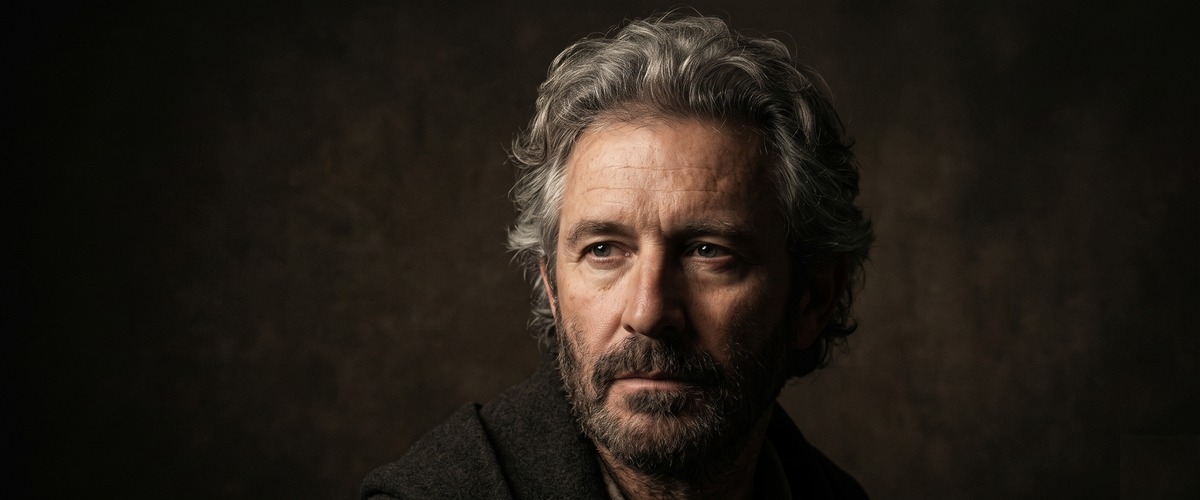
Writing portrait prompts specifically for Midjourney
Midjourney excels at portrait generation with particularly strong skin tone rendering, hair detail, and lighting quality. Getting the best portrait results requires understanding Midjourney's specific prompt language — the parameters, the style flags, and the visual reference terminology that this model responds to best.
How to use these prompts
Copy the complete prompt including the --ar ratio and --style raw parameters. These Midjourney-specific additions at the end are crucial for getting photorealistic portrait results. Replace the subject description to generate portraits of your specific characters.
- 45-degree key light creates the Rembrandt triangle — the signature of classical portraiture. Deep shadows add drama.
- A cinematic sequence requiring precise atmospheric control and professional visual technique
- An establishing shot communicating the specific world or environment of this story
- Single source without fill creates maximum shadow depth. The contrast communicates strength of character.
- Fine art portrait photography requiring classical drama and psychological depth without studio equipment
- A portrait session where the character and history of the subject is communicated through classical lighting
- The triangle — the specific pattern — is the test of correct Rembrandt setup.
- A portrait session requiring the warmth and intimacy of the most ancient practical light source
- A period or historical portrait where candlelight creates authentic atmospheric lighting
- Hard light from 45 degrees creates the texture visible in the skin at this angle.
- A cinematic sequence requiring precise atmospheric control and professional visual technique
- An establishing shot communicating the specific world or environment of this story
- Torch light from a single upper-left source is what actually produces the Rembrandt triangle — naming the source keeps the shadow physics consistent with a real flame.
- A game, film or fantasy production's character establishing portrait
- A creative portrait session for cosplay, LARP or fantasy editorial requiring maximum dramatic impact
- A single 45-degree lamp is the precise, technical description that reliably produces the Rembrandt triangle — vaguer lighting terms won't.
- A cinematic sequence requiring precise atmospheric control and professional visual technique
- An establishing shot communicating the specific world or environment of this story
- Cold light plus weathered skin texture together sell 'wind-worn fisherman' — the temperature of the light matters as much as its angle.
- A cinematic sequence requiring precise atmospheric control and professional visual technique
- An establishing shot communicating the specific world or environment of this story
- The background dark — no fill to the background — creates the emergence from darkness.
- A music documentary or drama's most emotionally transparent performance sequence
- A film establishing the specific relationship between a musician and their instrument
- Naming the kitchen's own practical light as the key source keeps the Rembrandt pattern motivated by something actually in the scene.
- A culinary documentary or drama's most kinetically intense and professionally authentic sequence
- A film about the controlled chaos of professional cooking at its highest level
- The angle of the face — three-quarter — creates the shadow pattern at its most effective.
- A cinematic sequence requiring precise atmospheric control and professional visual technique
- An establishing shot communicating the specific world or environment of this story
- Golden hour backlight creates warm separation from background. Silver reflector fill balances beautifully.
- A wedding film's most cinematic couple portrait — the light that makes every couple look luminous
- A bridal photography portfolio's hero image — the golden light that becomes the day's defining image
- Low sun creates rim lighting separation. The warm grade enhances what the light naturally provides.
- A cinematic sequence requiring precise atmospheric control and professional visual technique
- An establishing shot communicating the specific world or environment of this story
- A long shadow is the single detail that proves low, late sun rather than a generic warm filter.
- A wedding film's most cinematic couple portrait — the light that makes every couple look luminous
- A bridal photography portfolio's hero image — the golden light that becomes the day's defining image
- Backlit hair with a softly filled face is the specific two-light description golden hour portraits actually rely on.
- A cinematic sequence requiring precise atmospheric control and professional visual technique
- An establishing shot communicating the specific world or environment of this story
- Backlit veil plus a luminous dress is what separates a golden-hour bridal portrait from a flatly lit one.
- A wedding film's most cinematic couple portrait — the light that makes every couple look luminous
- A bridal photography portfolio's hero image — the golden light that becomes the day's defining image
- The warmth — the colour temperature — communicates the time of day without information.
- A wedding film's most cinematic couple portrait — the light that makes every couple look luminous
- A bridal photography portfolio's hero image — the golden light that becomes the day's defining image
- Side light on aged skin reveals texture and history — front light would flatten exactly the detail this portrait is built to show.
- A wedding film's most cinematic couple portrait — the light that makes every couple look luminous
- A bridal photography portfolio's hero image — the golden light that becomes the day's defining image
- Naming the instrument as catching the same light as the face ties the whole frame together in one consistent light source.
- A wedding film's most cinematic couple portrait — the light that makes every couple look luminous
- A bridal photography portfolio's hero image — the golden light that becomes the day's defining image
- Raking light across a weathered face is the specific angle that reveals texture — straight-on golden light would flatten it.
- A wedding film's most cinematic couple portrait — the light that makes every couple look luminous
- A bridal photography portfolio's hero image — the golden light that becomes the day's defining image
- Motion plus warm light catching moving fabric is what separates a golden-hour dance portrait from a static one.
- A wedding film's most cinematic couple portrait — the light that makes every couple look luminous
- A bridal photography portfolio's hero image — the golden light that becomes the day's defining image
- Clamshell lighting eliminates shadows entirely. The skin becomes luminous. Commercial beauty standard.
- A cinematic sequence requiring precise atmospheric control and professional visual technique
- An establishing shot communicating the specific world or environment of this story
- Split lighting is the most graphic studio setup. The nose as dividing line is classical technique.
- Commercial portrait photography requiring clean, bright, positive visual energy
- A headshot or brand portrait establishing an approachable and optimistic character
- Three-point lighting — key fill hair — creates the complete studio setup for portraiture.
- A dramatic studio portrait requiring hard directional shadows and maximum tonal contrast
- A character study portrait where the absence of fill creates psychological weight
- High key — all sources — creates the bright even light of commercial portraiture.
- A cinematic sequence requiring precise atmospheric control and professional visual technique
- An establishing shot communicating the specific world or environment of this story
- Low key — single source — creates the dramatic contrast of fine art portraiture.
- Beauty photography or cosmetics brand work requiring the most flattering classic Hollywood setup
- A headshot session where defined cheekbones and minimal shadows are the primary goal
- Butterfly — directly above — creates the Hollywood glamour signature lighting.
- A dramatic editorial portrait requiring the maximum possible contrast and psychological tension
- A character portrait where the split communicates duality or internal conflict
- Loop — slight offset above — creates the most flattering single source portrait light.
- Creative editorial portrait photography where colour is the primary expressive language
- A fashion or music artist portrait requiring the specific cyberpunk or theatrical aesthetic
- Separating the rim light (hair) from the key light (face) is the precise two-light setup that gives studio portraits their depth.
- A cinematic sequence requiring precise atmospheric control and professional visual technique
- An establishing shot communicating the specific world or environment of this story
- Even, soft, shadowless light is the specific technical requirement of a commercial headshot — anything moodier reads as editorial, not corporate.
- A cinematic sequence requiring precise atmospheric control and professional visual technique
- An establishing shot communicating the specific world or environment of this story
- Chiaroscuro's defining trait is extreme contrast with almost no fill — naming that explicitly is what keeps the AI from softening the shadows.
- A cinematic sequence requiring precise atmospheric control and professional visual technique
- An establishing shot communicating the specific world or environment of this story
- North window light is the most consistent and flattering natural source. Painters used it for centuries.
- A cinematic sequence requiring precise atmospheric control and professional visual technique
- An establishing shot communicating the specific world or environment of this story
- Overcast is a giant natural softbox. The clouds do what a studio modifier does — diffuse and wrap.
- A portrait session requiring consistent, reproducible flattering light across a long shoot
- Documentary portrait photography where even light honours every subject regardless of their features
- Open shade — the reflected sky — creates the soft even light without direct sun problems.
- A portrait session where the organic shifting light creates the spontaneous beauty of natural cinematography
- A romantic or editorial portrait requiring the specific organic quality of forest light
- Doorway light — the frame and the bright exterior — creates natural Rembrandt without equipment.
- A cinematic sequence requiring precise atmospheric control and professional visual technique
- An establishing shot communicating the specific world or environment of this story
- Forest light — dappled through canopy — creates the environmental portrait in natural setting.
- A cinematic sequence requiring precise atmospheric control and professional visual technique
- An establishing shot communicating the specific world or environment of this story
- Snow reflected light — the upward fill — creates the unusual fill direction of winter.
- A portrait photography session using architectural framing as a natural studio
- A documentary portrait establishing the subject within the threshold of their world
- Water reflected light — the rippling fill — creates the kinetic fill unique to waterside.
- A cinematic sequence requiring precise atmospheric control and professional visual technique
- An establishing shot communicating the specific world or environment of this story
- Urban reflected — buildings and streets reflecting — creates the city portrait light.
- A portrait session establishing the specific quality of twilight — warm source against cool sky
- A romantic or contemplative portrait requiring the brief window of naturally complementary colour
- Window with curtain — the diffused interior — creates the soft intimate portrait light.
- A cinematic sequence requiring precise atmospheric control and professional visual technique
- An establishing shot communicating the specific world or environment of this story
- Sunset available — the warm directional — creates the natural studio light at end of day.
- A cinematic sequence requiring precise atmospheric control and professional visual technique
- An establishing shot communicating the specific world or environment of this story
- Split colour gels create the complementary tension that graphic design has used for decades.
- Creative editorial portrait photography where colour is the primary expressive language
- A fashion or music artist portrait requiring the specific cyberpunk or theatrical aesthetic
- Neon practical light is the colour gel of the street. The source visible in frame authenticates.
- An urban character portrait where the city itself is the lighting rig and the environment
- A music artist or editorial portrait requiring the authentic neon aesthetic of night city
- Monochromatic — single hue — creates the graphic unity of colour in portraiture.
- A cyberpunk film's most atmospheric and defining street-level sequence
- A Blade Runner or Ghost in the Shell-style world introduction at ground level
- Complementary — opposing colours — creates the visual tension of colour in portraiture.
- A cinematic sequence requiring precise atmospheric control and professional visual technique
- An establishing shot communicating the specific world or environment of this story
- Analogous — adjacent colours — creates the harmony of colour in portraiture.
- A cinematic sequence requiring precise atmospheric control and professional visual technique
- An establishing shot communicating the specific world or environment of this story
- Cold key warm fill — the most common colour portrait setup — creates temperature contrast.
- A wedding film's most cinematic couple portrait — the light that makes every couple look luminous
- A bridal photography portfolio's hero image — the golden light that becomes the day's defining image
- UV light — the fluorescent special — creates the creative portrait beyond conventional.
- A portrait session requiring the warmth and intimacy of the most ancient practical light source
- A period or historical portrait where candlelight creates authentic atmospheric lighting
- Candle — the orange flame light — creates the most intimate and organic colour portrait.
- A cinematic sequence requiring precise atmospheric control and professional visual technique
- An establishing shot communicating the specific world or environment of this story
- Firelight — the moving warm source — creates the dynamic colour portrait.
- A cinematic sequence requiring precise atmospheric control and professional visual technique
- An establishing shot communicating the specific world or environment of this story
- RGB — the three-primary setup — creates the full colour saturation portrait.
- A cinematic sequence requiring precise atmospheric control and professional visual technique
- An establishing shot communicating the specific world or environment of this story
- The environment communicates the subjects story before they speak. Light from location is authentic.
- A culinary documentary or drama's most kinetically intense and professionally authentic sequence
- A film about the controlled chaos of professional cooking at its highest level
- A single shaft of window light against dark stacks is the exact contrast the library setting is known for.
- A cinematic sequence requiring precise atmospheric control and professional visual technique
- An establishing shot communicating the specific world or environment of this story
- Harsh overhead fluorescent is the correct, specific light for an industrial setting — warmer light would break the environment's realism.
- A documentary portrait of a skilled worker photographed in authentic working conditions
- An editorial portrait for a feature about manufacturing, craft or industrial labour
- North-facing studio light is the actual professional standard for even, consistent illumination — naming it is more accurate than 'soft light.'
- A cinematic sequence requiring precise atmospheric control and professional visual technique
- An establishing shot communicating the specific world or environment of this story
- Practical market lights as the only illumination is what makes a night market portrait feel authentically lit by its own environment.
- A Southeast Asian travel documentary's most immersive and sensory-rich night sequence
- A food documentary establishing a night market as the most alive expression of a city's food culture
- Chalk dust in side window light gives the classroom air a visible, textured quality that plain description wouldn't produce.
- A cinematic sequence requiring precise atmospheric control and professional visual technique
- An establishing shot communicating the specific world or environment of this story
- Dawn horizon light is a specific, narrow lighting window — naming it precisely avoids a generic daytime result.
- A cinematic sequence requiring precise atmospheric control and professional visual technique
- An establishing shot communicating the specific world or environment of this story
- Two light sources — window key, cafe-glow fill — is the specific setup that gives coffee shop portraits their layered warmth.
- A cinematic sequence requiring precise atmospheric control and professional visual technique
- An establishing shot communicating the specific world or environment of this story
- Coloured follow spots are the exact, technical description of stage lighting — generic 'stage light' would miss the colour entirely.
- A music documentary or drama's most emotionally transparent performance sequence
- A film establishing the specific relationship between a musician and their instrument
- Clinical white light is the specific, unflattering-on-purpose choice that sells an institutional setting honestly.
- A medical horror film's most frightening institutional corridor sequence
- A supernatural horror in a hospital establishing the entity's preferred environment
- Low angle gives dignity and power to the subject. Period costume requires period-appropriate light.
- A game, film or fantasy production's character establishing portrait
- A creative portrait session for cosplay, LARP or fantasy editorial requiring maximum dramatic impact
- Single candlelight is the historically accurate light source for the era — anything else breaks the Victorian setting.
- A character study film's most intimate and emotionally precise single sequence
- A drama where the face and body communicate what dialogue cannot reach
- Dramatic side light on a scarred face is what turns 'survivor' from a costume note into a lived-in visual story.
- A post-apocalyptic film's establishing sequence communicating both the loss and the adaptation
- A survival film's visual introduction to the world the protagonists inhabit after the collapse
- Front lighting on gold and kohl is the specific choice that reads as regal rather than mysterious — side light would soften the intended power.
- A character study film's most intimate and emotionally precise single sequence
- A drama where the face and body communicate what dialogue cannot reach
- Data scrolling across the iris is a precise, specific detail that sells 'augmented' far better than generic cyberpunk styling.
- A cyberpunk film's most atmospheric and defining street-level sequence
- A Blade Runner or Ghost in the Shell-style world introduction at ground level
- Underlighting from a glow source is the exact classic technique for 'ancient power' — overhead light would read as ordinary old age instead.
- A character study film's most intimate and emotionally precise single sequence
- A drama where the face and body communicate what dialogue cannot reach
- The viewport framing the vastness of space behind is what turns a helmet-removed portrait into a story about scale and isolation.
- A character study film's most intimate and emotionally precise single sequence
- A drama where the face and body communicate what dialogue cannot reach
- Natural side light against cherry blossoms is the specific, calm contrast that sells 'stillness before the storm' visually.
- A game, film or fantasy production's character establishing portrait
- A creative portrait session for cosplay, LARP or fantasy editorial requiring maximum dramatic impact
- Venetian blind shadow patterns are the exact, named noir technique — without naming them, the AI defaults to plain hard shadows.
- A character study film's most intimate and emotionally precise single sequence
- A drama where the face and body communicate what dialogue cannot reach
- Natural outdoor light keeps a traditional portrait dignified and documentary rather than staged or theatrical.
- A character study film's most intimate and emotionally precise single sequence
- A drama where the face and body communicate what dialogue cannot reach
- Eyes close-up reveal the catchlight — the proof of lighting quality — and the iris detail.
- Fine art portrait photography exploring the human face as an abstract landscape
- An intimate portrait project where a specific facial feature becomes a complete emotional biography
- Soft side light on a macro mouth shot is what reveals lip surface texture without harsh, unflattering shadow.
- A macro nature film revealing the specific biological mechanism at work here
- A science documentary using this level of magnification to reveal what biology does at this scale
- Naming 'a lifetime of work' directs the AI toward specific texture cues — creases, calluses — rather than generic elderly hands.
- A macro nature film revealing the specific biological mechanism at work here
- A science documentary using this level of magnification to reveal what biology does at this scale
- Calling freckles a constellation is a precise visual instruction that produces scattered, natural placement rather than a uniform pattern.
- A macro nature film revealing the specific biological mechanism at work here
- A science documentary using this level of magnification to reveal what biology does at this scale
- Hair in motion under raking light is what actually reveals individual strand detail — static hair would read as a solid mass.
- A macro nature film revealing the specific biological mechanism at work here
- A science documentary using this level of magnification to reveal what biology does at this scale
- Rim light on the near side of a profile is the specific technique that separates the ear and neckline from the background.
- A macro nature film revealing the specific biological mechanism at work here
- A science documentary using this level of magnification to reveal what biology does at this scale
- A tear refracting light is a precise optical detail — naming it produces a realistic droplet rather than a flat glossy mark.
- A macro nature film revealing the specific biological mechanism at work here
- A science documentary using this level of magnification to reveal what biology does at this scale
- Cropping to forehead and eyes only forces the AI to spend all its resolution on the two features that carry the most expression.
- Fine art portrait photography exploring the human face as an abstract landscape
- An intimate portrait project where a specific facial feature becomes a complete emotional biography
- Rim light defining brow, nose, lips and chin in sequence is what makes a silhouette portrait still read as clearly identifiable.
- A macro nature film revealing the specific biological mechanism at work here
- A science documentary using this level of magnification to reveal what biology does at this scale
- The catchlight just visible on a closed eye is the fine detail that keeps a closed-eye macro shot from looking flat or lifeless.
- Fine art portrait photography exploring the human face as an abstract landscape
- An intimate portrait project where a specific facial feature becomes a complete emotional biography
- Anamorphic lens creates the film look. Practical light as source grounds the character in reality.
- A cinematic character or location sequence requiring maximum atmospheric impact
- A narrative film's most technically accomplished and emotionally resonant establishing shot
- Film grain — the texture — creates the tactile quality of analogue in digital portraiture.
- A cinematic character or location sequence requiring maximum atmospheric impact
- A narrative film's most technically accomplished and emotionally resonant establishing shot
- Low angle plus anamorphic lens is the specific combination that reads as 'hero framing' in film language, not just an dramatic angle.
- A wedding film's most cinematic couple portrait — the light that makes every couple look luminous
- A bridal photography portfolio's hero image — the golden light that becomes the day's defining image
- A single practical lamp as the only key light is what gives intimate cinema portraits their believable, motivated warmth.
- A cinematic character or location sequence requiring maximum atmospheric impact
- A narrative film's most technically accomplished and emotionally resonant establishing shot
- Hard backlight through dust and atmosphere is the exact technique that separates action-hero framing from a plain determined expression.
- A cinematic character or location sequence requiring maximum atmospheric impact
- A narrative film's most technically accomplished and emotionally resonant establishing shot
- Candlelight is the only period-accurate light source — naming it keeps the whole frame historically consistent.
- A cinematic character or location sequence requiring maximum atmospheric impact
- A narrative film's most technically accomplished and emotionally resonant establishing shot
- Cold blue practical light against holographic elements is the specific palette combination that reads as science fiction rather than generic futurism.
- A cinematic character or location sequence requiring maximum atmospheric impact
- A narrative film's most technically accomplished and emotionally resonant establishing shot
- Light from below is the classic, specific horror-lighting inversion — overhead light would remove the unsettling effect entirely.
- A cinematic character or location sequence requiring maximum atmospheric impact
- A narrative film's most technically accomplished and emotionally resonant establishing shot
- Light moving across the face from a passing landscape is a precise, dynamic detail that a static portrait prompt would miss entirely.
- A cinematic character or location sequence requiring maximum atmospheric impact
- A narrative film's most technically accomplished and emotionally resonant establishing shot
- Overhead fluorescent with hard shadows is the exact, specific lighting interrogation scenes are known for — softer light would lose the tension.
- A cinematic character or location sequence requiring maximum atmospheric impact
- A narrative film's most technically accomplished and emotionally resonant establishing shot
- Double exposure merges two subjects into one visual metaphor. The inner world made literal.
- A creative fine art portrait for exhibition or editorial where technique is as important as subject
- A music or book cover portrait requiring a visually distinctive and conceptually layered single image
- Water submersion creates the dreamlike quality through the medium between subject and lens.
- A creative editorial portrait requiring the specific aesthetic of underwater photography without logistics
- A fine art portrait project where water creates the emotional register of dissolution or emergence
- Paint splatter — the explosive — creates the celebration portrait.
- A cinematic sequence requiring precise atmospheric control and professional visual technique
- An establishing shot communicating the specific world or environment of this story
- Fog machine — the atmospheric — creates the dramatic portrait through density.
- A cinematic sequence requiring precise atmospheric control and professional visual technique
- An establishing shot communicating the specific world or environment of this story
- Floral — the natural — creates the portrait through the language of flowers.
- A cinematic sequence requiring precise atmospheric control and professional visual technique
- An establishing shot communicating the specific world or environment of this story
- Mirror — the reflected — creates the portrait through multiplication and angle.
- A cinematic sequence requiring precise atmospheric control and professional visual technique
- An establishing shot communicating the specific world or environment of this story
- Bioluminescent — the glowing — creates the fantastical portrait.
- A cinematic sequence requiring precise atmospheric control and professional visual technique
- An establishing shot communicating the specific world or environment of this story
- Geometric shadow — the pattern — creates the portrait as canvas for light design.
- A cinematic sequence requiring precise atmospheric control and professional visual technique
- An establishing shot communicating the specific world or environment of this story
- Gold leaf — the applied material — creates the portrait as luxury object.
- A cinematic sequence requiring precise atmospheric control and professional visual technique
- An establishing shot communicating the specific world or environment of this story
- Light painting — the long exposure — creates the portrait with drawn light.
- A cinematic sequence requiring precise atmospheric control and professional visual technique
- An establishing shot communicating the specific world or environment of this story
About These Midjourney Portrait Prompts
Midjourney has established itself as one of the most capable AI image generation tools for portrait photography, with a particular strength in rendering realistic skin tones, hair detail, and the subtle play of light across a face. Getting the most from Midjourney for portrait work requires understanding the specific prompt language and technical parameters that this model responds to most effectively.
This collection of 100 Midjourney portrait prompts covers ten distinct portrait styles — from classical Rembrandt lighting and golden hour outdoor portraits to studio setups, natural light, colour gel work, environmental portraits in context, character and period costume portraits, macro detail photography, cinematic film-style portraits, and creative conceptual portraiture.
Every prompt in this collection has been written with Midjourney's specific strengths in mind and includes the aspect ratio parameters, style flags, and technical terminology that Midjourney responds to best. The result is a collection that you can use directly without modification or adapt as starting points for your own creative vision.
How to Use These Prompts
Tips for Best Results
Frequently Asked Questions
Generate custom portrait prompts
Use our AI-powered image prompt generator to create custom portrait prompts for any character or style.
🖼 Open Image Prompt Generator