100 Kling AI 3.0 Video Prompts
100 free cinematic video prompts written specifically for Kling AI 3.0. Cinematic, character, action, sci-fi, horror, nature, urban and documentary — copy and paste instantly.
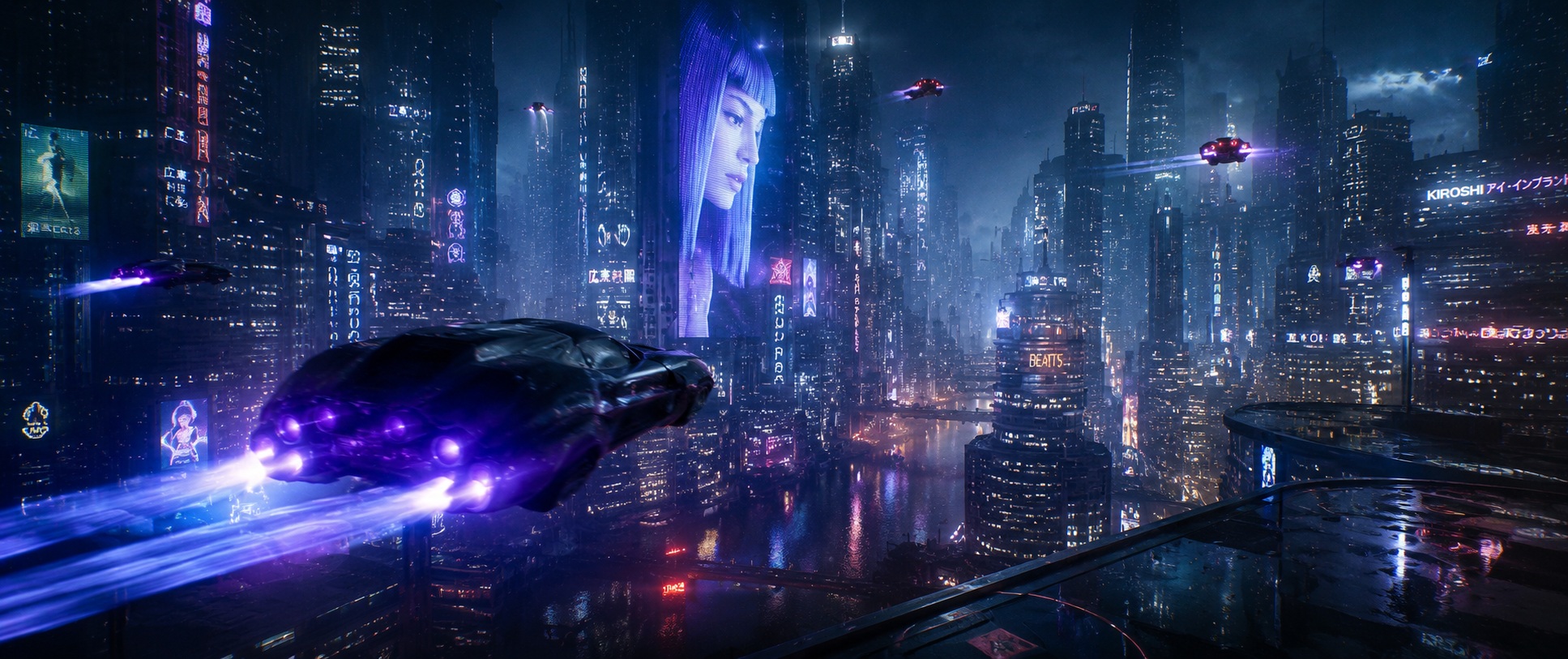
Writing prompts specifically for Kling AI 3.0
Kling AI 3.0 responds particularly well to specific camera movement language and lighting descriptions. It has strong cinematic mode capability that produces film-grade lighting quality when properly prompted. These 100 prompts have been written specifically for Kling's interpretation patterns and generation modes.
How to use these prompts
Copy the prompt directly into Kling AI's text input. The mode references at the end of each prompt (cinematic mode, high quality mode) indicate which Kling setting to select. Generate multiple versions and select the best — Kling produces varied results from the same prompt.
- Slow dolly push-in makes the approach the drama — each centimetre closer increases the emotional pressure
- Golden hour rakes light across every surface at the lowest possible angle — edges separate, textures glow, everything looks significant
- Anamorphic format produces the oval bokeh and horizontal lens flares that are the exclusive visual signature of cinema projection
- An urban supernatural horror establishing a watcher that doesn't react to weather
- A ghost story's most unsettling public-space sighting — wrong physics in plain view
- A psychological thriller where the character cannot prove what they are seeing
- Rising crane withholds the full picture then gives it — the ascent itself is the storytelling
- Golden hour rakes light across every surface at the lowest possible angle — edges separate, textures glow, everything looks significant
- Anamorphic format produces the oval bokeh and horizontal lens flares that are the exclusive visual signature of cinema projection
- A cinematic character or location sequence requiring maximum atmospheric impact
- A narrative film's most technically accomplished and emotionally resonant establishing shot
- A short film or feature's defining visual moment — the image the film is remembered by
- Tracking shot creates active accompaniment — the camera lives in the scene rather than observing from outside it
- Neon on wet surfaces creates the reflection layer — two cities in one frame, the real and its coloured double below
- Shallow depth of field makes focus an editorial choice — the sharp element is declared the only thing that matters in the frame
- A noir, thriller or atmospheric drama's most defining urban night sequence
- A film establishing a city as a character — alive, wet, coloured and indifferent
- An opening sequence that communicates the world of the story in one perfect shot
- Wide establishing frame places the subject inside a world larger than themselves — scale as context, not decoration
- Backlight creates the separation that makes the subject feel luminous — the rim of light is the visual proof of importance
- Steam or smoke fills the available light with visible particles — the atmosphere becomes a tactile, physical subject
- An epic historical or fantasy war film's most iconic single-figure battlefield image
- A character introduction for a protagonist defined by what they have survived
- A film's most emotionally complex shot — victory, loss and cost in a single silhouette
- Tracking shot creates active accompaniment — the camera lives in the scene rather than observing from outside it
- Moonlight creates a cold blue world with hard shadows — recognisable but drained of warmth and safety
- An empty space designed for gathering communicates absence more powerfully than any presence — the potential energy without its release
- A crime thriller or prestige drama establishing the protagonist's world before it's disrupted
- A film's most visually seductive establishing shot — the life that everything else will threaten
- A character introduction establishing wealth, isolation and the city as their domain
- Slow dolly push-in makes the approach the drama — each centimetre closer increases the emotional pressure
- Rain on glass between subject and observer creates the barrier of longing — warmth inside, cold outside, separation between them
- Anamorphic format produces the oval bokeh and horizontal lens flares that are the exclusive visual signature of cinema projection
- A romantic drama's most intimate and atmospherically complete two-person scene
- A film about a relationship at a turning point — the coffee cup between them carries the subtext
- A slow cinema character study where the window rain does the emotional work
- Wide establishing frame places the subject inside a world larger than themselves — scale as context, not decoration
- Dusk light encodes ending — the colour temperature of last light makes loss legible without a word
- Anamorphic format produces the oval bokeh and horizontal lens flares that are the exclusive visual signature of cinema projection
- A cinematic character or location sequence requiring maximum atmospheric impact
- A narrative film's most technically accomplished and emotionally resonant establishing shot
- Any horror or thriller where 'establishing' is the specific setting or subject that makes this scene uniquely unsettling
- Descending crane creates the god's-eye arrival — authority and scale established before intimacy
- The light quality and direction encode the emotional register of this scene before a single narrative element is read
- Practical-only lighting makes the scene self-explanatory — the source of every light is visible within the frame itself
- A cinematic character or location sequence requiring maximum atmospheric impact
- A narrative film's most technically accomplished and emotionally resonant establishing shot
- Any horror or thriller where 'overhead' is the specific setting or subject that makes this scene uniquely unsettling
- Handheld camera creates biological urgency — the slight instability signals real stakes and real presence
- The light quality and direction encode the emotional register of this scene before a single narrative element is read
- Hands carry biography — in close-up they reveal work, age, care and skill with a specificity that faces sometimes conceal
- A crime thriller or detective drama's most procedurally authentic character sequence
- A film establishing professional intelligence through the way a character moves through a space
- A noir or thriller's character introduction — what the detective sees is what the film sees
- Wide establishing frame places the subject inside a world larger than themselves — scale as context, not decoration
- Rain doubles visual complexity — every surface reflects, every light source multiplies, the world becomes richer
- Film grain adds the tactile quality that separates analogue feeling from digital smoothness — the image gains physical texture
- A maritime thriller or drama's most atmospheric and isolated establishing sequence
- A film using the lighthouse as a metaphor for the character's role — lone warning signal
- A ghost story or thriller set at the coast's most dramatically composed night exterior
- Slow dolly push-in makes the approach the drama — each centimetre closer increases the emotional pressure
- Rain on glass between subject and observer creates the barrier of longing — warmth inside, cold outside, separation between them
- Shallow depth of field makes focus an editorial choice — the sharp element is declared the only thing that matters in the frame
- A character study film's most intimate and emotionally precise single sequence
- A drama where the face and body communicate what dialogue cannot reach
- A documentary or fiction film's most revealing portrait of this specific person
- Medium framing balances environment and subject — we see the person AND where they are with equal weight
- The light quality and direction encode the emotional register of this scene before a single narrative element is read
- Practical-only lighting makes the scene self-explanatory — the source of every light is visible within the frame itself
- A culinary documentary or drama's most kinetically intense and professionally authentic sequence
- A film about the controlled chaos of professional cooking at its highest level
- A character study establishing mastery through the way someone moves in their domain
- Close-up creates the frame where microexpression becomes macro-meaning — the face as the entire landscape
- Stage lighting creates theatrical drama with the deliberate artifice of performance — the subject is always centre stage
- Shallow depth of field makes focus an editorial choice — the sharp element is declared the only thing that matters in the frame
- A music documentary or drama's most emotionally transparent performance sequence
- A film establishing the specific relationship between a musician and their instrument
- A concert film's most intimate portrait — the music visible in every microexpression
- Tracking shot creates active accompaniment — the camera lives in the scene rather than observing from outside it
- The light quality and direction encode the emotional register of this scene before a single narrative element is read
- An empty space designed for gathering communicates absence more powerfully than any presence — the potential energy without its release
- A character study film's most intimate and emotionally precise single sequence
- A drama where the face and body communicate what dialogue cannot reach
- Any horror or thriller where 'tracking' is the specific setting or subject that makes this scene uniquely unsettling
- Camera position and movement create the specific emotional geometry — the angle is the argument
- Surgical lighting is the most controlled and deliberate real-world practical source — precision illumination for precision work
- The lighting setup creates the specific ratio of reveal to shadow that communicates the subject's character before they speak or move
- A medical drama's most precisely observed and tension-filled professional sequence
- A film establishing surgical mastery through calm under conditions of absolute stakes
- A character study where skill is the character — hands telling the story that faces conceal
- Wide establishing frame places the subject inside a world larger than themselves — scale as context, not decoration
- Overcast sky acts as an infinite-area softbox — perfectly even, directionless, deeply flattering and endlessly consistent
- The lighting setup creates the specific ratio of reveal to shadow that communicates the subject's character before they speak or move
- A character study film's most quietly devastating single shot about time and solitude
- A drama about ageing at its most compassionate, unsparing and cinematically honest
- A film that trusts a single figure in a specific season to carry the entire emotional weight
- Close-up creates the frame where microexpression becomes macro-meaning — the face as the entire landscape
- The light quality and direction encode the emotional register of this scene before a single narrative element is read
- The reflection creates a second version of the world inside the same frame — real and mirror in simultaneous dialogue
- A family film's most joyful and emotionally precise single character moment
- A film about a child's first experience of something enormous and incomprehensible
- A coming-of-age story's most perfect single image — wonder before self-consciousness
- Tracking shot creates active accompaniment — the camera lives in the scene rather than observing from outside it
- The light quality and direction encode the emotional register of this scene before a single narrative element is read
- The lighting setup creates the specific ratio of reveal to shadow that communicates the subject's character before they speak or move
- A war or homecoming drama's most emotionally complex single sequence
- A film about the gap between the soldier's experience and civilian life — visible in a corridor
- A character study establishing who someone has become by how they move through the world
- Medium framing balances environment and subject — we see the person AND where they are with equal weight
- Screen glow as sole light source is the aesthetic of digital obsession — the person consumed and illuminated by data
- The lighting setup creates the specific ratio of reveal to shadow that communicates the subject's character before they speak or move
- A character study film's most intimate and emotionally precise single sequence
- A drama where the face and body communicate what dialogue cannot reach
- Any horror or thriller where 'medium' is the specific setting or subject that makes this scene uniquely unsettling
- Close-up creates the frame where microexpression becomes macro-meaning — the face as the entire landscape
- Rain doubles visual complexity — every surface reflects, every light source multiplies, the world becomes richer
- The lighting setup creates the specific ratio of reveal to shadow that communicates the subject's character before they speak or move
- A character study film's most intimate and emotionally precise single sequence
- A drama where the face and body communicate what dialogue cannot reach
- A rural horror film's most claustrophobic and architecturally specific chase or dread sequence
- Tracking shot creates active accompaniment — the camera lives in the scene rather than observing from outside it
- The light quality and direction encode the emotional register of this scene before a single narrative element is read
- The specific combination of technique, light and subject in this prompt creates conditions that communicate without requiring any additional context
- An action film's most kinetically charged and viscerally exciting specific sequence
- A sports or thriller film's most physically committed and athletically defining single moment
- A film establishing a character's physical capability through the specific action being performed
- Handheld camera creates biological urgency — the slight instability signals real stakes and real presence
- The light quality and direction encode the emotional register of this scene before a single narrative element is read
- The camera's physical instability during handheld action communicates genuine effort — the operator's body becomes part of the story
- An action film's most kinetically charged and viscerally exciting specific sequence
- A sports or thriller film's most physically committed and athletically defining single moment
- Any horror or thriller where 'handheld' is the specific setting or subject that makes this scene uniquely unsettling
- Overhead angle reveals geometry invisible from any other position — the subject becomes pattern and system
- The light quality and direction encode the emotional register of this scene before a single narrative element is read
- The specific combination of technique, light and subject in this prompt creates conditions that communicate without requiring any additional context
- An action film's most kinetically charged and viscerally exciting specific sequence
- A sports or thriller film's most physically committed and athletically defining single moment
- Any horror or thriller where 'overhead' is the specific setting or subject that makes this scene uniquely unsettling
- Slow motion extends the decisive moment beyond human perception — physics and biology made legible for the first time
- Dusk light encodes ending — the colour temperature of last light makes loss legible without a word
- High frame rate reveals the specific physics of this moment — invisible at real speed, unforgettable when time is extended
- An action film's most kinetically charged and viscerally exciting specific sequence
- A sports or thriller film's most physically committed and athletically defining single moment
- Any horror or thriller where 'motion' is the specific setting or subject that makes this scene uniquely unsettling
- Handheld camera creates biological urgency — the slight instability signals real stakes and real presence
- The light quality and direction encode the emotional register of this scene before a single narrative element is read
- The camera's physical instability during handheld action communicates genuine effort — the operator's body becomes part of the story
- An action film's most kinetically charged and viscerally exciting specific sequence
- A sports or thriller film's most physically committed and athletically defining single moment
- Any horror or thriller where 'tracking' is the specific setting or subject that makes this scene uniquely unsettling
- Wide establishing frame places the subject inside a world larger than themselves — scale as context, not decoration
- The light quality and direction encode the emotional register of this scene before a single narrative element is read
- The specific combination of technique, light and subject in this prompt creates conditions that communicate without requiring any additional context
- An action film's most kinetically charged and viscerally exciting specific sequence
- A sports or thriller film's most physically committed and athletically defining single moment
- Any horror or thriller where 'helicopter' is the specific setting or subject that makes this scene uniquely unsettling
- Tracking shot creates active accompaniment — the camera lives in the scene rather than observing from outside it
- Underwater light creates caustic patterns that move across every surface — the medium itself becomes an active visual element
- Underwater caustic light patterns move across every surface — the medium itself becomes an active and unrepeatable visual element
- An action film's most kinetically charged and viscerally exciting specific sequence
- A sports or thriller film's most physically committed and athletically defining single moment
- Any horror or thriller where 'underwater' is the specific setting or subject that makes this scene uniquely unsettling
- Slow motion extends the decisive moment beyond human perception — physics and biology made legible for the first time
- The light quality and direction encode the emotional register of this scene before a single narrative element is read
- High frame rate reveals the specific physics of this moment — invisible at real speed, unforgettable when time is extended
- An action film's most kinetically charged and viscerally exciting specific sequence
- A sports or thriller film's most physically committed and athletically defining single moment
- Any horror or thriller where 'ground' is the specific setting or subject that makes this scene uniquely unsettling
- Tracking shot creates active accompaniment — the camera lives in the scene rather than observing from outside it
- Golden hour rakes light across every surface at the lowest possible angle — edges separate, textures glow, everything looks significant
- The specific combination of technique, light and subject in this prompt creates conditions that communicate without requiring any additional context
- An action film's most kinetically charged and viscerally exciting specific sequence
- A sports or thriller film's most physically committed and athletically defining single moment
- Any horror or thriller where 'tracking' is the specific setting or subject that makes this scene uniquely unsettling
- Slow motion extends the decisive moment beyond human perception — physics and biology made legible for the first time
- The light quality and direction encode the emotional register of this scene before a single narrative element is read
- High frame rate reveals the specific physics of this moment — invisible at real speed, unforgettable when time is extended
- An action film's signature destruction sequence — the money shot made beautiful by time dilation
- A thriller's most visually spectacular single moment — the climax that changes everything
- A military or action film's definitive explosion sequence — physics revealed at speed
- Aerial perspective reveals the full system — scale, geography and pattern that are invisible from the ground
- Dawn light codes beginning into the frame — warmth arriving from darkness carries the emotional weight of hope
- The aerial perspective communicates scale in a way that no ground-level shot can — the subject's true size becomes undeniable
- A nature documentary establishing the forest's layered ecology from floor to canopy
- A travel film's most original forest sequence — the view no human naturally sees
- A sci-fi or fantasy film using the canopy ascent as a metaphor for crossing worlds
- Time-lapse makes the invisible visible — the process too slow for the eye becomes a complete visual event
- The light quality and direction encode the emotional register of this scene before a single narrative element is read
- Time-lapse creates the complete arc — beginning, middle, and transformation — within a single unbroken shot
- A nature documentary establishing this specific species or environment in its most revealing moment
- A conservation film's most visually compelling visual argument for protecting this world
- A film using this natural moment as both subject and emotional context for the human story
- Tracking shot creates active accompaniment — the camera lives in the scene rather than observing from outside it
- Underwater light creates caustic patterns that move across every surface — the medium itself becomes an active visual element
- Underwater caustic light patterns move across every surface — the medium itself becomes an active and unrepeatable visual element
- A coral reef documentary's most immersive and species-rich single sequence
- A conservation film establishing the reef as the ocean's most biodiverse environment
- A film about the specific sensory richness of a healthy reef — and why its loss is devastating
- Tracking shot creates active accompaniment — the camera lives in the scene rather than observing from outside it
- Golden hour rakes light across every surface at the lowest possible angle — edges separate, textures glow, everything looks significant
- The specific combination of technique, light and subject in this prompt creates conditions that communicate without requiring any additional context
- A nature documentary's most iconic wildlife sequence — the pride at the apex of their world
- An environmental education film establishing lion social structure through pure observation
- A conservation film's most beautiful argument for what would be lost without protection
- Wide establishing frame places the subject inside a world larger than themselves — scale as context, not decoration
- Aurora creates shifting coloured light on a scale no production can match — the solar wind as the DP
- The reflection creates a second version of the world inside the same frame — real and mirror in simultaneous dialogue
- A Scandinavian winter documentary's most spectacular natural light sequence
- A science film about the specific physics of auroras made visually magnificent
- A travel documentary establishing Iceland, Norway or Finland as a winter light destination
- Slow motion extends the decisive moment beyond human perception — physics and biology made legible for the first time
- Rain doubles visual complexity — every surface reflects, every light source multiplies, the world becomes richer
- High frame rate reveals the specific physics of this moment — invisible at real speed, unforgettable when time is extended
- A nature documentary establishing this specific species or environment in its most revealing moment
- A conservation film's most visually compelling visual argument for protecting this world
- Any horror or thriller where 'motion' is the specific setting or subject that makes this scene uniquely unsettling
- Aerial perspective reveals the full system — scale, geography and pattern that are invisible from the ground
- The light quality and direction encode the emotional register of this scene before a single narrative element is read
- The specific combination of technique, light and subject in this prompt creates conditions that communicate without requiring any additional context
- A nature documentary establishing this specific species or environment in its most revealing moment
- A conservation film's most visually compelling visual argument for protecting this world
- Any horror or thriller where 'aerial' is the specific setting or subject that makes this scene uniquely unsettling
- Wide establishing frame places the subject inside a world larger than themselves — scale as context, not decoration
- Embers floating upward create organic light particles — the practical fire builds its own atmosphere
- The specific combination of technique, light and subject in this prompt creates conditions that communicate without requiring any additional context
- A nature documentary establishing this specific species or environment in its most revealing moment
- A conservation film's most visually compelling visual argument for protecting this world
- Any horror or thriller where 'wildfire' is the specific setting or subject that makes this scene uniquely unsettling
- Tracking shot creates active accompaniment — the camera lives in the scene rather than observing from outside it
- Dusk light encodes ending — the colour temperature of last light makes loss legible without a word
- The specific combination of technique, light and subject in this prompt creates conditions that communicate without requiring any additional context
- A nature documentary's most visually spectacular collective behaviour sequence
- A film about emergent intelligence — how millions of individuals create something no single one could
- A visual essay on the mathematics of biological systems — the flock as a living equation
- Locked-off static frame makes every tiny change catastrophic — stillness is the technique, movement is the event
- The light quality and direction encode the emotional register of this scene before a single narrative element is read
- Time-lapse creates the complete arc — beginning, middle, and transformation — within a single unbroken shot
- A nature documentary establishing this specific species or environment in its most revealing moment
- A conservation film's most visually compelling visual argument for protecting this world
- Any horror or thriller where 'single' is the specific setting or subject that makes this scene uniquely unsettling
- Time-lapse makes the invisible visible — the process too slow for the eye becomes a complete visual event
- The light quality and direction encode the emotional register of this scene before a single narrative element is read
- Time-lapse creates the complete arc — beginning, middle, and transformation — within a single unbroken shot
- An urban documentary's most temporally complete city-rhythm sequence
- A film establishing a city's 24-hour character in a single compressed shot
- A city portrait that shows the metropolis as a living system with its own breathing
- Tracking shot creates active accompaniment — the camera lives in the scene rather than observing from outside it
- The light quality and direction encode the emotional register of this scene before a single narrative element is read
- Practical-only lighting makes the scene self-explanatory — the source of every light is visible within the frame itself
- A Southeast Asian travel documentary's most immersive and sensory-rich night sequence
- A food documentary establishing a night market as the most alive expression of a city's food culture
- A film about a culture experienced through its street food and the vendors who create it
- Slow dolly push-in makes the approach the drama — each centimetre closer increases the emotional pressure
- Rain on glass between subject and observer creates the barrier of longing — warmth inside, cold outside, separation between them
- The reflection creates a second version of the world inside the same frame — real and mirror in simultaneous dialogue
- A city-set story's most atmospheric and character-revealing urban establishing sequence
- A thriller, drama or romance where this specific urban moment mirrors the protagonist's inner state
- A film establishing the specific character and atmosphere of this city environment
- Aerial perspective reveals the full system — scale, geography and pattern that are invisible from the ground
- The light quality and direction encode the emotional register of this scene before a single narrative element is read
- The aerial perspective communicates scale in a way that no ground-level shot can — the subject's true size becomes undeniable
- A city-set story's most atmospheric and character-revealing urban establishing sequence
- A thriller, drama or romance where this specific urban moment mirrors the protagonist's inner state
- Any horror or thriller where 'aerial' is the specific setting or subject that makes this scene uniquely unsettling
- Aerial perspective reveals the full system — scale, geography and pattern that are invisible from the ground
- The light quality and direction encode the emotional register of this scene before a single narrative element is read
- The aerial perspective communicates scale in a way that no ground-level shot can — the subject's true size becomes undeniable
- A city-set story's most atmospheric and character-revealing urban establishing sequence
- A thriller, drama or romance where this specific urban moment mirrors the protagonist's inner state
- Any horror or thriller where 'protest' is the specific setting or subject that makes this scene uniquely unsettling
- Tracking shot creates active accompaniment — the camera lives in the scene rather than observing from outside it
- The light quality and direction encode the emotional register of this scene before a single narrative element is read
- Every production element — camera, light, lens and moment — serves the single emotional truth of this specific shot
- A city-set story's most atmospheric and character-revealing urban establishing sequence
- A thriller, drama or romance where this specific urban moment mirrors the protagonist's inner state
- Any horror or thriller where 'tracking' is the specific setting or subject that makes this scene uniquely unsettling
- Pull-back reveal exposes context the viewer didn't know existed — the subject suddenly belongs to a larger world
- The light quality and direction encode the emotional register of this scene before a single narrative element is read
- Every production element — camera, light, lens and moment — serves the single emotional truth of this specific shot
- A city-set story's most atmospheric and character-revealing urban establishing sequence
- A thriller, drama or romance where this specific urban moment mirrors the protagonist's inner state
- Any horror or thriller where 'single' is the specific setting or subject that makes this scene uniquely unsettling
- Tracking shot creates active accompaniment — the camera lives in the scene rather than observing from outside it
- Rain doubles visual complexity — every surface reflects, every light source multiplies, the world becomes richer
- Every production element — camera, light, lens and moment — serves the single emotional truth of this specific shot
- A city-set story's most atmospheric and character-revealing urban establishing sequence
- A thriller, drama or romance where this specific urban moment mirrors the protagonist's inner state
- Any horror or thriller where 'tracking' is the specific setting or subject that makes this scene uniquely unsettling
- Wide establishing frame places the subject inside a world larger than themselves — scale as context, not decoration
- Rain doubles visual complexity — every surface reflects, every light source multiplies, the world becomes richer
- The reflection creates a second version of the world inside the same frame — real and mirror in simultaneous dialogue
- A city-set story's most atmospheric and character-revealing urban establishing sequence
- A thriller, drama or romance where this specific urban moment mirrors the protagonist's inner state
- Any horror or thriller where 'skyline' is the specific setting or subject that makes this scene uniquely unsettling
- Pull-back reveal exposes context the viewer didn't know existed — the subject suddenly belongs to a larger world
- The light quality and direction encode the emotional register of this scene before a single narrative element is read
- Every production element — camera, light, lens and moment — serves the single emotional truth of this specific shot
- A city-set story's most atmospheric and character-revealing urban establishing sequence
- A thriller, drama or romance where this specific urban moment mirrors the protagonist's inner state
- Any horror or thriller where 'pulling' is the specific setting or subject that makes this scene uniquely unsettling
- Close-up creates the frame where microexpression becomes macro-meaning — the face as the entire landscape
- The light quality and direction encode the emotional register of this scene before a single narrative element is read
- Shallow depth of field makes focus an editorial choice — the sharp element is declared the only thing that matters in the frame
- A sleep paralysis horror film's most viscerally violating and primal sequence
- A supernatural horror establishing that the entity visits during the most vulnerable hours
- A home horror establishing that no room in the house is safe
- Wide establishing frame places the subject inside a world larger than themselves — scale as context, not decoration
- The light quality and direction encode the emotional register of this scene before a single narrative element is read
- The camera moving through a crowd creates the specific anonymity of urban life — the individual subsumed within the collective
- A drama's most quietly powerful and emotionally honest single sequence
- A film that trusts the human face and body to carry the entire emotional weight of the moment
- A character study establishing everything we need to know about a person in one still moment
- Slow dolly push-in makes the approach the drama — each centimetre closer increases the emotional pressure
- Screen glow as sole light source is the aesthetic of digital obsession — the person consumed and illuminated by data
- Every production element — camera, light, lens and moment — serves the single emotional truth of this specific shot
- A war or homecoming drama's most emotionally complex single sequence
- A film about the gap between the soldier's experience and civilian life — visible in a corridor
- A character study establishing who someone has become by how they move through the world
- Close-up creates the frame where microexpression becomes macro-meaning — the face as the entire landscape
- The light quality and direction encode the emotional register of this scene before a single narrative element is read
- Every production element — camera, light, lens and moment — serves the single emotional truth of this specific shot
- A drama's most quietly powerful and emotionally honest single sequence
- A film that trusts the human face and body to carry the entire emotional weight of the moment
- Any horror or thriller where 'parent' is the specific setting or subject that makes this scene uniquely unsettling
- Wide establishing frame places the subject inside a world larger than themselves — scale as context, not decoration
- The light quality and direction encode the emotional register of this scene before a single narrative element is read
- An empty space designed for gathering communicates absence more powerfully than any presence — the potential energy without its release
- A drama's most quietly powerful and emotionally honest single sequence
- A film that trusts the human face and body to carry the entire emotional weight of the moment
- Any horror or thriller where 'family' is the specific setting or subject that makes this scene uniquely unsettling
- Tracking shot creates active accompaniment — the camera lives in the scene rather than observing from outside it
- The light quality and direction encode the emotional register of this scene before a single narrative element is read
- Every production element — camera, light, lens and moment — serves the single emotional truth of this specific shot
- A character study film's most quietly devastating single shot about time and solitude
- A drama about ageing at its most compassionate, unsparing and cinematically honest
- A film that trusts a single figure in a specific season to carry the entire emotional weight
- Close-up creates the frame where microexpression becomes macro-meaning — the face as the entire landscape
- Stage lighting creates theatrical drama with the deliberate artifice of performance — the subject is always centre stage
- Every production element — camera, light, lens and moment — serves the single emotional truth of this specific shot
- A drama's most quietly powerful and emotionally honest single sequence
- A film that trusts the human face and body to carry the entire emotional weight of the moment
- Any horror or thriller where 'reaching' is the specific setting or subject that makes this scene uniquely unsettling
- Time-lapse makes the invisible visible — the process too slow for the eye becomes a complete visual event
- The light quality and direction encode the emotional register of this scene before a single narrative element is read
- Time-lapse creates the complete arc — beginning, middle, and transformation — within a single unbroken shot
- A drama's most quietly powerful and emotionally honest single sequence
- A film that trusts the human face and body to carry the entire emotional weight of the moment
- Any horror or thriller where 'waiting' is the specific setting or subject that makes this scene uniquely unsettling
- Medium framing balances environment and subject — we see the person AND where they are with equal weight
- North window gives the softest directional natural light — the shadow falloff reveals three-dimensional form with no equipment
- Every production element — camera, light, lens and moment — serves the single emotional truth of this specific shot
- A drama's most quietly powerful and emotionally honest single sequence
- A film that trusts the human face and body to carry the entire emotional weight of the moment
- A horror or thriller scene set in the most domestic and familiar of all rooms — the kitchen at night
- Close-up creates the frame where microexpression becomes macro-meaning — the face as the entire landscape
- The light quality and direction encode the emotional register of this scene before a single narrative element is read
- Hands carry biography — in close-up they reveal work, age, care and skill with a specificity that faces sometimes conceal
- A family horror's most disturbing revelation — what the child has been seeing and drawing
- A supernatural horror where a child perceives what adults cannot
- A mystery horror where children's artwork becomes the evidence that solves the haunting
- Wide establishing frame places the subject inside a world larger than themselves — scale as context, not decoration
- Neon on wet surfaces creates the reflection layer — two cities in one frame, the real and its coloured double below
- The specific combination of technique, light and subject in this prompt creates conditions that communicate without requiring any additional context
- An urban documentary's most technically spectacular night aerial sequence
- A city film's signature night shot showing the metropolis as a living organism of light
- A feature film's establishing sequence for a city at its most electric
- Tracking shot creates active accompaniment — the camera lives in the scene rather than observing from outside it
- The light quality and direction encode the emotional register of this scene before a single narrative element is read
- The specific combination of technique, light and subject in this prompt creates conditions that communicate without requiring any additional context
- A haunted location's signature corridor sequence — the architecture creating dread without showing anything
- A slow-burn psychological horror where the environment is the antagonist
- A ghost story or home invasion thriller's most effective single-location sequence
- Wide establishing frame places the subject inside a world larger than themselves — scale as context, not decoration
- Dusk light encodes ending — the colour temperature of last light makes loss legible without a word
- The specific combination of technique, light and subject in this prompt creates conditions that communicate without requiring any additional context
- A science fiction world-building sequence establishing the rules of this specific world
- A speculative film establishing its specific future or alien environment through this single shot
- A narrative sequence where the visual world communicates this story's entire speculative premise
- Close-up creates the frame where microexpression becomes macro-meaning — the face as the entire landscape
- The light quality and direction encode the emotional register of this scene before a single narrative element is read
- The specific combination of technique, light and subject in this prompt creates conditions that communicate without requiring any additional context
- A science fiction world-building sequence establishing the rules of this specific world
- A speculative film establishing its specific future or alien environment through this single shot
- Any horror or thriller where 'activating' is the specific setting or subject that makes this scene uniquely unsettling
- Tracking shot creates active accompaniment — the camera lives in the scene rather than observing from outside it
- The light quality and direction encode the emotional register of this scene before a single narrative element is read
- The specific combination of technique, light and subject in this prompt creates conditions that communicate without requiring any additional context
- A science fiction world-building sequence establishing the rules of this specific world
- A speculative film establishing its specific future or alien environment through this single shot
- Any horror or thriller where 'tracking' is the specific setting or subject that makes this scene uniquely unsettling
- Wide establishing frame places the subject inside a world larger than themselves — scale as context, not decoration
- The light quality and direction encode the emotional register of this scene before a single narrative element is read
- The specific combination of technique, light and subject in this prompt creates conditions that communicate without requiring any additional context
- A generation ship epic's most scale-communicating single establishing shot
- A film about those born on the ship who have never known a planet or gravity
- A hard sci-fi exploration of what civilisation becomes when it travels between stars
- Camera position and movement create the specific emotional geometry — the angle is the argument
- Backlight creates the separation that makes the subject feel luminous — the rim of light is the visual proof of importance
- Dust particles caught in a light beam make the atmosphere itself visible and three-dimensional — the air becomes a subject
- A science fiction world-building sequence establishing the rules of this specific world
- A speculative film establishing its specific future or alien environment through this single shot
- Any horror or thriller where 'looking' is the specific setting or subject that makes this scene uniquely unsettling
- Underwater perspective creates weightlessness and alien light — physics and atmosphere completely unlike the surface
- Bioluminescent light comes from living organisms — no parallel exists in any studio, it is the light of life itself
- The specific combination of technique, light and subject in this prompt creates conditions that communicate without requiring any additional context
- A science fiction world-building sequence establishing the rules of this specific world
- A speculative film establishing its specific future or alien environment through this single shot
- Any horror or thriller where 'interior' is the specific setting or subject that makes this scene uniquely unsettling
- Wide establishing frame places the subject inside a world larger than themselves — scale as context, not decoration
- The light quality and direction encode the emotional register of this scene before a single narrative element is read
- The specific combination of technique, light and subject in this prompt creates conditions that communicate without requiring any additional context
- A first contact epic's most defining and irreversible establishing sequence
- A film establishing that the universe contains civilisations so vast our categories fail
- A sci-fi film's most momentous single plot point — first contact seen from Earth's perspective
- Tracking shot creates active accompaniment — the camera lives in the scene rather than observing from outside it
- Neon practicals create their own colour narrative — the source authenticates the environment without any crew lighting
- The specific combination of technique, light and subject in this prompt creates conditions that communicate without requiring any additional context
- A cyberpunk film's most atmospheric and defining street-level sequence
- A Blade Runner or Ghost in the Shell-style world introduction at ground level
- A sci-fi establishing that the future belongs to those living at street level not in towers
- Slow dolly push-in makes the approach the drama — each centimetre closer increases the emotional pressure
- Fog between dead trees creates visual depth as visual dread — each tree emerges from the grey at a different distance
- The combination of camera position and atmospheric elements creates the maximum dread-to-technique ratio — maximum effect from minimal means
- A supernatural horror's forest location establishing shot — dead world, living threat
- A folk horror where the forest is the primary antagonist
- A slow-burn horror film's most dread-filled atmospheric sequence
- Locked-off static frame makes every tiny change catastrophic — stillness is the technique, movement is the event
- The light quality and direction encode the emotional register of this scene before a single narrative element is read
- The combination of camera position and atmospheric elements creates the maximum dread-to-technique ratio — maximum effect from minimal means
- A haunted house film's opening establishing shot — every element confirms something is wrong
- A rural horror where isolation is the first threat and the building is the second
- A ghost story's most classically composed exterior reveal
- The dolly creates smooth parallax — foreground and background shift in relation, creating real three-dimensional depth
- The light quality and direction encode the emotional register of this scene before a single narrative element is read
- The combination of camera position and atmospheric elements creates the maximum dread-to-technique ratio — maximum effect from minimal means
- A horror film's most psychologically effective and atmospherically complete sequence
- A thriller establishing the specific dread that will define the film's entire tone
- A horror film's most carefully composed and deliberately paced moment of maximum impact
- Close-up creates the frame where microexpression becomes macro-meaning — the face as the entire landscape
- The light quality and direction encode the emotional register of this scene before a single narrative element is read
- An empty space designed for gathering communicates absence more powerfully than any presence — the potential energy without its release
- A horror film's most psychologically effective and atmospherically complete sequence
- A thriller establishing the specific dread that will define the film's entire tone
- Any horror or thriller where 'screen' is the specific setting or subject that makes this scene uniquely unsettling
- Locked-off static frame makes every tiny change catastrophic — stillness is the technique, movement is the event
- The light quality and direction encode the emotional register of this scene before a single narrative element is read
- The combination of camera position and atmospheric elements creates the maximum dread-to-technique ratio — maximum effect from minimal means
- A horror film's most psychologically effective and atmospherically complete sequence
- A thriller establishing the specific dread that will define the film's entire tone
- A supernatural horror establishing the shadow as the tell — the moment the physical world breaks its own rules
- Tracking shot creates active accompaniment — the camera lives in the scene rather than observing from outside it
- The light quality and direction encode the emotional register of this scene before a single narrative element is read
- The combination of camera position and atmospheric elements creates the maximum dread-to-technique ratio — maximum effect from minimal means
- A horror film's most psychologically effective and atmospherically complete sequence
- A thriller establishing the specific dread that will define the film's entire tone
- A supernatural horror where time itself becomes the medium through which the haunting is communicated
- Wide establishing frame places the subject inside a world larger than themselves — scale as context, not decoration
- Silhouette strips the subject to pure form — identity removed, the figure becomes an archetype, not an individual
- Silhouette reduces identity to pure form — the specific individual becomes a universal archetype, readable without features
- A horror film's most psychologically effective and atmospherically complete sequence
- A thriller establishing the specific dread that will define the film's entire tone
- Any horror or thriller where 'wilderness' is the specific setting or subject that makes this scene uniquely unsettling
- Close-up creates the frame where microexpression becomes macro-meaning — the face as the entire landscape
- The light quality and direction encode the emotional register of this scene before a single narrative element is read
- The reflection creates a second version of the world inside the same frame — real and mirror in simultaneous dialogue
- A psychological horror's signature impossibility — the reflection that doesn't match
- A possession or supernatural thriller's moment of confirmed haunting with zero budget
- A folk horror or ghost story's most economically terrifying single shot
- Aerial perspective reveals the full system — scale, geography and pattern that are invisible from the ground
- The light quality and direction encode the emotional register of this scene before a single narrative element is read
- The combination of camera position and atmospheric elements creates the maximum dread-to-technique ratio — maximum effect from minimal means
- A horror film's most psychologically effective and atmospherically complete sequence
- A thriller establishing the specific dread that will define the film's entire tone
- Any horror or thriller where 'aerial' is the specific setting or subject that makes this scene uniquely unsettling
- Locked-off static frame makes every tiny change catastrophic — stillness is the technique, movement is the event
- The light quality and direction encode the emotional register of this scene before a single narrative element is read
- The combination of camera position and atmospheric elements creates the maximum dread-to-technique ratio — maximum effect from minimal means
- A horror film's most psychologically effective and atmospherically complete sequence
- A thriller establishing the specific dread that will define the film's entire tone
- Any horror or thriller where 'static' is the specific setting or subject that makes this scene uniquely unsettling
- Wide establishing frame places the subject inside a world larger than themselves — scale as context, not decoration
- The light quality and direction encode the emotional register of this scene before a single narrative element is read
- The specific combination of technique, light and subject in this prompt creates conditions that communicate without requiring any additional context
- A period drama's most atmospherically complete and historically specific sequence
- A historical film establishing the specific world of its era through authentic detail
- A costume drama's most visually convincing immersion in the specific period being depicted
- Tracking shot creates active accompaniment — the camera lives in the scene rather than observing from outside it
- Fog between dead trees creates visual depth as visual dread — each tree emerges from the grey at a different distance
- The specific combination of technique, light and subject in this prompt creates conditions that communicate without requiring any additional context
- A period drama's most atmospherically complete and historically specific sequence
- A historical film establishing the specific world of its era through authentic detail
- Any horror or thriller where 'tracking' is the specific setting or subject that makes this scene uniquely unsettling
- Wide establishing frame places the subject inside a world larger than themselves — scale as context, not decoration
- The light quality and direction encode the emotional register of this scene before a single narrative element is read
- The specific combination of technique, light and subject in this prompt creates conditions that communicate without requiring any additional context
- A period drama's most atmospherically complete and historically specific sequence
- A historical film establishing the specific world of its era through authentic detail
- Any horror or thriller where 'medieval' is the specific setting or subject that makes this scene uniquely unsettling
- Camera position and movement create the specific emotional geometry — the angle is the argument
- Dawn light codes beginning into the frame — warmth arriving from darkness carries the emotional weight of hope
- The specific combination of technique, light and subject in this prompt creates conditions that communicate without requiring any additional context
- A period drama's most atmospherically complete and historically specific sequence
- A historical film establishing the specific world of its era through authentic detail
- Any horror or thriller where 'interior' is the specific setting or subject that makes this scene uniquely unsettling
- Wide establishing frame places the subject inside a world larger than themselves — scale as context, not decoration
- Steam or smoke fills the light beam with visible particles — the atmosphere breathes and the scene gains physical texture
- Steam or smoke fills the available light with visible particles — the atmosphere becomes a tactile, physical subject
- A period drama's most atmospherically complete and historically specific sequence
- A historical film establishing the specific world of its era through authentic detail
- Any horror or thriller where 'couples' is the specific setting or subject that makes this scene uniquely unsettling
- Tracking shot creates active accompaniment — the camera lives in the scene rather than observing from outside it
- The light quality and direction encode the emotional register of this scene before a single narrative element is read
- Dust particles caught in a light beam make the atmosphere itself visible and three-dimensional — the air becomes a subject
- A period drama's most atmospherically complete and historically specific sequence
- A historical film establishing the specific world of its era through authentic detail
- Any horror or thriller where 'tracking' is the specific setting or subject that makes this scene uniquely unsettling
- Wide establishing frame places the subject inside a world larger than themselves — scale as context, not decoration
- The light quality and direction encode the emotional register of this scene before a single narrative element is read
- The specific combination of technique, light and subject in this prompt creates conditions that communicate without requiring any additional context
- A period drama's most atmospherically complete and historically specific sequence
- A historical film establishing the specific world of its era through authentic detail
- Any horror or thriller where 'merchant' is the specific setting or subject that makes this scene uniquely unsettling
- Camera position and movement create the specific emotional geometry — the angle is the argument
- The light quality and direction encode the emotional register of this scene before a single narrative element is read
- The specific combination of technique, light and subject in this prompt creates conditions that communicate without requiring any additional context
- A period drama's most atmospherically complete and historically specific sequence
- A historical film establishing the specific world of its era through authentic detail
- Any horror or thriller where 'interior' is the specific setting or subject that makes this scene uniquely unsettling
- Wide establishing frame places the subject inside a world larger than themselves — scale as context, not decoration
- The light quality and direction encode the emotional register of this scene before a single narrative element is read
- The specific combination of technique, light and subject in this prompt creates conditions that communicate without requiring any additional context
- A period drama's most atmospherically complete and historically specific sequence
- A historical film establishing the specific world of its era through authentic detail
- Any horror or thriller where 'module' is the specific setting or subject that makes this scene uniquely unsettling
- Tracking shot creates active accompaniment — the camera lives in the scene rather than observing from outside it
- The light quality and direction encode the emotional register of this scene before a single narrative element is read
- The specific combination of technique, light and subject in this prompt creates conditions that communicate without requiring any additional context
- A period drama's most atmospherically complete and historically specific sequence
- A historical film establishing the specific world of its era through authentic detail
- Any horror or thriller where 'tracking' is the specific setting or subject that makes this scene uniquely unsettling
- Handheld camera creates biological urgency — the slight instability signals real stakes and real presence
- The light quality and direction encode the emotional register of this scene before a single narrative element is read
- The specific combination of technique, light and subject in this prompt creates conditions that communicate without requiring any additional context
- A cinematic sequence requiring precise atmospheric control and professional visual technique
- An establishing shot communicating the specific world or environment of this story
- A narrative sequence where the visual language carries as much meaning as the script
- Tracking shot creates active accompaniment — the camera lives in the scene rather than observing from outside it
- Dawn light codes beginning into the frame — warmth arriving from darkness carries the emotional weight of hope
- The specific combination of technique, light and subject in this prompt creates conditions that communicate without requiring any additional context
- A cinematic sequence requiring precise atmospheric control and professional visual technique
- An establishing shot communicating the specific world or environment of this story
- Any horror or thriller where 'tracking' is the specific setting or subject that makes this scene uniquely unsettling
- Camera position and movement create the specific emotional geometry — the angle is the argument
- The light quality and direction encode the emotional register of this scene before a single narrative element is read
- The specific combination of technique, light and subject in this prompt creates conditions that communicate without requiring any additional context
- A cinematic sequence requiring precise atmospheric control and professional visual technique
- An establishing shot communicating the specific world or environment of this story
- Any horror or thriller where 'observation' is the specific setting or subject that makes this scene uniquely unsettling
- Wide establishing frame places the subject inside a world larger than themselves — scale as context, not decoration
- The light quality and direction encode the emotional register of this scene before a single narrative element is read
- The specific combination of technique, light and subject in this prompt creates conditions that communicate without requiring any additional context
- A cinematic sequence requiring precise atmospheric control and professional visual technique
- An establishing shot communicating the specific world or environment of this story
- Any horror or thriller where 'children' is the specific setting or subject that makes this scene uniquely unsettling
- Tracking shot creates active accompaniment — the camera lives in the scene rather than observing from outside it
- Fluorescent institutional light is the visual language of systems and confinement — clinical, cold, and indifferent to the human beneath
- The specific combination of technique, light and subject in this prompt creates conditions that communicate without requiring any additional context
- A medical horror film's most frightening institutional corridor sequence
- A supernatural horror in a hospital establishing the entity's preferred environment
- A thriller establishing a character trapped in a medical facility after hours
- Camera position and movement create the specific emotional geometry — the angle is the argument
- The light quality and direction encode the emotional register of this scene before a single narrative element is read
- The specific combination of technique, light and subject in this prompt creates conditions that communicate without requiring any additional context
- A cinematic sequence requiring precise atmospheric control and professional visual technique
- An establishing shot communicating the specific world or environment of this story
- Any horror or thriller where 'observational' is the specific setting or subject that makes this scene uniquely unsettling
- Time-lapse makes the invisible visible — the process too slow for the eye becomes a complete visual event
- Dawn light codes beginning into the frame — warmth arriving from darkness carries the emotional weight of hope
- Time-lapse creates the complete arc — beginning, middle, and transformation — within a single unbroken shot
- A cinematic sequence requiring precise atmospheric control and professional visual technique
- An establishing shot communicating the specific world or environment of this story
- Any horror or thriller where 'market' is the specific setting or subject that makes this scene uniquely unsettling
- Wide establishing frame places the subject inside a world larger than themselves — scale as context, not decoration
- The light quality and direction encode the emotional register of this scene before a single narrative element is read
- An empty space designed for gathering communicates absence more powerfully than any presence — the potential energy without its release
- A cinematic sequence requiring precise atmospheric control and professional visual technique
- An establishing shot communicating the specific world or environment of this story
- Any horror or thriller where 'stadium' is the specific setting or subject that makes this scene uniquely unsettling
- Tracking shot creates active accompaniment — the camera lives in the scene rather than observing from outside it
- The light quality and direction encode the emotional register of this scene before a single narrative element is read
- The specific combination of technique, light and subject in this prompt creates conditions that communicate without requiring any additional context
- A cinematic sequence requiring precise atmospheric control and professional visual technique
- An establishing shot communicating the specific world or environment of this story
- Any horror or thriller where 'tracking' is the specific setting or subject that makes this scene uniquely unsettling
- Close-up creates the frame where microexpression becomes macro-meaning — the face as the entire landscape
- The light quality and direction encode the emotional register of this scene before a single narrative element is read
- Hands carry biography — in close-up they reveal work, age, care and skill with a specificity that faces sometimes conceal
- A cinematic sequence requiring precise atmospheric control and professional visual technique
- An establishing shot communicating the specific world or environment of this story
- Any horror or thriller where 'visible' is the specific setting or subject that makes this scene uniquely unsettling
About These Kling AI 3.0 Video Prompts
Kling AI 3.0 represents a significant advancement in AI video generation, with improved understanding of camera movement, lighting quality, and cinematic composition compared to earlier models. Getting the best results from Kling AI 3.0 requires understanding how the model interprets prompt language and which types of descriptions produce the most consistent, high-quality output.
This collection of 100 prompts has been written specifically for Kling AI 3.0, using the prompt structure and terminology that this model responds to most effectively. The prompts cover ten content categories — from cinematic storytelling and character-focused shots to action sequences, sci-fi environments, nature footage, emotional moments, urban scenes, horror, period drama, and documentary style.
Each prompt includes Kling AI-specific terminology such as "cinematic mode", "high quality mode", and "motion mode" where relevant, helping you access the full capability of Kling AI 3.0's different generation settings.
How to Use These Prompts
Tips for Best Results
Frequently Asked Questions
Generate custom prompts
Use our AI-powered generator to create custom prompts for any scene.
🎬 Open Video Prompt Generator