Free Prompt Library
100 Action & Sports AI Video Prompts
100 free action and sports AI video prompts for Kling AI and Runway. Chase scenes, combat, athletics, extreme sports, team sports, victory and defeat — all written cinematically.
100
Prompts
14
Categories
100%
Free
#001 · Chase
Handheld tracking shot through city streets during a foot chase, the camera running behind the pursuer, obstacles appearing suddenly, motion blur on the surroundings, the city as an obstacle course, urgent and kinetic, desaturated grade, anamorphic.
✦ Why this works
- Handheld camera creates biological urgency — the slight instability signals real stakes and real presence
- The light quality and direction encode the emotional register before a single narrative element is consciously read
- The handheld instability is not a flaw — it is the signature of genuine presence, the camera as a living witness
▶ Best for
- An action thriller's most kinetically visceral urban foot pursuit
- A crime film establishing the protagonist or antagonist is fast, capable and dangerous
- The genre's definitive foot chase — the city as obstacle course, human speed as the measure
#002 · Chase
Low angle tracking shot alongside two cars in a high-speed chase on a highway, the asphalt inches from the lens, the cars' undersides visible, the city blurring at 150mph, teal and orange grade, motion blur, cinematic 2.39:1.
✦ Why this works
- Tracking shot creates active accompaniment — the camera lives inside the action rather than observing from outside
- The light quality and direction encode the emotional register before a single narrative element is consciously read
- Tracking at the subject's own speed creates accompaniment — the camera matches the effort and earns the proximity
▶ Best for
- An action film's most aerodynamically specific high-speed vehicle pursuit
- A thriller establishing the physical danger of highway-speed chase
- A crime film's definitive highway chase — asphalt at the lens, speed as pure sensation
#003 · Chase
Aerial drone shot following a motorcycle chase through city streets, the vehicles weaving between traffic visible from above, the geometry of the pursuit readable from altitude, cold blue night grade, high quality cinematic.
✦ Why this works
- Aerial altitude reveals full scale and pattern that ground-level photography can never communicate
- The light quality and direction encode the emotional register before a single narrative element is consciously read
- Every production element — camera, light, lens and timing — serves the single athletic truth this shot was designed to capture
▶ Best for
- An action film's most aerially spectacular motorcycle pursuit sequence
- A thriller establishing city-scale vehicle chaos from the perspective that reveals it
- A crime epic's aerial chase signature — the city as a map, the bikes as moving points
#004 · Chase
First person POV shot running through an airport terminal, other passengers diving out of the way, the gate ahead, the departure board showing final call, handheld urgency, motion blur, the desperation of the almost-missed flight.
✦ Why this works
- Handheld camera creates biological urgency — the slight instability signals real stakes and real presence
- The light quality and direction encode the emotional register before a single narrative element is consciously read
- The POV perspective makes the viewer complicit — this is no longer something we watch, it is something we experience
▶ Best for
- A thriller's most chaotic and crowd-navigating first-person chase sequence
- An action film establishing the airport terminal as a specific obstacle course
- A spy or crime film's most immersive first-person terminal pursuit
#005 · Chase
Tracking shot following a freerunner escaping across rooftops, the camera keeping pace as they vault gaps between buildings, the city far below, the pursuit visible behind them, golden hour light, adrenaline and precision.
✦ Why this works
- Tracking shot creates active accompaniment — the camera lives inside the action rather than observing from outside
- Golden hour rakes light at the lowest possible angle — every edge glows, every surface separates, everything looks significant
- Tracking at the subject's own speed creates accompaniment — the camera matches the effort and earns the proximity
▶ Best for
- An action film's most physically inventive rooftop pursuit sequence
- A parkour film establishing the built environment as an athletically navigable landscape
- A thriller's most visually spectacular escape — urban architecture as obstacle course
#006 · Chase
Underwater tracking shot of a swimmer being pursued, the pursuer visible behind, the water churning, the surface above as the destination, the urgency of the chase in an alien medium, bubbles and turbulence.
✦ Why this works
- Tracking shot creates active accompaniment — the camera lives inside the action rather than observing from outside
- The light quality and direction encode the emotional register before a single narrative element is consciously read
- Every production element — camera, light, lens and timing — serves the single athletic truth this shot was designed to capture
▶ Best for
- An action thriller's most distinctive underwater pursuit sequence
- A film establishing the visceral vulnerability of being chased through water
- An action film's most unique chase environment — water physics as the threat amplifier
#007 · Chase
Wide shot of a horse chase across open country, two riders at full gallop, the landscape vast around them, dust rising from the hooves, the pursuer slowly gaining ground, golden light, the timeless drama of the mounted chase.
✦ Why this works
- Wide establishing frame places the subject inside a world larger than itself — scale as context, not decoration
- Golden hour rakes light at the lowest possible angle — every edge glows, every surface separates, everything looks significant
- Every production element — camera, light, lens and timing — serves the single athletic truth this shot was designed to capture
▶ Best for
- A western or period action film's most expansive landscape-scaled pursuit
- A historical adventure establishing the specific speed of mounted chase across open land
- A period epic's most cinematically classical galloping pursuit sequence
#008 · Chase
Interior chase shot through a museum after hours, the runner weaving between display cases, priceless objects on either side, the motion blur of speed in a space built for stillness, emergency lighting only, dramatic shadows.
✦ Why this works
- Camera position and movement create the specific emotional geometry of this shot — the angle is the argument
- Emergency lighting creates immediate crisis — the colour communicates danger before the scene does
- Every production element — camera, light, lens and timing — serves the single athletic truth this shot was designed to capture
▶ Best for
- An action-comedy or thriller's most genre-subversive chase environment
- A heist or spy film's most memorably civilised location turned dangerous at speed
- A film establishing that even protected cultural spaces can become a sprint course
#009 · Chase
Tracking shot following a speedboat chase on open water, the boats throwing spray, the sea a blur at speed, the distance between them closing, warm coastal light, cinematic wide frame, the chase at its most elemental.
✦ Why this works
- Tracking shot creates active accompaniment — the camera lives inside the action rather than observing from outside
- The light quality and direction encode the emotional register before a single narrative element is consciously read
- Water spray creates the visible evidence of impact or speed — the environment testifying to the force applied
▶ Best for
- An action film's most kinetically open marine pursuit sequence
- A Bond-style action film's signature speedboat chase — water as the only boundary
- A crime thriller establishing water as the most dramatically open chase environment
#010 · Chase
Slow motion tracking shot of the final seconds of a chase, the pursuer reaching out, the gap almost closed, the expression on both faces, the outcome uncertain until the last frame, the drama extended by time manipulation.
✦ Why this works
- Tracking shot creates active accompaniment — the camera lives inside the action rather than observing from outside
- The light quality and direction encode the emotional register before a single narrative element is consciously read
- High frame rate reveals specific physics invisible at real speed — the decisive moment extended until every detail is legible
▶ Best for
- An action film's most tension-maximising chase climax — the final frame before the outcome
- A thriller's most precisely choreographed slow-motion pursuit finale
- An action film's definitive last-second convergence sequence
#011 · Combat
Overhead shot of a martial arts fight, the two combatants visible from directly above, the geometry of the combat, the choreography readable from the god perspective, impact moments sharp, the pattern of the duel from altitude.
✦ Why this works
- Overhead angle reveals geometry and pattern invisible from any other position — the world becomes system and design
- The light quality and direction encode the emotional register before a single narrative element is consciously read
- The overhead angle makes the familiar abstract — what we know from ground level becomes pure geometry and pattern
▶ Best for
- A martial arts film's most geometrically revealing overhead fight shot
- A combat sequence where altitude reveals strategic geography only seen from above
- An action film's most visually original fight angle — the overhead that turns combat into pattern
#012 · Combat
Ground level wide shot of a boxing match, the fighters at lens height, the ring ropes framing the action, the crowd a blur behind, the impact of punches visible in slow motion, sweat and determination, sports documentary aesthetic.
✦ Why this works
- Slow motion extends the decisive moment beyond human perception — physics and biology made legible for the first time
- Sweat at close range creates the biological proof of physical effort — the body testifying to the work
- High frame rate reveals specific physics invisible at real speed — the decisive moment extended until every detail is legible
▶ Best for
- A boxing film's most visually authentic ring-level fight sequence
- A sports documentary establishing the fighter's world — the canvas, the ropes, the feet
- A boxing film where ground-level gives the fighter the dignity of their own eye level
#013 · Combat
Handheld close-up tracking shot of street fight choreography, the camera in close to the action, the impacts felt through the movement, controlled chaos, the skill of trained fighters visible in every exchange, desaturated grade.
✦ Why this works
- Handheld camera creates biological urgency — the slight instability signals real stakes and real presence
- Rain in the air and on surfaces doubles visual complexity — every light multiplies, every surface becomes a mirror
- The handheld instability is not a flaw — it is the signature of genuine presence, the camera as a living witness
▶ Best for
- An action film's most authentically chaotic street combat sequence
- A thriller establishing this fight is real — uncontrolled, close and genuinely dangerous
- A crime film where handheld proximity makes the viewer flinch at every exchange
#014 · Combat
Slow motion shot of a sword fight, the blades catching the light at the moment of contact, sparks visible, the combatants' faces in the background sharp with focus, the choreography revealed in time-stretched detail.
✦ Why this works
- Slow motion extends the decisive moment beyond human perception — physics and biology made legible for the first time
- Sparks create their own light source in bursts — the metallic contact generating its own illumination
- High frame rate reveals specific physics invisible at real speed — the decisive moment extended until every detail is legible
▶ Best for
- A period or fantasy film's most visually spectacular sword duel
- A historical drama's most cinematically composed blade combat sequence
- A martial arts film where slow motion reveals the beauty and danger of steel on steel
#015 · Combat
Wide establishing shot of a large-scale battle, two forces colliding, the chaos of medieval warfare at scale, dust and noise implied, the individual lost in the mass, the horror and spectacle of historical conflict, epic cinematography.
✦ Why this works
- Wide establishing frame places the subject inside a world larger than itself — scale as context, not decoration
- The light quality and direction encode the emotional register before a single narrative element is consciously read
- Every production element — camera, light, lens and timing — serves the single athletic truth this shot was designed to capture
▶ Best for
- A historical epic's most scale-communicating battlefield sequence
- A medieval war film's wide establishing shot before descending to the personal cost
- A fantasy battle establishing the full scale of forces before finding one story within it
#016 · Combat
Tracking shot through an MMA fight from ringside, the camera moving with the fighters as they move around the cage, the athleticism and strategy visible, crowd noise implied, the technical beauty of combat sports, cinematic grade.
✦ Why this works
- Tracking shot creates active accompaniment — the camera lives inside the action rather than observing from outside
- The light quality and direction encode the emotional register before a single narrative element is consciously read
- Every production element — camera, light, lens and timing — serves the single athletic truth this shot was designed to capture
▶ Best for
- An MMA documentary's most authentic ringside-perspective fight sequence
- A combat sports film establishing MMA's specific movement from inside the action
- A sports documentary showing mixed martial arts as technical discipline from maximum proximity
#017 · Combat
Close-up slow motion of a punch landing, the face deforming under the impact, the force visible in every detail, the mouthguard shifting, sweat flying, the brutal physics of boxing at extreme frame rate, sport documentary.
✦ Why this works
- Slow motion extends the decisive moment beyond human perception — physics and biology made legible for the first time
- Sweat at close range creates the biological proof of physical effort — the body testifying to the work
- High frame rate reveals specific physics invisible at real speed — the decisive moment extended until every detail is legible
▶ Best for
- A boxing film's most physically impactful moment of contact
- A combat sports documentary establishing the specific force the sport demands and inflicts
- A slow motion fight sequence revealing the physics of impact — invisible at real speed
#018 · Combat
Wide shot of a karate demonstration, the practitioner performing kata alone, the precision of every movement, the invisible opponent made real by the accuracy of the technique, natural dojo light, documentary respect.
✦ Why this works
- Wide establishing frame places the subject inside a world larger than itself — scale as context, not decoration
- The light quality and direction encode the emotional register before a single narrative element is consciously read
- Every production element — camera, light, lens and timing — serves the single athletic truth this shot was designed to capture
▶ Best for
- A martial arts documentary's most meditative and technically precise demonstration sequence
- A film about the artistic and philosophical dimensions of martial arts beyond the fight
- A sports education film establishing kata as a complete physical and mental discipline
#019 · Combat
Aerial wide shot of a crowd fight suddenly breaking out, the camera above watching the chaos spread, individuals becoming a mass, the social dynamics of collective conflict visible from altitude, documentary urgency.
✦ Why this works
- Aerial altitude reveals full scale and pattern that ground-level photography can never communicate
- The light quality and direction encode the emotional register before a single narrative element is consciously read
- Every production element — camera, light, lens and timing — serves the single athletic truth this shot was designed to capture
▶ Best for
- A social drama's most scale-communicating public disorder sequence seen from above
- A film establishing collective violence as a system rather than individual action
- An aerial sequence where altitude reveals the geography of chaos ground level makes invisible
#020 · Combat
Slow motion close-up of a wrestler executing a throw, the arc of the opponent's body through the air, the commitment of the throw, the impact on the mat, the technique visible in time-stretched detail, sports cinema.
✦ Why this works
- Slow motion extends the decisive moment beyond human perception — physics and biology made legible for the first time
- The light quality and direction encode the emotional register before a single narrative element is consciously read
- High frame rate reveals specific physics invisible at real speed — the decisive moment extended until every detail is legible
▶ Best for
- A wrestling documentary's most dramatically physical and biomechanically specific sequence
- A combat sports film establishing the specific technique and athleticism of the throw
- A sports sequence where slow motion captures the arc and physics of a body through the air
#021 · Athletics
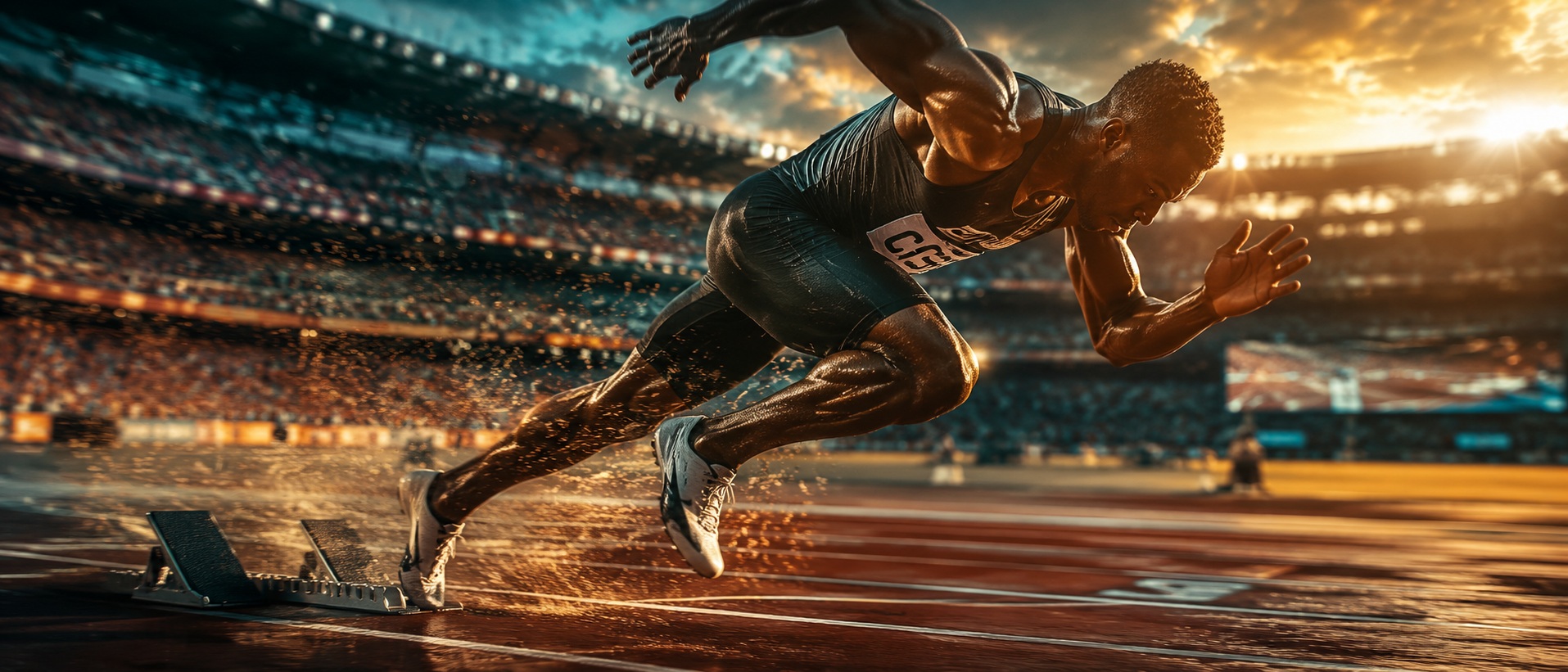
Ground level tracking shot of a sprinter exploding from the blocks, the camera at track height, the acceleration from zero to maximum speed in the first ten metres, the physics of the start in exquisite detail, sports documentary.
✦ Why this works
- Tracking shot creates active accompaniment — the camera lives inside the action rather than observing from outside
- The light quality and direction encode the emotional register before a single narrative element is consciously read
- Every production element — camera, light, lens and timing — serves the single athletic truth this shot was designed to capture
▶ Best for
- A sports film's most biomechanically specific sprint start sequence
- An Olympic athletics film's most explosive and technically revealing single moment
- A sports documentary capturing the physics of the fastest human start
#022 · Athletics
Slow motion close-up of a high jump bar clearing, the athlete's body arching backward over the bar, the physics of the Fosbury flop in time-stretched beauty, the bar trembling and staying up, athletic perfection.
✦ Why this works
- Slow motion extends the decisive moment beyond human perception — physics and biology made legible for the first time
- The light quality and direction encode the emotional register before a single narrative element is consciously read
- High frame rate reveals specific physics invisible at real speed — the decisive moment extended until every detail is legible
▶ Best for
- An athletics film's most technically specific and gravity-defying single moment
- A sports documentary establishing the Fosbury Flop's counter-intuitive genius in slow motion
- An Olympic athletics film's most visually distinctive bar clearance sequence
#023 · Athletics
Tracking shot following a marathon runner at mile twenty, the exhaustion in every step, the determination overriding the body's demands, other runners visible, the city or landscape as context, the human endurance epic.
✦ Why this works
- Tracking shot creates active accompaniment — the camera lives inside the action rather than observing from outside
- The light quality and direction encode the emotional register before a single narrative element is consciously read
- Every production element — camera, light, lens and timing — serves the single athletic truth this shot was designed to capture
▶ Best for
- A marathon documentary's most human and emotionally honest endurance sequence
- A long-distance film establishing the specific mental cost of late-race miles
- A sports documentary capturing the internal truth of what endurance running actually feels like
#024 · Athletics
Wide shot of a pole vault attempt from the side, the run-up, the plant, the rise up the pole, the body inverting over the bar, the release, the fall into the mat, the complete arc of the event in one shot.
✦ Why this works
- Wide establishing frame places the subject inside a world larger than itself — scale as context, not decoration
- The light quality and direction encode the emotional register before a single narrative element is consciously read
- Every production element — camera, light, lens and timing — serves the single athletic truth this shot was designed to capture
▶ Best for
- An athletics documentary's most technically extraordinary single event sequence
- An Olympic film's most gravity-defying and skill-compressed single attempt
- A sports film establishing pole vault as the most complete fusion of speed, strength and technique
#025 · Athletics
Aerial shot following a cyclist climbing a mountain pass, the road switchbacking up the slope, the rider a small figure against the vast landscape, the effort implied by the pace and the grade, Tour de France cinematography.
✦ Why this works
- Aerial altitude reveals full scale and pattern that ground-level photography can never communicate
- The light quality and direction encode the emotional register before a single narrative element is consciously read
- Every production element — camera, light, lens and timing — serves the single athletic truth this shot was designed to capture
▶ Best for
- A cycling documentary's most scale-communicating mountain climb sequence
- A grand tour film's most aerially dramatic and effort-revealing single stage
- A sports documentary establishing the specific suffering and beauty of altitude cycling
#026 · Athletics
Close-up slow motion of a swimming relay exchange, the outgoing swimmer's feet pushing off the wall as the incoming swimmer touches, the split-second timing, the water explosion of the turn, Olympic precision.
✦ Why this works
- Slow motion extends the decisive moment beyond human perception — physics and biology made legible for the first time
- The light quality and direction encode the emotional register before a single narrative element is consciously read
- High frame rate reveals specific physics invisible at real speed — the decisive moment extended until every detail is legible
▶ Best for
- A sprint relay documentary's most technically specific and highest-stakes single moment
- A sports film establishing the relay exchange as the race within the race
- An Olympic athletics film's most precisely choreographed single action
#027 · Athletics
Wide shot of a gymnastics floor routine, the gymnast performing aerial elements, the skill visible at full speed, the camera pulling back to show the full floor, the artistry of the sport, arena light, sports broadcast aesthetic.
✦ Why this works
- Pull-back reveal exposes context the viewer didn't know existed — the subject suddenly belongs to a larger world
- The light quality and direction encode the emotional register before a single narrative element is consciously read
- Every production element — camera, light, lens and timing — serves the single athletic truth this shot was designed to capture
▶ Best for
- A gymnastics documentary's most technically revealing floor sequence
- A sports film establishing the specific discipline and artistry of elite gymnastics floor work
- An Olympic film's most visually spectacular and athletically complex single routine
#028 · Athletics
Ground level tracking shot alongside a long jumper at full run-up, the camera at foot height, the approach at speed, the take-off, the moment of flight, the landing, the complete event from ground perspective.
✦ Why this works
- Tracking shot creates active accompaniment — the camera lives inside the action rather than observing from outside
- The light quality and direction encode the emotional register before a single narrative element is consciously read
- Tracking at the subject's own speed creates accompaniment — the camera matches the effort and earns the proximity
▶ Best for
- An athletics film's most dramatically physical and aerodynamically specific single attempt
- A sports documentary establishing the long jump as pure speed converted to distance
- An Olympic athletics film's most visually striking ground-level approach and flight sequence
#029 · Athletics
Slow motion close-up of a javelin thrower releasing the implement, the torque of the throw visible in the body, the javelin leaving the hand, the flight beginning, the complete physics of the throw at extreme frame rate.
✦ Why this works
- Slow motion extends the decisive moment beyond human perception — physics and biology made legible for the first time
- The light quality and direction encode the emotional register before a single narrative element is consciously read
- High frame rate reveals specific physics invisible at real speed — the decisive moment extended until every detail is legible
▶ Best for
- An athletics documentary's most biomechanically detailed throwing sequence
- A sports film establishing the javelin release as the moment all preparation converges
- An Olympic athletics film's most dramatically physical and rotationally complex single event
#030 · Athletics
Wide establishing shot of a stadium at the moment of a world record, the crowd on its feet, the scoreboard showing the time, the athlete finishing, the scale of the moment and the individual within the collective celebration.
✦ Why this works
- Wide establishing frame places the subject inside a world larger than itself — scale as context, not decoration
- The light quality and direction encode the emotional register before a single narrative element is consciously read
- Every production element — camera, light, lens and timing — serves the single athletic truth this shot was designed to capture
▶ Best for
- A sports film's most scale-communicating collective reaction to a historic achievement
- A documentary establishing the stadium as a single organism responding to the impossible moment
- An athletics film's most emotionally releasing sequence — the crowd as the final measure
#031 · Extreme
First person POV of a wingsuit flight through a mountain valley, the terrain rushing past at 200kmh, the proximity of the rock face inches away, the skill of controlled flight at the edge of what is survivable, extreme sports.
✦ Why this works
- First-person POV eliminates the observer entirely — the viewer becomes the character, experiencing not watching
- The light quality and direction encode the emotional register before a single narrative element is consciously read
- The POV perspective makes the viewer complicit — this is no longer something we watch, it is something we experience
▶ Best for
- An extreme sports documentary's most viscerally terrifying first-person sequence
- A film establishing a sport defined entirely by terrain proximity and consequence at 200kmh
- An adventure documentary's most extraordinary experience — flight between the rocks
#032 · Extreme
Tracking shot following a big wave surfer dropping into a 60-foot wave, the camera boat keeping pace, the scale of the water above the surfer, the physics of riding something that big, the courage made visible.
✦ Why this works
- Tracking shot creates active accompaniment — the camera lives inside the action rather than observing from outside
- The light quality and direction encode the emotional register before a single narrative element is consciously read
- Tracking at the subject's own speed creates accompaniment — the camera matches the effort and earns the proximity
▶ Best for
- A big wave surfing documentary's most scale-communicating drop sequence
- A film about the specific courage required to paddle into a wave taller than a building
- An extreme sports documentary establishing big wave surfing as athletic achievement and geological encounter
#033 · Extreme
Aerial shot of a base jumper exiting a cliff, the body falling free, the parachute deploying, the landscape from the perspective of the fall, the scale of the jump visible from outside the experience.
✦ Why this works
- Aerial altitude reveals full scale and pattern that ground-level photography can never communicate
- The light quality and direction encode the emotional register before a single narrative element is consciously read
- Every production element — camera, light, lens and timing — serves the single athletic truth this shot was designed to capture
▶ Best for
- An extreme sports documentary's most visually dramatic exit and flight sequence
- A film about the specific discipline required to jump from a fixed object and trust what follows
- An adventure documentary establishing base jumping as the sport of the most compressed risk
#034 · Extreme
Close-up tracking shot of a free solo climber on a vertical face, the camera alongside them, no rope visible, the exposure of their position, the tiny holds their life depends on, the casual courage of the expert at the limit.
✦ Why this works
- Tracking shot creates active accompaniment — the camera lives inside the action rather than observing from outside
- The light quality and direction encode the emotional register before a single narrative element is consciously read
- Tracking at the subject's own speed creates accompaniment — the camera matches the effort and earns the proximity
▶ Best for
- An extreme climbing documentary's most anxiety-inducing consequence-absolute sequence
- A film about the specific psychology of climbing without protection
- A sports documentary establishing the difference between difficulty and irreversibility
#035 · Extreme
Wide shot of a skydiving formation, multiple jumpers visible from above holding formation, the earth far below, the geometry of the human pattern against the planet, the beauty of cooperative freefall, aerial photography.
✦ Why this works
- Aerial altitude reveals full scale and pattern that ground-level photography can never communicate
- The light quality and direction encode the emotional register before a single narrative element is consciously read
- Every production element — camera, light, lens and timing — serves the single athletic truth this shot was designed to capture
▶ Best for
- A skydiving documentary's most visually extraordinary aerial formation sequence
- A film about the specific trust and discipline required by coordinated formation jumping
- An extreme sports film's most geometrically beautiful human-scale aerial arrangement
#036 · Extreme
Tracking shot following a mountain biker on a technical descent, the camera drone keeping pace, the obstacles appearing at speed, the split-second decisions, the skill of the rider visible in every line choice.
✦ Why this works
- Tracking shot creates active accompaniment — the camera lives inside the action rather than observing from outside
- The light quality and direction encode the emotional register before a single narrative element is consciously read
- Tracking at the subject's own speed creates accompaniment — the camera matches the effort and earns the proximity
▶ Best for
- A mountain biking documentary's most technically specific descent sequence
- A film establishing mountain biking as the sport where geology and physics collaborate against the rider
- An extreme cycling documentary's most aerially dynamic single descent
#037 · Extreme
Slow motion close-up of a BMX trick at the peak of the air, the bike inverted, the rider's body in perfect position, the crowd below a blur, the geometry of the trick visible in time-stretched detail, skate park light.
✦ Why this works
- Slow motion extends the decisive moment beyond human perception — physics and biology made legible for the first time
- The light quality and direction encode the emotional register before a single narrative element is consciously read
- High frame rate reveals specific physics invisible at real speed — the decisive moment extended until every detail is legible
▶ Best for
- A BMX documentary's most visually spectacular mid-air trick sequence
- An extreme cycling film establishing BMX as an aerial art form at its highest technical level
- A youth and urban sports film's most kinetically exciting single trick — bike and rider inverted
#038 · Extreme
Wide shot of a kiteboarder launching off a wave, the kite pulling them skyward, thirty feet above the water, the rotation beginning, the sea below, the sky above, the freedom of human flight over water.
✦ Why this works
- Wide establishing frame places the subject inside a world larger than itself — scale as context, not decoration
- The light quality and direction encode the emotional register before a single narrative element is consciously read
- Every production element — camera, light, lens and timing — serves the single athletic truth this shot was designed to capture
▶ Best for
- An extreme water sports documentary's most visually spectacular aerial launch
- A film establishing kiteboarding as the sport where wind, water and air converge most dramatically
- A coastal adventure film's most elemental and kinetically exciting single action sequence
#039 · Extreme
Tracking shot following a speed skier down a near-vertical slope, the camera tracking from the side, the speed making the skier a blur, the snow spraying, the technical mastery of 250kmh on two planks of wood.
✦ Why this works
- Tracking shot creates active accompaniment — the camera lives inside the action rather than observing from outside
- The light quality and direction encode the emotional register before a single narrative element is consciously read
- Snow and winter cold create a unique light quality — bright reflected fill from below, cold blue atmosphere above
▶ Best for
- A speed skiing documentary's most aerodynamically specific descent
- A film establishing speed skiing as the sport of the most committed single straight line
- An extreme winter sports film's most dramatically simple consequence-heavy single run
#040 · Extreme
First person POV of a parkour run through an urban environment, the obstacles appearing and being cleared in real time, the camera at head height, the city as playground, the flow state of the experienced practitioner.
✦ Why this works
- First-person POV eliminates the observer entirely — the viewer becomes the character, experiencing not watching
- The light quality and direction encode the emotional register before a single narrative element is consciously read
- The POV perspective makes the viewer complicit — this is no longer something we watch, it is something we experience
▶ Best for
- A parkour film establishing the urban environment as a completely navigable athletic landscape
- An extreme urban sports documentary's most immersive first-person sequence
- A film about moving through the city at speed — architecture as the athlete's equipment
#041 · Team
Wide tracking shot following a football play developing from snap to completion, the offensive line visible, the quarterback dropping back, the receiver running the route, the throw and catch, the play as a choreographic system.
✦ Why this works
- Tracking shot creates active accompaniment — the camera lives inside the action rather than observing from outside
- The light quality and direction encode the emotional register before a single narrative element is consciously read
- Every production element — camera, light, lens and timing — serves the single athletic truth this shot was designed to capture
▶ Best for
- An American football documentary's most tactically revealing play development sequence
- A sports film establishing the coordinated collective intelligence of an offensive play
- A gridiron documentary's most technically specific and strategically illuminating single sequence
#042 · Team
Overhead drone shot of a basketball play, the five players visible from above, the ball moving between them, the geometry of the offense and defense readable from altitude, the sport as spatial problem-solving.
✦ Why this works
- Overhead angle reveals geometry and pattern invisible from any other position — the world becomes system and design
- The light quality and direction encode the emotional register before a single narrative element is consciously read
- The overhead angle makes the familiar abstract — what we know from ground level becomes pure geometry and pattern
▶ Best for
- A basketball documentary's most tactically revealing overhead play sequence
- A sports film establishing five players as a single moving organism from the only angle that shows it
- A basketball film where altitude reveals the play's geometry invisible from court-side
#043 · Team
Slow motion close-up of a cricket catch, the ball arriving at the fielder's hands, the grip, the fingers wrapping, the ball secure, the celebration beginning, the precision of the fielding skill in time-stretched detail.
✦ Why this works
- Slow motion extends the decisive moment beyond human perception — physics and biology made legible for the first time
- The light quality and direction encode the emotional register before a single narrative element is consciously read
- High frame rate reveals specific physics invisible at real speed — the decisive moment extended until every detail is legible
▶ Best for
- A cricket documentary's most reflexively demanding single fielding moment
- A sports film establishing the cricket catch as the most compressed athletic decision in team sport
- A cricket film's most dramatic fielding sequence — hands, ball and crowd reaction
#044 · Team
Wide shot of a rugby scrum, the eight players on each side binding and pushing, the force implied by the positions, the referee visible, the ball emerging, the set piece as a test of collective strength and technique.
✦ Why this works
- Wide establishing frame places the subject inside a world larger than itself — scale as context, not decoration
- The light quality and direction encode the emotional register before a single narrative element is consciously read
- Every production element — camera, light, lens and timing — serves the single athletic truth this shot was designed to capture
▶ Best for
- A rugby documentary's most physically confrontational and technically specific sequence
- A sports film establishing the scrum as the most direct test of collective strength
- A rugby film where eight-on-eight makes all force visible and measurable
#045 · Team
Tracking shot following a fast break in basketball, the camera running the length of the court with the players, the speed of transition from defense to attack, the layup at the end, the momentum of the counterattack.
✦ Why this works
- Tracking shot creates active accompaniment — the camera lives inside the action rather than observing from outside
- The light quality and direction encode the emotional register before a single narrative element is consciously read
- Every production element — camera, light, lens and timing — serves the single athletic truth this shot was designed to capture
▶ Best for
- A basketball documentary's most kinetically exciting court-length transition sequence
- A sports film establishing the fast break as the sport's most dynamic single action
- A basketball film where tracking the court creates the sport's most thrilling single motion
#046 · Team
Aerial wide shot of a football match in a packed stadium, the eleven players on each side visible from above, the pattern of play, the ball moving between them, the tactical geometry of the sport from altitude.
✦ Why this works
- Aerial altitude reveals full scale and pattern that ground-level photography can never communicate
- The light quality and direction encode the emotional register before a single narrative element is consciously read
- Every production element — camera, light, lens and timing — serves the single athletic truth this shot was designed to capture
▶ Best for
- A football documentary's most scale-communicating aerial match overview
- A sports film where altitude reveals eleven-versus-eleven tactical geography
- A football epic's most comprehensive single establishing shot — teams as moving systems
#047 · Team
Close-up slow motion of a baseball pitcher's release, the grip, the arm speed, the ball leaving the hand with spin visible, the mechanics of the pitch at extreme frame rate, the craft of pitching made visible.
✦ Why this works
- Slow motion extends the decisive moment beyond human perception — physics and biology made legible for the first time
- The light quality and direction encode the emotional register before a single narrative element is consciously read
- High frame rate reveals specific physics invisible at real speed — the decisive moment extended until every detail is legible
▶ Best for
- A baseball documentary's most biomechanically specific pitching sequence
- A sports film establishing the pitcher's release as the sport's most studied single action
- A baseball film where slow motion reveals the grip and arm speed that determine every at-bat
#048 · Team
Wide shot of a hockey face-off, the two centres ready, the referee dropping the puck, the explosion of activity as both teams react, the speed of the sport from its still opening position.
✦ Why this works
- Wide establishing frame places the subject inside a world larger than itself — scale as context, not decoration
- The light quality and direction encode the emotional register before a single narrative element is consciously read
- Every production element — camera, light, lens and timing — serves the single athletic truth this shot was designed to capture
▶ Best for
- An ice hockey documentary's most explosive and decision-compressed single moment
- A sports film establishing the face-off as the sport's most contested neutral event
- A hockey film where the puck drop creates a starting pistol both sticks are already swinging for
#049 · Team
Tracking shot following a volleyball spike, the camera at net height, the approach jump, the arm swing, the ball hammering downward, the libero diving in the background, the athleticism of the kill shot.
✦ Why this works
- Tracking shot creates active accompaniment — the camera lives inside the action rather than observing from outside
- The light quality and direction encode the emotional register before a single narrative element is consciously read
- Every production element — camera, light, lens and timing — serves the single athletic truth this shot was designed to capture
▶ Best for
- A volleyball documentary's most technically specific attack sequence
- A sports film establishing the volleyball spike as the sport's most decisive single action
- A volleyball film where the approach and arm swing reveal the technical chain that produces the kill
#050 · Team
Wide establishing shot of a stadium at the moment of a winning goal, the crowd erupting, the scorer's celebration, the teammates converging, the collective joy at scale, the sport as emotional architecture.
✦ Why this works
- Wide establishing frame places the subject inside a world larger than itself — scale as context, not decoration
- The light quality and direction encode the emotional register before a single narrative element is consciously read
- Every production element — camera, light, lens and timing — serves the single athletic truth this shot was designed to capture
▶ Best for
- A football film's most emotionally cathartic collective celebration sequence
- A sports documentary establishing the winning goal as the moment the season's meaning is decided
- A stadium film where the scorer's run and the crowd's eruption create the sport's defining image
#051 · Victory
Close-up of an athlete's face at the moment they cross the finish line first, the release of months of preparation in a single expression, the private moment within the public achievement, slow motion extending the instant.
✦ Why this works
- Slow motion extends the decisive moment beyond human perception — physics and biology made legible for the first time
- The light quality and direction encode the emotional register before a single narrative element is consciously read
- High frame rate reveals specific physics invisible at real speed — the decisive moment extended until every detail is legible
▶ Best for
- A race film's most emotionally transparent and privately truthful single moment
- A sports documentary establishing the finish line face as the most honest portrait in sport
- A film where months of training are released in the expression of a single crossing second
#052 · Victory
Wide shot of a team celebrating a championship, the confetti falling, the trophy raised, the players together in the moment, the stadium a backdrop to the human experience of collective achievement.
✦ Why this works
- Wide establishing frame places the subject inside a world larger than itself — scale as context, not decoration
- The light quality and direction encode the emotional register before a single narrative element is consciously read
- Every production element — camera, light, lens and timing — serves the single athletic truth this shot was designed to capture
▶ Best for
- A team sports film's most joyfully chaotic championship celebration sequence
- A sports documentary establishing the collective release of a championship win
- A team film where the trophy, the confetti and the players create the sport's most jubilant image
#053 · Victory
Slow motion close-up of a medal being placed around an athlete's neck, their expression as the weight of it settles, the flag behind them, the anthem beginning, the complete package of sporting achievement distilled to one image.
✦ Why this works
- Slow motion extends the decisive moment beyond human perception — physics and biology made legible for the first time
- The light quality and direction encode the emotional register before a single narrative element is consciously read
- High frame rate reveals specific physics invisible at real speed — the decisive moment extended until every detail is legible
▶ Best for
- An Olympic film's most symbolically weighted ceremony sequence
- A sports documentary establishing the medal as the physical object that makes the achievement real
- A film where the weight of the medal is the most honest measure of what was sacrificed
#054 · Victory
Tracking shot following an athlete on a victory lap, the crowd reaching down to them, the connection between performer and audience at its most genuine, the joy moving around the stadium like a wave.
✦ Why this works
- Tracking shot creates active accompaniment — the camera lives inside the action rather than observing from outside
- The light quality and direction encode the emotional register before a single narrative element is consciously read
- Every production element — camera, light, lens and timing — serves the single athletic truth this shot was designed to capture
▶ Best for
- A sports film's most publicly generous crowd-connected celebration sequence
- A championship documentary establishing the victory lap as the moment the athlete gives the win back
- A film where the connection between athlete and supporters creates the sport's most generous image
#055 · Victory
Wide shot of the podium moment, three athletes at different heights, the medals catching the light, the anthems of nations playing, the moment that is the culmination of years of work by individuals and communities.
✦ Why this works
- Wide establishing frame places the subject inside a world larger than itself — scale as context, not decoration
- The light quality and direction encode the emotional register before a single narrative element is consciously read
- Every production element — camera, light, lens and timing — serves the single athletic truth this shot was designed to capture
▶ Best for
- An Olympic film's most hierarchically precise and symbolically rich ceremony image
- A sports documentary where the three heights of the podium communicate the entire competition story
- A film where gold silver and bronze create the sport's most visually codified standing arrangement
#056 · Victory
Close-up of hands lifting a trophy, the crowd roaring in the background, the trophy rising above the head, the weight of it and the moment, the gesture that transcends sport and becomes universal symbol of achievement.
✦ Why this works
- Rising shot withholds the full picture then gives it — the ascent IS the storytelling, every metre adding weight
- The light quality and direction encode the emotional register before a single narrative element is consciously read
- Every production element — camera, light, lens and timing — serves the single athletic truth this shot was designed to capture
▶ Best for
- A team sports film's most primal and universally understood championship image
- A sports documentary where the trophy above the heads is the season's entire narrative
- A film establishing the trophy as the physical object that makes the achievement permanent and shared
#057 · Victory
Aerial wide shot of a pitch invasion after a historic victory, the crowd flooding the field, the players surrounded, the scale of the collective celebration visible from above, the sport belonging to everyone in this moment.
✦ Why this works
- Aerial altitude reveals full scale and pattern that ground-level photography can never communicate
- The light quality and direction encode the emotional register before a single narrative element is consciously read
- Every production element — camera, light, lens and timing — serves the single athletic truth this shot was designed to capture
▶ Best for
- A football film's most scale-communicating pitch invasion seen from above
- A sports documentary where altitude reveals the historic mass celebration invisible from the pitch
- A championship film's most aerially spectacular culturally significant single crowd event
#058 · Victory
Slow motion close-up of an athlete crying after winning, the emotion they've held through the competition released, the tears and the joy simultaneous, the humanity behind the achievement, the private person within the public winner.
✦ Why this works
- Slow motion extends the decisive moment beyond human perception — physics and biology made legible for the first time
- The light quality and direction encode the emotional register before a single narrative element is consciously read
- High frame rate reveals specific physics invisible at real speed — the decisive moment extended until every detail is legible
▶ Best for
- A sports documentary's most emotionally vulnerable victory sequence
- A film establishing the athlete's cry as the release of everything competition required suppressing
- A championship film where tears communicate what words about winning consistently fail to reach
#059 · Victory
Wide shot of the dressing room after a championship win, the players together, the chaos and joy of the private celebration the public never sees, the team as a family in its most unguarded moment.
✦ Why this works
- Wide establishing frame places the subject inside a world larger than itself — scale as context, not decoration
- The light quality and direction encode the emotional register before a single narrative element is consciously read
- Every production element — camera, light, lens and timing — serves the single athletic truth this shot was designed to capture
▶ Best for
- A sports documentary's most authentically private post-championship team sequence
- A film establishing the dressing room as where public performance gives way to private truth
- A team sports film where the chaos and joy creates the most honest collective portrait
#060 · Victory
Tracking shot of a ticker tape parade for a returning champion team, the crowds lining the street, the confetti filling the air, the players on the bus above the crowd, the city claiming the team as its own.
✦ Why this works
- Tracking shot creates active accompaniment — the camera lives inside the action rather than observing from outside
- The light quality and direction encode the emotional register before a single narrative element is consciously read
- Every production element — camera, light, lens and timing — serves the single athletic truth this shot was designed to capture
▶ Best for
- A sports documentary's most scale-communicating civic championship celebration
- A film establishing the parade as the moment the team's achievement becomes the city's property
- A championship film where ticker tape transforms individual victory into collective identity
#061 · Defeat
Close-up of an athlete sitting alone on the field after defeat, the crowd leaving behind them, the empty stadium becoming visible, the private grief of the public loss, slow motion extending the solitude.
✦ Why this works
- Slow motion extends the decisive moment beyond human perception — physics and biology made legible for the first time
- The light quality and direction encode the emotional register before a single narrative element is consciously read
- High frame rate reveals specific physics invisible at real speed — the decisive moment extended until every detail is legible
▶ Best for
- A sports film's most quietly devastating post-defeat sequence
- A documentary establishing the empty field as the most eloquent defeat backdrop
- A film where solitude after public failure is the sport's most private and truthful image
#062 · Defeat
Wide shot of the losing team at the final whistle, the reactions varying, some on their knees, some staring blankly, the landscape of collective disappointment, the sport in its most human moment.
✦ Why this works
- Wide establishing frame places the subject inside a world larger than itself — scale as context, not decoration
- The light quality and direction encode the emotional register before a single narrative element is consciously read
- Every production element — camera, light, lens and timing — serves the single athletic truth this shot was designed to capture
▶ Best for
- A sports documentary's most emotionally varied and unguarded collective defeat sequence
- A film establishing the final whistle as the moment athletic composure becomes optional
- A team sports film where different reactions to the same moment create the most human sports portrait
#063 · Defeat
Close-up of a coach's face at the moment of defeat, the emotions cycling through, the control of public composure over private devastation, the responsibility of leadership in the worst moment.
✦ Why this works
- Close-up turns the face or detail into the entire landscape — microexpression becomes macro-meaning
- The light quality and direction encode the emotional register before a single narrative element is consciously read
- Every production element — camera, light, lens and timing — serves the single athletic truth this shot was designed to capture
▶ Best for
- A sports documentary's most emotionally revealing and publicly controlled defeat portrait
- A film establishing the coach's face as the most disciplined emotional performance in sport
- A coaching documentary where the private cost of public defeat is visible only in the eyes
#064 · Defeat
Tracking shot following a defeated athlete leaving the arena through a tunnel, the crowd noise fading, the lone figure walking away from the disappointment, the long walk that every competitor knows.
✦ Why this works
- Tracking shot creates active accompaniment — the camera lives inside the action rather than observing from outside
- The light quality and direction encode the emotional register before a single narrative element is consciously read
- Every production element — camera, light, lens and timing — serves the single athletic truth this shot was designed to capture
▶ Best for
- A sports documentary's most cinematically atmospheric post-defeat exit sequence
- A film establishing the tunnel as where the public athlete becomes private again
- A sports film where the receding crowd noise and growing quiet create the defeat's emotional signature
#065 · Defeat
Wide shot of a weigh-in staredown before a fight that one of them will lose, both faces carrying the knowledge, the pre-fight moment as the last equal moment before the verdict of sport is delivered.
✦ Why this works
- Wide establishing frame places the subject inside a world larger than itself — scale as context, not decoration
- The light quality and direction encode the emotional register before a single narrative element is consciously read
- Every production element — camera, light, lens and timing — serves the single athletic truth this shot was designed to capture
▶ Best for
- A combat sports documentary's most psychologically loaded pre-fight confrontation
- A film establishing the staredown as the fight's first round — won or lost before the bell
- A boxing or MMA film where two faces carry the entire story of what the fight will cost each man
#066 · Preparation
Tracking shot following an athlete through their pre-competition warm-up routine, the ritual and focus, the body being prepared for the demand ahead, the private world of preparation, natural morning light.
✦ Why this works
- Tracking shot creates active accompaniment — the camera lives inside the action rather than observing from outside
- The light quality and direction encode the emotional register before a single narrative element is consciously read
- Every production element — camera, light, lens and timing — serves the single athletic truth this shot was designed to capture
▶ Best for
- A sports documentary's most ritually specific pre-competition sequence
- A film establishing the warm-up as private self-preparation before the public performance
- A sports film where routine and ritual reveal the athlete's relationship with what is coming
#067 · Preparation
Close-up series of an athlete's hands being taped before a fight, the ritual of the wrapping, the precision of the process, the hand as the instrument of the sport, the preparation as meditation.
✦ Why this works
- Close-up turns the face or detail into the entire landscape — microexpression becomes macro-meaning
- The light quality and direction encode the emotional register before a single narrative element is consciously read
- Every production element — camera, light, lens and timing — serves the single athletic truth this shot was designed to capture
▶ Best for
- A combat sports documentary's most ritualistic pre-fight sequence
- A film establishing hand taping as the fighter's most intimate act of readiness
- A boxing or MMA film where the hands being wrapped make the fight real and imminent
#068 · Preparation
Wide shot of a team in a huddle before a game, the coach's words visible in the faces of the players, the collective focus of the pre-competition moment, the bond of the team made visible in close physical proximity.
✦ Why this works
- Wide establishing frame places the subject inside a world larger than itself — scale as context, not decoration
- The light quality and direction encode the emotional register before a single narrative element is consciously read
- Every production element — camera, light, lens and timing — serves the single athletic truth this shot was designed to capture
▶ Best for
- A team sports documentary's most emotionally charged pre-game gathering
- A film establishing the huddle as the moment the coach's preparation becomes the team's shared intention
- A sports film where the faces listening create the most revealing portrait of a team before the start
#069 · Preparation
Tracking shot through a training montage, the athlete at different stages of preparation, the work that precedes the performance, the accumulation of effort that makes the achievement possible, documentary authenticity.
✦ Why this works
- Tracking shot creates active accompaniment — the camera lives inside the action rather than observing from outside
- The light quality and direction encode the emotional register before a single narrative element is consciously read
- Every production element — camera, light, lens and timing — serves the single athletic truth this shot was designed to capture
▶ Best for
- A sports film's most comprehensive and effort-communicating preparation sequence
- A documentary establishing training as the true story — competition is the public proof of private work
- A sports film where the montage makes invisible preparation as compelling as the visible performance
#070 · Preparation
Close-up of a gymnast's chalk-dusted hands gripping the bar, the texture of the grip, the chalk dust floating, the connection between human hand and apparatus, the physical reality of the sport before the artistry.
✦ Why this works
- Close-up turns the face or detail into the entire landscape — microexpression becomes macro-meaning
- Chalk dust or particulate in the light creates a visible atmosphere — the air itself becomes a tangible subject
- Every production element — camera, light, lens and timing — serves the single athletic truth this shot was designed to capture
▶ Best for
- A gymnastics documentary's most texturally specific preparation-ritual close-up
- A film establishing chalk hands as the gymnast's signature mark of readiness
- A sports close-up where chalk dust and grip tape create the sense of what is being asked of the hands
#071 · Water
Underwater wide shot of a synchronised swimming formation from below, the eight athletes visible from beneath, the pattern they create in the water, the legs above, the surface light, the sport as aquatic architecture.
✦ Why this works
- Underwater perspective creates weightlessness and alien light — a world with its own physics and colour palette
- The light quality and direction encode the emotional register before a single narrative element is consciously read
- Every production element — camera, light, lens and timing — serves the single athletic truth this shot was designed to capture
▶ Best for
- An aquatic sports documentary's most geometrically extraordinary underwater formation sequence
- A film establishing synchronised swimming as performance art seen from the only revealing angle
- A sports film's most abstract and compositionally perfect athletic overhead sequence
#072 · Water
Aerial tracking shot following a rowing eight on a calm river at dawn, the boat moving in perfect synchrony, the blades entering and leaving the water in unison, the mist on the river, the meditative rhythm of the sport.
✦ Why this works
- Tracking shot creates active accompaniment — the camera lives inside the action rather than observing from outside
- Dawn light codes beginning into the frame — the warmth arriving from darkness carries the emotional weight of hope
- Every production element — camera, light, lens and timing — serves the single athletic truth this shot was designed to capture
▶ Best for
- A rowing documentary's most visually serene and mechanically precise athletic sequence
- A film about the specific discipline of eight athletes creating a single collective organism
- A sports film's most meditative and technically perfect dawn water sequence
#073 · Water
Slow motion close-up of a cliff diver entering the water, the splash pattern from water level, the body entering cleanly, the water exploding upward around the point of entry, the physics of the dive at extreme frame rate.
✦ Why this works
- Slow motion extends the decisive moment beyond human perception — physics and biology made legible for the first time
- The light quality and direction encode the emotional register before a single narrative element is consciously read
- High frame rate reveals specific physics invisible at real speed — the decisive moment extended until every detail is legible
▶ Best for
- An extreme cliff diving documentary's most consequence-communicating sequence
- A film establishing cliff diving as the sport of the most compressed vertical commitment
- An extreme sports documentary's most dramatically physical water-entry sequence
#074 · Water
Tracking shot following a kayaker through white water rapids, the camera keeping pace, the turbulence and the spray, the paddler reading and responding to the water, the skill of the white water athlete in their element.
✦ Why this works
- Tracking shot creates active accompaniment — the camera lives inside the action rather than observing from outside
- The light quality and direction encode the emotional register before a single narrative element is consciously read
- Tracking at the subject's own speed creates accompaniment — the camera matches the effort and earns the proximity
▶ Best for
- A whitewater kayaking documentary's most turbulent and technically specific run
- A film establishing kayaking as the sport where water makes all decisions and the paddle responds
- An extreme water sports documentary's most kinetically chaotic and demanding single sequence
#075 · Water
Wide shot of a triathlon swim start, hundreds of athletes entering the water simultaneously, the chaos of the mass start, the foam and turbulence of hundreds of bodies moving toward the same point, the race beginning.
✦ Why this works
- Wide establishing frame places the subject inside a world larger than itself — scale as context, not decoration
- The light quality and direction encode the emotional register before a single narrative element is consciously read
- Every production element — camera, light, lens and timing — serves the single athletic truth this shot was designed to capture
▶ Best for
- A triathlon documentary's most chaotic and scale-communicating mass water entry
- A sports film establishing the swim start as the most physically compressed race moment
- An endurance sports documentary's most visually dramatic single starting sequence
#076 · Winter
Tracking shot following a downhill skier from behind, the camera drone keeping pace, the gates flashing past, the precision of the line, the speed at which the decisions are made, the mountain as the arena.
✦ Why this works
- Tracking shot creates active accompaniment — the camera lives inside the action rather than observing from outside
- The light quality and direction encode the emotional register before a single narrative element is consciously read
- Tracking at the subject's own speed creates accompaniment — the camera matches the effort and earns the proximity
▶ Best for
- A downhill skiing documentary's most speed-communicating gate sequence
- A film establishing alpine ski racing as the sport of the most committed single descent
- An alpine ski film's most viscerally exciting and technically precise single run
#077 · Winter
Wide slow motion shot of a ski jumper in flight, the body in perfect aerodynamic position, the mountain falling away below, the distance from take-off to landing visible, the courage and technique of the event.
✦ Why this works
- Slow motion extends the decisive moment beyond human perception — physics and biology made legible for the first time
- The light quality and direction encode the emotional register before a single narrative element is consciously read
- High frame rate reveals specific physics invisible at real speed — the decisive moment extended until every detail is legible
▶ Best for
- A ski jumping documentary's most gravity-defying flight sequence
- A film establishing ski jumping as the sport where the hill ends and physics takes control
- A winter sports film's most dramatically simple and technically complex single airborne moment
#078 · Winter
Close-up tracking shot of an ice hockey player skating at full speed, the blades cutting the ice, the spray, the stick handling, the speed and precision of the sport on skates, the rink light harsh and bright.
✦ Why this works
- Tracking shot creates active accompaniment — the camera lives inside the action rather than observing from outside
- The light quality and direction encode the emotional register before a single narrative element is consciously read
- Every production element — camera, light, lens and timing — serves the single athletic truth this shot was designed to capture
▶ Best for
- A hockey documentary's most kinetically impressive blade-specific skater close-up
- A winter sports film establishing the speed and technique of elite ice hockey through proximity
- A sports film establishing a character's athletic identity through how they move at full speed on ice
#079 · Winter
Aerial wide shot of a curling match, the sheet of ice from above, the stone traveling down the sheet, the sweepers reading the ice and the skip's calls, the sport's unusual beauty from altitude.
✦ Why this works
- Aerial altitude reveals full scale and pattern that ground-level photography can never communicate
- The light quality and direction encode the emotional register before a single narrative element is consciously read
- Every production element — camera, light, lens and timing — serves the single athletic truth this shot was designed to capture
▶ Best for
- A winter sports documentary's most atmospherically distinctive sequence
- A film about sport in snow and ice where the environment is both beautiful and unforgiving
- A winter sports film's most technically and atmospherically specific single sequence
#080 · Winter
Slow motion close-up of a figure skater landing a quadruple jump, the blade touching down, the arms pulling in for balance, the rotation slowing, the expression of concentration and relief, the edge holding.
✦ Why this works
- Slow motion extends the decisive moment beyond human perception — physics and biology made legible for the first time
- The light quality and direction encode the emotional register before a single narrative element is consciously read
- High frame rate reveals specific physics invisible at real speed — the decisive moment extended until every detail is legible
▶ Best for
- A figure skating documentary's most technically extraordinary jump sequence
- An Olympic figure skating film's most gravity-defying single rotation
- A winter sports film establishing elite figure skating as the fusion of athletics and performance art
#081 · Youth
Wide shot of children's football in a park, the uncoordinated joy of kids learning the game, the ball going anywhere but where intended, the coach trying to organise the chaos, the pure pleasure of play before pressure.
✦ Why this works
- Wide establishing frame places the subject inside a world larger than itself — scale as context, not decoration
- The light quality and direction encode the emotional register before a single narrative element is consciously read
- Every production element — camera, light, lens and timing — serves the single athletic truth this shot was designed to capture
▶ Best for
- A youth sports documentary's most joyfully uncoordinated and authentically childhood sequence
- A film about sport at the beginning — before tactics, before pressure, before anything but the ball
- A documentary where uncoordinated joy communicates what sport is for before it becomes what it demands
#082 · Youth
Close-up of a young swimmer receiving a ribbon at a junior competition, the size of the emotion on the small face, the parents visible in the background, the first competitive achievement and what it means at that age.
✦ Why this works
- Close-up turns the face or detail into the entire landscape — microexpression becomes macro-meaning
- The light quality and direction encode the emotional register before a single narrative element is consciously read
- Every production element — camera, light, lens and timing — serves the single athletic truth this shot was designed to capture
▶ Best for
- A youth swimming documentary's most emotionally disproportionate and perfectly honest moment
- A film establishing that the ribbon matters more than the medal when it is the first one ever won
- A sports documentary where a child's face receiving a ribbon is worth more than any professional podium
#083 · Youth
Tracking shot following a young athlete in their first race, the nervousness and the effort, the other competitors ahead, the parents shouting from the side, the experience of competition before winning and losing have context.
✦ Why this works
- Tracking shot creates active accompaniment — the camera lives inside the action rather than observing from outside
- The light quality and direction encode the emotional register before a single narrative element is consciously read
- Every production element — camera, light, lens and timing — serves the single athletic truth this shot was designed to capture
▶ Best for
- A youth sport documentary's most authentic and nerves-visible first competitive experience
- A film about the specific terror and exhilaration of the first race — before experience, only instinct
- A sports film establishing that the first race contains everything the sport will ever ask of the athlete
#084 · Youth
Wide shot of a youth basketball game, the height of the hoops making the shooting difficult for small bodies, the determination of the players, the coaches on the bench, the sport at its most unpolished and genuine.
✦ Why this works
- Wide establishing frame places the subject inside a world larger than itself — scale as context, not decoration
- The light quality and direction encode the emotional register before a single narrative element is consciously read
- Every production element — camera, light, lens and timing — serves the single athletic truth this shot was designed to capture
▶ Best for
- A youth basketball documentary's most scale-revealing and optimistic game sequence
- A film where the height of the hoops relative to the players communicates the sport's aspirational scale
- A youth sports film establishing basketball as the game that teaches scale and persistence simultaneously
#085 · Youth
Close-up of a child at gymnastics training, learning to do a cartwheel, the concentration and the wobble, the coach's patient guidance, the first acquisition of a skill, the beginning of a long journey made visible.
✦ Why this works
- Close-up turns the face or detail into the entire landscape — microexpression becomes macro-meaning
- Rain in the air and on surfaces doubles visual complexity — every light multiplies, every surface becomes a mirror
- Every production element — camera, light, lens and timing — serves the single athletic truth this shot was designed to capture
▶ Best for
- A youth gymnastics documentary's most concentration-visible and effort-honest learning sequence
- A film establishing the cartwheel as the first moment a child asks their body to do the impossible
- A youth sports documentary where a child's focus during a skill attempt reveals everything about the sport
#086 · Coaching
Close-up of a coach during a timeout, the intensity of instruction, the players leaning in, the diagram on the board, the translation of strategy into human action, the leadership moment of sport.
✦ Why this works
- Close-up turns the face or detail into the entire landscape — microexpression becomes macro-meaning
- The light quality and direction encode the emotional register before a single narrative element is consciously read
- Every production element — camera, light, lens and timing — serves the single athletic truth this shot was designed to capture
▶ Best for
- A sports documentary's most tactically urgent and emotionally charged timeout sequence
- A film establishing the timeout as the coach's most compressed and consequential moment of influence
- A coaching documentary where the intensity of instruction reveals what separates good from great
#087 · Coaching
Wide shot of a training session, the coach moving between athletes offering individual instruction, the organised chaos of multiple drills happening simultaneously, the work that makes the performance possible.
✦ Why this works
- Wide establishing frame places the subject inside a world larger than itself — scale as context, not decoration
- The light quality and direction encode the emotional register before a single narrative element is consciously read
- Every production element — camera, light, lens and timing — serves the single athletic truth this shot was designed to capture
▶ Best for
- A coaching documentary's most revealing portrait of the daily work of athlete development
- A sports film establishing training as the invisible work that creates the visible performance
- A film about coaching where individual instruction reveals the coach's knowledge one athlete at a time
#088 · Coaching
Close-up of a coach and athlete in quiet conversation after a defeat, the private words of encouragement, the relationship built on trust and shared purpose, the human moment behind the public sport.
✦ Why this works
- Close-up turns the face or detail into the entire landscape — microexpression becomes macro-meaning
- The light quality and direction encode the emotional register before a single narrative element is consciously read
- Every production element — camera, light, lens and timing — serves the single athletic truth this shot was designed to capture
▶ Best for
- A sports documentary's most privately meaningful post-defeat coaching moment
- A film establishing the quiet word after defeat as the most important coaching conversation
- A coaching documentary where private encouragement reveals the human relationship beneath the professional
#089 · Coaching
Tracking shot following a coach pacing the touchline during a crucial match, the emotions cycling through their face, the complete investment in the outcome, the coach as the external expression of the team's internal experience.
✦ Why this works
- Tracking shot creates active accompaniment — the camera lives inside the action rather than observing from outside
- The light quality and direction encode the emotional register before a single narrative element is consciously read
- Every production element — camera, light, lens and timing — serves the single athletic truth this shot was designed to capture
▶ Best for
- A sports documentary's most emotionally revealing and publicly exposed coaching sequence
- A film establishing the touchline as the coach's stage — visible to all, controlling nothing
- A coaching film where pacing creates the most honest portrait of professional emotional exposure
#090 · Coaching
Wide shot of a team listening to a pre-game speech, the coach at the front, the players seated in the locker room, the words not audible but the effect on the faces visible, the ritual of preparation.
✦ Why this works
- Wide establishing frame places the subject inside a world larger than itself — scale as context, not decoration
- The light quality and direction encode the emotional register before a single narrative element is consciously read
- Every production element — camera, light, lens and timing — serves the single athletic truth this shot was designed to capture
▶ Best for
- A sports documentary's most ritually significant pre-game motivation sequence
- A film establishing the team talk as the moment the coach's preparation becomes words in a room
- A coaching documentary where the faces listening reveal whether the speech is doing what it needs to
#091 · Crowd
Wide aerial shot of a capacity stadium at the moment of a goal, the crowd rising as one, the wave of standing beginning and spreading outward, the collective organism of the crowd responding to the event.
✦ Why this works
- Aerial altitude reveals full scale and pattern that ground-level photography can never communicate
- The light quality and direction encode the emotional register before a single narrative element is consciously read
- Every production element — camera, light, lens and timing — serves the single athletic truth this shot was designed to capture
▶ Best for
- A sports documentary's most scale-communicating aerial crowd response sequence
- A film where altitude reveals the crowd as a single organism responding to the same stimulus
- An aerial sports film establishing the stadium crowd as the sport's most powerful collective force
#092 · Crowd
Close-up tracking shot through a crowd of fans, the individual faces and their expressions, the spectrum of emotion during a tense match, the private experience within the collective gathering.
✦ Why this works
- Tracking shot creates active accompaniment — the camera lives inside the action rather than observing from outside
- The light quality and direction encode the emotional register before a single narrative element is consciously read
- Every production element — camera, light, lens and timing — serves the single athletic truth this shot was designed to capture
▶ Best for
- A sports documentary's most humanising fan portrait sequence — individuals within the collective
- A film establishing that the crowd is a thousand private experiences happening together
- A sports film where tracking through faces creates the most honest portrait of what sport means to supporters
#093 · Crowd
Wide shot of a crowd doing a Mexican wave, the ripple of standing moving around a stadium, the coordination of thousands of strangers, the pure play of the crowd between the moments of the sport.
✦ Why this works
- Wide establishing frame places the subject inside a world larger than itself — scale as context, not decoration
- The light quality and direction encode the emotional register before a single narrative element is consciously read
- Every production element — camera, light, lens and timing — serves the single athletic truth this shot was designed to capture
▶ Best for
- A sports documentary's most choreographically specific crowd-coordination sequence
- A film establishing the Mexican wave as the stadium's own collective expression of shared time
- A sports film where the ripple of standing reveals the crowd's capacity for spontaneous collective choreography
#094 · Crowd
Close-up of a fan's face at the moment their team scores, the unguarded explosion of joy, the release of tension, the genuine emotion that sport creates, the personal investment in the collective achievement.
✦ Why this works
- Close-up turns the face or detail into the entire landscape — microexpression becomes macro-meaning
- The light quality and direction encode the emotional register before a single narrative element is consciously read
- Every production element — camera, light, lens and timing — serves the single athletic truth this shot was designed to capture
▶ Best for
- A sports documentary's most unguarded and privately truthful single fan reaction portrait
- A film establishing the fan's face at the moment of scoring as the sport's most honest emotional measure
- A sports film where one face contains the entire meaning of the support — released in a single moment
#095 · Crowd
Aerial time-lapse of a stadium filling before a night game, the seats going from empty to full, the lights coming on, the anticipation building, the architecture designed for this purpose fulfilling it.
✦ Why this works
- Aerial altitude reveals full scale and pattern that ground-level photography can never communicate
- The light quality and direction encode the emotional register before a single narrative element is consciously read
- Time-lapse creates the complete arc — beginning, process and transformation — within a single continuous shot
▶ Best for
- A sports documentary's most temporally complete stadium transformation sequence
- A film establishing the filling stadium as the event building its own anticipation in visible form
- A sports event film where time-lapse reveals the transformation from empty structure to full organism
#096 · Behind
Tracking shot through the tunnel as a team walks out to a packed stadium, the noise growing as the light at the end of the tunnel grows, the moment before the event, the anticipation of the athletes, the roar breaking over them.
✦ Why this works
- Tracking shot creates active accompaniment — the camera lives inside the action rather than observing from outside
- The light quality and direction encode the emotional register before a single narrative element is consciously read
- Every production element — camera, light, lens and timing — serves the single athletic truth this shot was designed to capture
▶ Best for
- A sports documentary's most atmospherically charged team entrance sequence
- A film establishing the tunnel as the space between private preparation and public performance
- A sports film where the growing noise and light ahead create the sport's most complete entrance
#097 · Behind
Wide shot of an athlete's warm-up routine alone in an empty arena the morning of the competition, the scale of the space they will fill with thousands of people, the private preparation for the public performance.
✦ Why this works
- Wide establishing frame places the subject inside a world larger than itself — scale as context, not decoration
- The light quality and direction encode the emotional register before a single narrative element is consciously read
- Every production element — camera, light, lens and timing — serves the single athletic truth this shot was designed to capture
▶ Best for
- A sports documentary's most privately revealing pre-competition athlete sequence
- A film establishing the empty arena as where the athlete confronts the day before the crowd arrives
- A sports film where solitude in the venue communicates the private scale of what is being prepared for
#098 · Behind
Close-up of equipment being prepared — boots being laced, kit being laid out, the rituals of preparation that precede every performance, the physical objects of sport and their relationship to the athlete.
✦ Why this works
- Close-up turns the face or detail into the entire landscape — microexpression becomes macro-meaning
- The light quality and direction encode the emotional register before a single narrative element is consciously read
- Every production element — camera, light, lens and timing — serves the single athletic truth this shot was designed to capture
▶ Best for
- A sports documentary's most texturally specific pre-game ritual sequence
- A film establishing that the rituals of kit preparation are as much the sport as the performance
- A sports film where close-ups of boots, tape and kit create the most intimate pre-game portrait
#099 · Behind
Tracking shot through the medical room after a match, the treatment of the body that gives everything in competition, the ice packs and the strapping, the physical cost of the sport made visible in the aftermath.
✦ Why this works
- Tracking shot creates active accompaniment — the camera lives inside the action rather than observing from outside
- The light quality and direction encode the emotional register before a single narrative element is consciously read
- Every production element — camera, light, lens and timing — serves the single athletic truth this shot was designed to capture
▶ Best for
- A sports documentary's most honestly physical post-match treatment sequence
- A film establishing the medical room as where the sport's physical demands are made visible
- A sports film where ice, strapping and exhausted bodies communicate the price of athletic performance
#100 · Behind
Wide shot of a team bus after a long away match, the players sleeping or staring out windows, the quiet after the noise, the return journey after the event, the sport in its most unglamorous and human moment.
✦ Why this works
- Wide establishing frame places the subject inside a world larger than itself — scale as context, not decoration
- The light quality and direction encode the emotional register before a single narrative element is consciously read
- Every production element — camera, light, lens and timing — serves the single athletic truth this shot was designed to capture
▶ Best for
- A sports documentary's most authentically mundane travel-specific team sequence
- A film establishing the team bus as the sport's most honest collective space — rest made essential
- A sports film where sleeping players and staring windows create the most truthful portrait of what sport costs
Generate custom prompts
Use our AI-powered generator to create custom prompts for any scene.
🎬 Open Video Prompt Generator